
How to Use a Built-in SEO Agent to Make Your Website Easier to Find
Run a website SEO audit, fix detected issues, and track organic search performance without leaving your project. A walkthrough of MeDo's built-in AI SEO Agent.
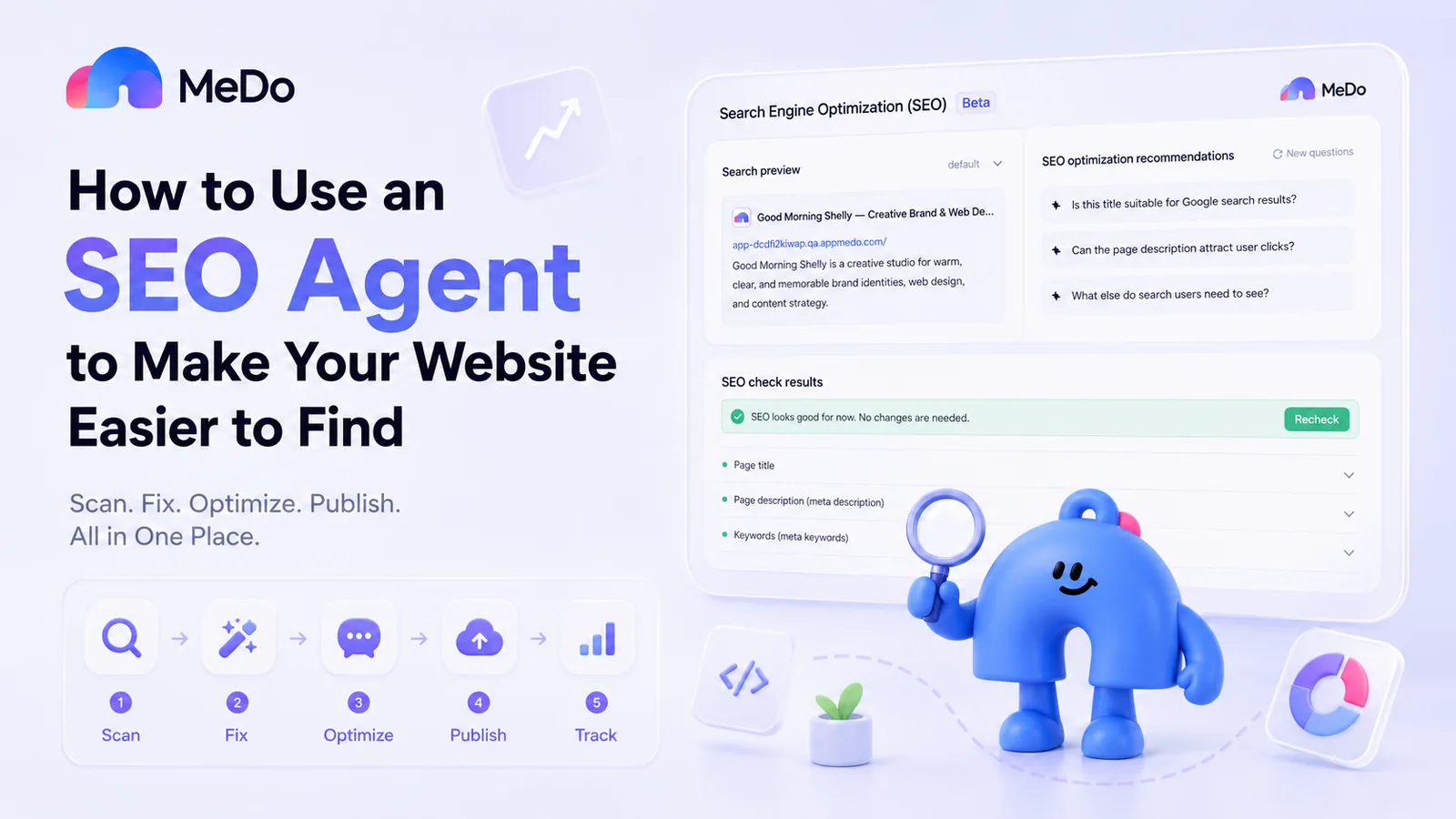
You can build the best website in the world, but if no one can find it, it might as well not exist.
The problem is that SEO often feels separate from website building. You create the pages in one tool, run a website SEO audit somewhere else, receive a technical report, return to the editor, find the right files, make the changes, publish again, and then use another platform to measure the results. For beginners, solo builders, and small teams, that workflow is unnecessarily complicated.
MeDo takes a more direct approach by placing a built-in AI SEO Agent inside the same environment where you build your website. You can scan your current project, fix detected on-page SEO issues, publish the updated version, track its organic search performance, and continue improving your SEO strategy through conversation.
Why SEO Should Be Built into Your Website-Building Workflow
Publishing a website only makes it available online. It does not automatically make it easy to discover through Google or other search engines. Search engines still need clear signals to understand what each page is about, which search queries it is relevant to, and how it should appear in search results. A website may look completely normal to visitors while still violating basic SEO rules.
These issues may affect page titles, meta descriptions, keywords, search previews, content structure, and other elements that support website indexing and organic search visibility.
Traditionally, identifying and correcting these problems requires multiple separate SEO tools. With MeDo's built-in SEO Agent, the website SEO audit and optimization process happens directly inside your current project, which makes it easier to improve website SEO without coding, manually editing files, or moving between several platforms.
Step 1: Run a Website SEO Audit
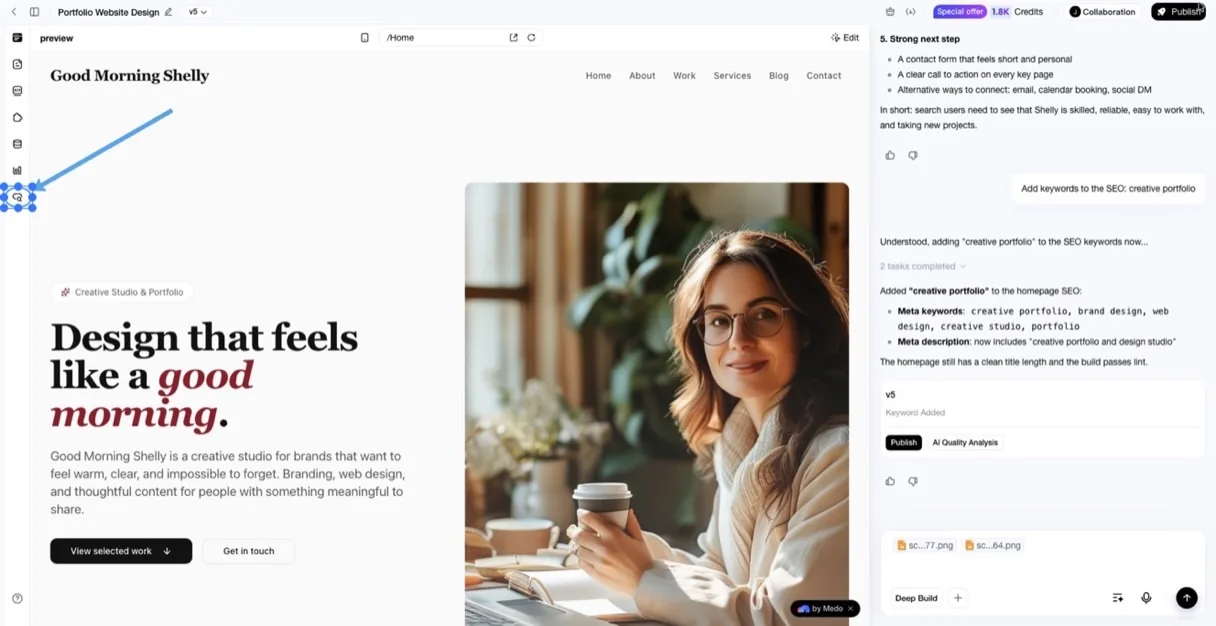
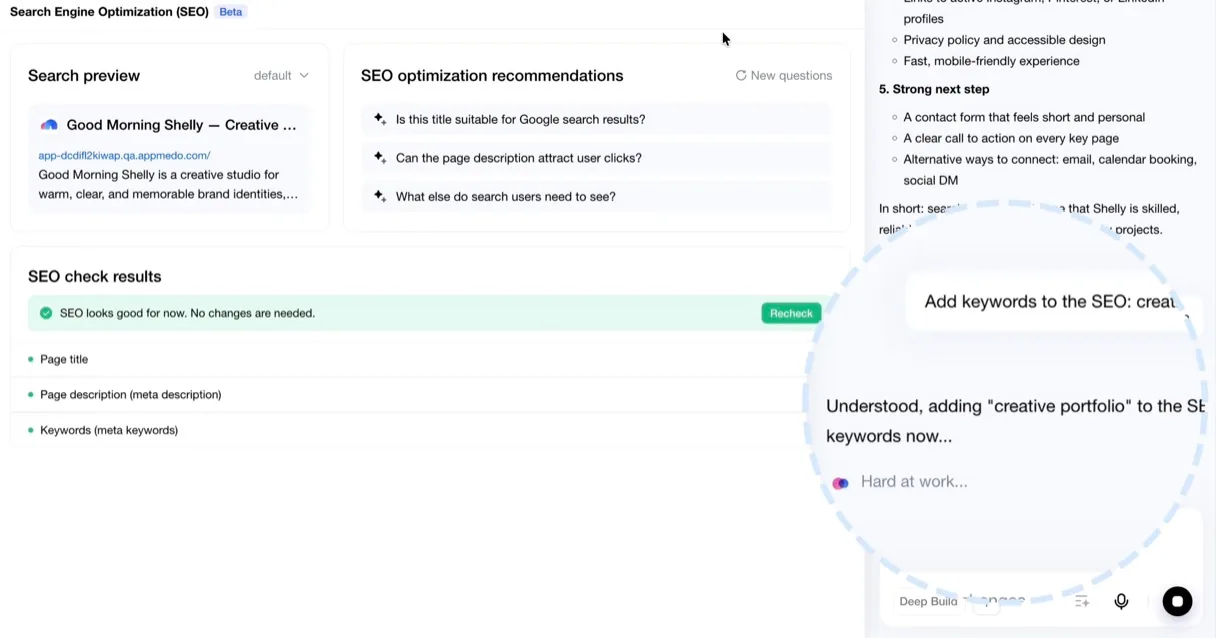
Open the SEO Agent inside your current project and start a scan. The AI SEO Agent automatically checks the pages in your project against its built-in SEO rules. It then produces a website SEO audit report showing whether any pages contain issues that need attention.
You do not need to inspect every single page yourself. The SEO Agent reviews the project and gathers the detected SEO issues in one place.
This gives you a clear starting point for your SEO optimization before making any changes.
Step 2: Fix Detected SEO Issues
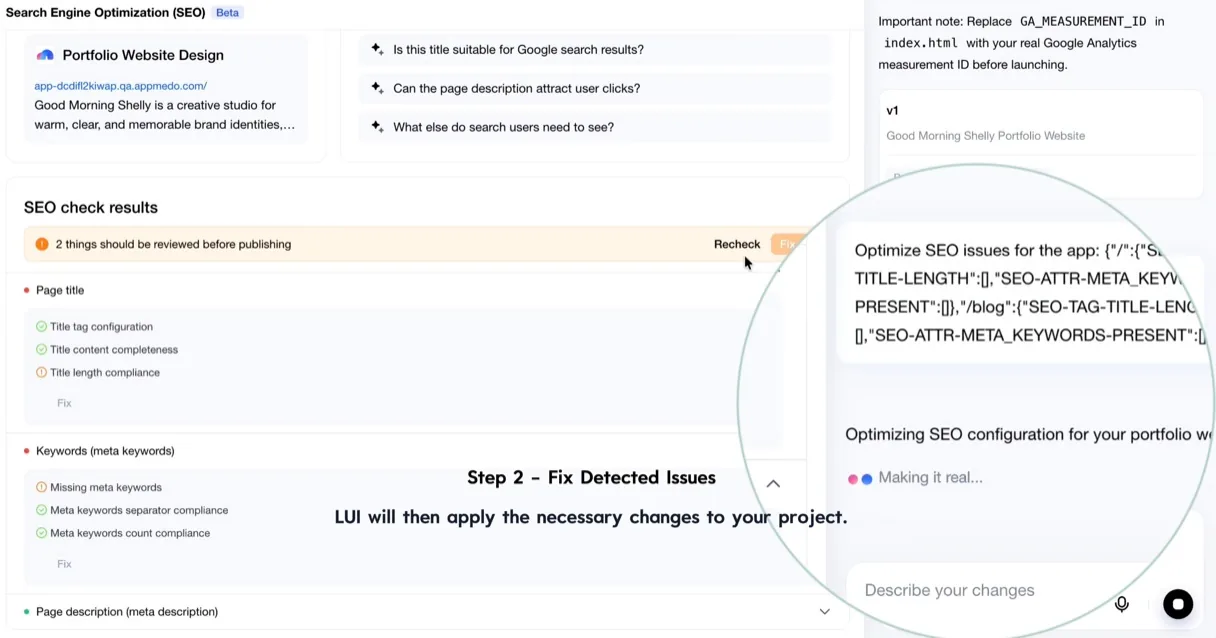
Once the scan is complete, review the detected issues and click Fix on the item you want to address. The SEO Agent will automatically generate and send a query based on that issue. LUI will then apply the necessary changes to your website project.
The only thing you need to do is choose the issue and click Fix.
The actual workflow is:
- The SEO Agent detects an SEO issue;
- You click Fix;
- The Agent generates the appropriate optimization query;
- LUI receives the query;
- LUI applies the changes to the project.
This means the AI SEO Agent does more than produce a technical audit report. It turns detected issues into actionable updates inside the same website-building environment.
You should still review the result before publishing. A page title, keyword, or meta description should not only satisfy a technical SEO rule. It should also accurately describe the page and match the user's search intent.
Step 3: Continue Your SEO Optimization
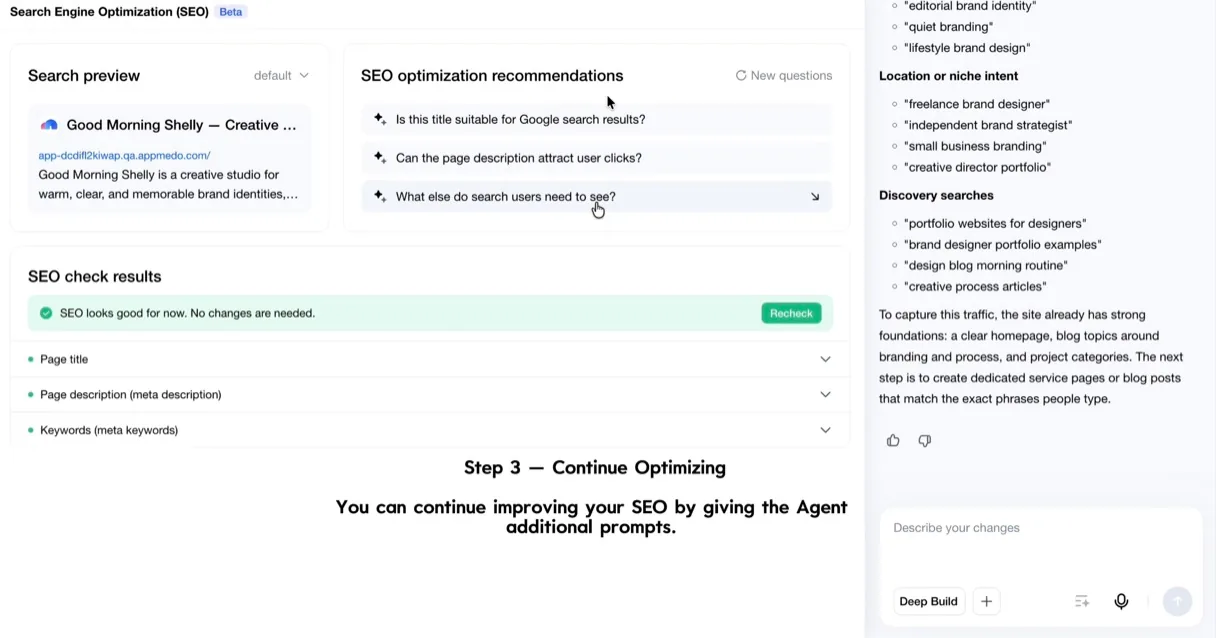
Next, you can continue improving your website SEO by giving the Agent additional prompts. The SEO Agent will optimize the project based on what you want to improve. For example, you might ask it to: Make a page title clearer; Improve the meta description; Focus a landing page on a more specific keyword; or anything you want to improve.
You do not have to leave the project, write the changes manually, or search for the correct page files. You can simply explain the result you want through natural-language conversation. For better on-page SEO, give each page one clear purpose. A homepage may explain the overall product, while a feature page should focus on one capability and a tutorial should answer one specific search question.
Clear and focused pages are easier for both users and search engines to understand.
Step 4: Publish and Track SEO Performance
After reviewing the changes, publish the updated website. The SEO Agent helps you audit and optimize the website project itself, but actual SEO performance should be measured after the website goes live.
Connect the published website with Google Search Console to track:
- Whether Google has discovered your pages;
- Whether important pages have been indexed;
- How often your pages appear in search results;
- Which search queries generate impressions;
- How many users click through to your website;
- How your organic search visibility changes over time;
- Whether Google reports website indexing problems.
Each tool has a different role:
| Tool | Main Role |
|---|---|
| MeDo AI SEO Agent | Runs the website SEO audit and identifies optimization opportunities |
| LUI | Applies the generated SEO changes to the website project |
| Google Search Console | Tracks website indexing, impressions, clicks, and real organic search performance |
Passing the SEO Agent's built-in checks does not guarantee immediate organic traffic or high Google rankings. It means the project has addressed the SEO rules included in the scan.
Search performance also depends on content quality, keyword competition, backlinks, user experience, website authority, technical performance, and time.
Step 5: Keep Improving SEO Through Conversation
SEO is not a one-time task. Your website may change when you launch a new feature, target a different audience, publish a new article, or update your product positioning. Google Search Console data may also reveal new keyword opportunities and pages that need improvement.
Whenever you have a new SEO optimization or iteration need, return to the built-in SEO Agent and continue the conversation.
For example, you can ask:
- "Optimize this page for the search queries appearing in Google Search Console."
- "Improve this page title to increase organic clicks."
- "Rewrite the meta description for this new feature."
- "Optimize this landing page for small business users."
- "Improve a page that receives impressions but very few clicks."
- "Update the SEO strategy after our product positioning changed."
The ongoing SEO process becomes:
Check performance → identify an opportunity → chat with the SEO Agent → update the project → publish again → track the results
Because the AI SEO Agent is built into the same environment where the website was created, every new SEO insight can be turned directly into another project iteration.
Conclusion
SEO does not need to be separated from the website-building process. With MeDo's built-in AI SEO Agent, you can run a website SEO audit, detect common issues, click Fix, let the Agent generate a query for LUI, and continue optimizing your website through natural-language conversation.
Instead of building a website first and treating SEO as a separate technical project, you can build, audit, optimize, and publish it through one connected workflow.
Related articles
- How to Publish Your App to the App Store and Google Play without Coding Experience — what happens after your project is ready to ship
- AI App Builder for Small Business — why discoverability matters most for small teams
- Vibe Coding to Production — the readiness checklist before you publish
Try building your app with MeDo
Describe your idea in one sentence. MeDo generates real native iOS and Android code, runs it on your phone via QR code, and ships to TestFlight and Play Store when you're ready.