MeDo

The Field Where Every Booking Goes Wrong.

A date picker has to do three jobs at once: let a mouse user paint a range, let a keyboard user type a date, and refuse every date your business cannot honor — past days, booked slots, blackout windows. Describe your availability rules and MeDo generates the calendar, the constraints, and the reschedule flow in React + Tailwind.

Date Picker
Date Picker

A Date Is Data Wearing a Costume

Almost every other form field stores what the user typed; a date stores a point on a calendar the user has to negotiate with — and the negotiation is where bookings leak. The failure modes are all component-specific: past dates and already-booked ranges must be structurally unreachable, not merely rejected after submit, because a red error on March 3rd teaches the user nothing they could not have been shown. Range selection has its own grammar — first click starts, hover previews, second click commits — and getting the reversed or same-day cases wrong quietly produces check-out-before-check-in bookings. And there is the entry split: pickers are fast for "three weeks from now" via a calendar, miserable for "my birthday in 1974", which is why a typed input that accepts 3/12, 0312 and March 12 belongs beside every calendar. Generate the component with the rules stated in the prompt and the calendar becomes an enforcer of business logic; generate it as a generic grid and it becomes a source of support tickets.

4 modelli

Modelli di Date Picker che puoi generare

Ogni modello è un prompt reale, non uno screenshot. Copialo in qualsiasi editor IA, oppure eseguilo in MeDo e ottieni codice React + Tailwind.

PopularStay Range

Two-Month Booking Range Picker

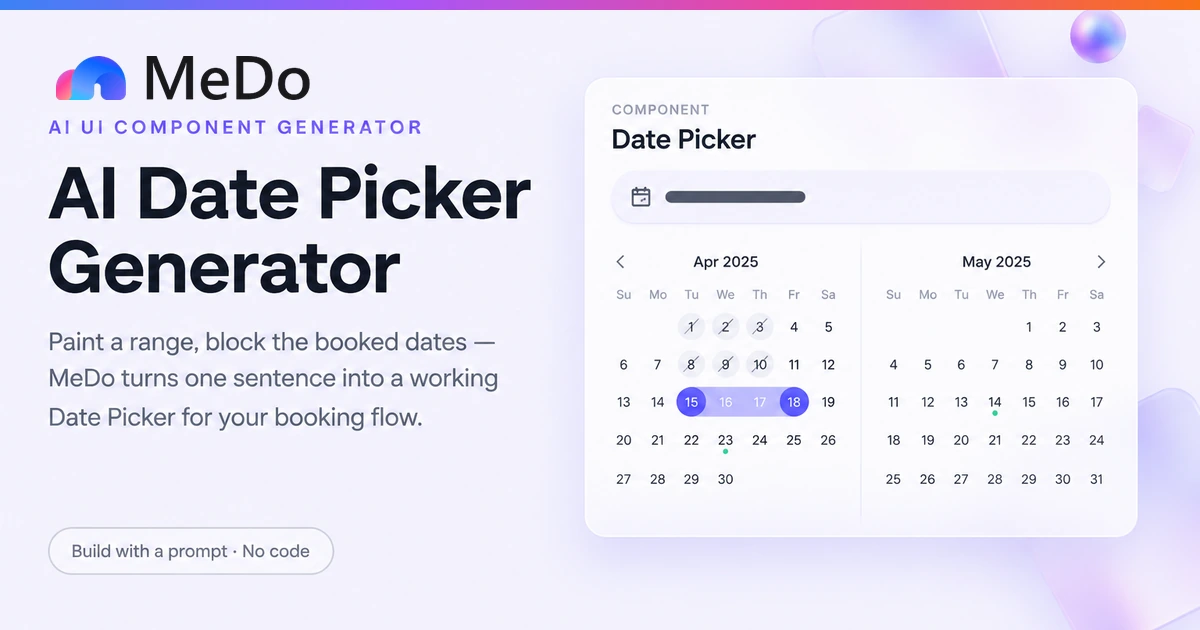
The vacation-rental workhorse: paint a stay across two months, blocked nights visible before you click, nightly prices in the cells.

Create a two-month side-by-side date range picker for booking a stay. Day cells are 40px; available cells show nightly price in 11px text under the day number, booked nights are grey with a diagonal strike line, and dates before today are disabled at 40% opacity. First click sets the start date, hovering paints a live indigo-100 preview band, second click commits; clicking before the start restarts the selection. Enforce a 3-night minimum with an inline amber message "Minimum 3 nights" when violated, and cap the range at 30 nights with a tooltip explaining the cap. Above the grid show the committed range as "Jun 12 → Jun 15 · 3 nights · $690 total". Arrow keys move focus by day, PageUp/PageDown by month, and the focused cell has a visible ring. Accept booked ranges as a prop of ISO date pairs.


Prova in MeDo
AvailabilityAppointment Slot

Day Picker With Per-Day Availability

For clinics and services: pick a day, see the open slots for that day appear beside the calendar, fully booked days greyed out in the grid itself.

Create an appointment picker with a single-month calendar on the left and a slot list on the right. Availability comes from a per-day map of ISO dates to time slots; days with zero slots render disabled with a small dot legend "Fully booked". Selecting a day renders its slots as pill buttons in three time-of-day groups — Morning, Afternoon, Evening — with already-taken slots greyed and disabled. Days in the past, Sundays (practice closed), and holidays from a provided array are disabled in the grid. When availability for the visible month has not loaded yet, show skeleton cells with a spinner overlay; failed fetches show a retry banner. The chosen day plus slot renders as a summary line "Thu, Jun 12 at 10:30 with Dr. Okafor" above a Confirm button that is disabled until a slot is selected.

Prova in MeDo
Booking flowsReschedule

Reschedule With Change Preview

The picker as a change instrument: current dates shown as the baseline, a delta summary before commit, and policy consequences surfaced before the damage.

Create a reschedule picker that opens with the customer's current stay highlighted in a distinct slate color and labeled "Current". New selections paint in indigo as usual. Beneath the calendar, a live diff panel updates while hovering: "Moving 2 days later · 4 nights → 6 nights · +$340" or "Same dates — nothing to change", with the Confirm button disabled while the diff is empty or identical. If the current rate plan is non-refundable, render a fixed warning banner: "Changing dates forfeits your non-refundable rate; the new dates will be charged at current pricing." The panel also surfaces a conflict state when the hovered range overlaps booked nights, listing which nights are taken. Committing requires an explicit checkbox "I understand the price change" when the delta is positive.

Prova in MeDo
HybridTyped Entry

Masked Input Paired With Calendar

For birthdays, deadlines and everything a calendar is bad at: type 0312 or 3/12/1978 and watch the calendar follow. One state, two inputs.

Create a single date field with both a masked text input and a dropdown calendar sharing one state. The input accepts "MM/DD/YYYY", "M/D/YYYY", slash-free "MMDDYYYY", and partial entries like "3/12" resolved to the current year with a visible hint "assuming 2026 — add the year to change". A grey natural-language line under the field live-updates to "Saturday, March 12, 1978" as the value parses, and turns red with a specific message when it does not ("February 30 does not exist — did you mean Feb 28?"). Validation runs on blur, not on every keystroke. Dates before 1900 are valid; dates in the future are flagged with a soft warning when the field represents a date of birth. Opening the calendar jumps to the typed date rather than today when one is set.

Prova in MeDo

Come personalizzare il tuo Date Picker

Disable invalid dates instead of rejecting them

Past days, booked ranges and blackout windows should render greyed and unclickable, with a reason available on hover or focus. Ask for the rules as data — "disable dates before today, plus these ISO ranges" — so the calendar prevents bad submissions rather than litigating them afterward.

Always ship a text entry path alongside the calendar

Calendars are slow for distant or historical dates and hostile for people who know the date already. Prompt for a masked input that accepts slashed, dash-separated and digit-only formats, with a live natural-language hint like "Saturday, Mar 14" updating as they type. One component, two interaction styles, one state.

State the timezone contract explicitly

A hotel night and a video-call slot are different timezone problems. Say which one you are building: "dates are property-local, no conversion" or "store UTC instants and render in the viewer's zone". Unstated, the generated code will pick one and you will discover which during support escalations.

Design the reschedule as a diff, not a re-pick

In booking flows the picker is usually opened over an existing date. Show the current range highlighted, preview the new range while hovering, and summarize the change — "moves your stay 2 days later, +$180" — before commit. Rescheduling without a diff is how accidental bookings happen.

Chi usa il componente Date Picker

Vacation rental booking

A two-month range calendar with booked nights rendered as struck-through grey cells, a four-night minimum enforced visually, and nightly price shown inside each available cell so guests pick by cost, not just by date.

Clinic appointment rescheduling

A single-day picker that disables past days, fully booked days and the provider's time-off, and opens pre-highlighted on the patient's current appointment so rescheduling reads as a change, not a fresh booking.

Flight search

A range picker with a "flexible dates ±3 days" toggle beneath the grid, cheapest-date dots inside cells, and the return date automatically constrained to be on or after the outbound date.

Project planning tool

Start and end date fields for a task, each opening the same range picker, where editing either end clamps the other and duration recalculates in working days, skipping weekends and holidays.

Pattern di Date Picker per siti web diversi

Lo stesso componente date picker, calibrato sul tipo di sito su cui viene pubblicato.

01 / 04

Travel and Hospitality

Stay range selection with prices in the cells and booked nights visible before clicking. This is the one booking surface where the calendar is the product — invest in cell-level detail rather than a minimal grid.

Stili e varianti di Date Picker

Scegli la variante che si adatta al resto della pagina, poi generala.

01 / 04

Two-Month Side-by-Side

Both months visible so a range never spans a blind fold. Costs serious width — it is a desktop pattern; on mobile the same logic needs a single month with a smooth next-month slide.

Date Picker in React, Next.js, Vue e Svelte

React, Next.js, Vue 3, SvelteKit, Astro o HTML puro: lo stesso date picker, sei modi per integrarlo.

01 / 03

React Date Picker

Range state is a two-slot tuple: null until the first click, then waiting for the end. Comparing date-only values by their local midnight avoids the UTC-parse shift that moves booked days by one.

src/components/DateRangePicker.tsx

const [range, setRange] = useState<[Date, Date | null]>([null, null])

function pick(day: Date) {
  if (!range[0] || range[1] || day < range[0]) {
    setRange([day, null])          // start a new selection
  } else {
    setRange([range[0], day])      // commit the end
  }
}

const sameDay = (a: Date, b: Date) =>
  a.getFullYear() === b.getFullYear() &&
  a.getMonth() === b.getMonth() &&
  a.getDate() === b.getDate()

const inRange = (day: Date) =>
  range[0] && range[1] && day >= range[0] && day <= range[1]

Come aggiungere il tuo Date Picker a un progetto

Quattro passaggi, dalla scelta di un modello di date picker alla messa in produzione.

01~2min

Decide What Your Date Value Is

A calendar night (property-local, no timezone) or an instant (UTC, rendered per viewer)? That single decision determines the parsing, the disabling logic and half the bugs you will never have. Write it into the prompt.

02~3min

List Your Availability Rules

Past dates, booked ranges, minimum stays, blackout days, closed weekdays. MeDo turns each stated rule into a disabled cell with a reason; rules left unstated become validation errors discovered by your users.

03~4min

Generate and Try to Break It

You get React + Tailwind with a live preview. Click backwards out of a range, click the same day twice, type February 30, cross a month boundary mid-range. Every surprise is one follow-up prompt away from fixed.

04~5min

Wire Real Availability and Ship

Point the picker at your actual booked-data source, confirm the timezone contract holds by checking a booking across zones, and test the reschedule diff if your flow has one.

Domande comuni su Date Picker

How do I disable past dates and booked slots in a date picker?

Pass the rules as data in your prompt: disable everything before today, plus an array of booked ISO date ranges, plus any recurring blackout like weekends. The generated calendar should render disabled cells at reduced opacity with no pointer events and an accessible reason, so the user learns the constraint where they clicked instead of from an error after submit. If availability lives in an API, ask for async fetching per visible month with a loading state on the grid.

How does date range selection work for bookings?

The standard grammar: the first click sets the start, hovering previews the range with a highlighted band, and the second click commits the end. The edge cases are what need spelling out — clicking the same day twice (reject or treat as one-night stay, per your minimum), clicking before the start (restart the selection), and whether the end date is inclusive. Booking systems are usually checkout-exclusive internally, so nights math stays honest.

Why do my booked dates shift by one day in the calendar?

Almost always a timezone bug: an ISO string like "2026-03-12" is parsed as midnight UTC, then rendered through the browser's local zone, so in the Americas it becomes March 11th. Fix it by treating date-only values as calendar dates, not instants — parse the year, month and day directly and construct the date locally. Tell MeDo "date-only fields, never convert timezones" and the generated code will follow that contract.

Should users be able to type a date instead of picking it?

Yes, always offer both. Typing is dramatically faster for known dates — birthdays, contract deadlines, any date more than a few months out — and it is the only realistic path for screen-reader and power-keyboard users. Prompt for a masked input beside the calendar that accepts common formats, normalizes two-digit years against a stated window, and mirrors its value into the same state the calendar drives.

How do I handle timezones in a booking date picker?

Decide what the value represents before generating anything. A hotel night is a property-local calendar date with no instant attached — store the date, never convert it. A meeting or appointment slot is a moment in time — store UTC and render in each viewer's zone, and disable slots based on the venue's working hours, not the user's. Mixing the two models in one component is the root of most double-booking bugs.

How should a reschedule flow differ from a fresh booking?

Open the picker with the existing range already highlighted, keep it selectable as a baseline, and show a running summary of the change — new dates, price delta, any policy warning like a non-refundable rate being forfeited — before the confirm button enables. A reschedule that looks identical to a first booking invites users to commit changes they did not intend, and support tickets are cheaper to prevent than to resolve.