MeDo

Generatore di Menu a Tendina IA.

Descrivi le tue voci e MeDo genera il menu completo — trigger, pannello, sezioni raggruppate con separatori, sottomenu, navigazione con frecce e digitazione rapida, chiusura con Escape e clic esterno, e focus che torna al trigger alla chiusura.

Menu a tendina
Menu a tendina

Un menu è un solo punto di tabulazione, ed è proprio questo che si sbaglia

L'istinto è rendere focalizzabile ogni voce, così che Tab le percorra una a una. Il pattern ARIA menu fa l'opposto: l'intero menu è un unico punto di tabulazione, e le frecce spostano un roving tabindex tra le voci mentre Tab chiude il menu e lo abbandona. È questo che fa costare un solo tasto invece di dodici il salto di un menu account da 12 voci. Spiega anche perché i menu richiedono un ripristino esplicito del focus: poiché il focus è stato spostato nel pannello in modo programmatico, chiudere senza rimandarlo al trigger lascia l'utente da tastiera all'inizio del documento. Generare trigger e pannello come un unico componente mantiene intatto questo percorso di andata e ritorno, perché le due metà sono scritte secondo lo stesso contratto di focus.

6 modelli

Modelli di Menu a tendina che puoi generare

Ogni modello è un prompt reale, non uno screenshot. Copialo in qualsiasi editor IA, oppure eseguilo in MeDo e ottieni codice React + Tailwind.

BasicAccount Menu

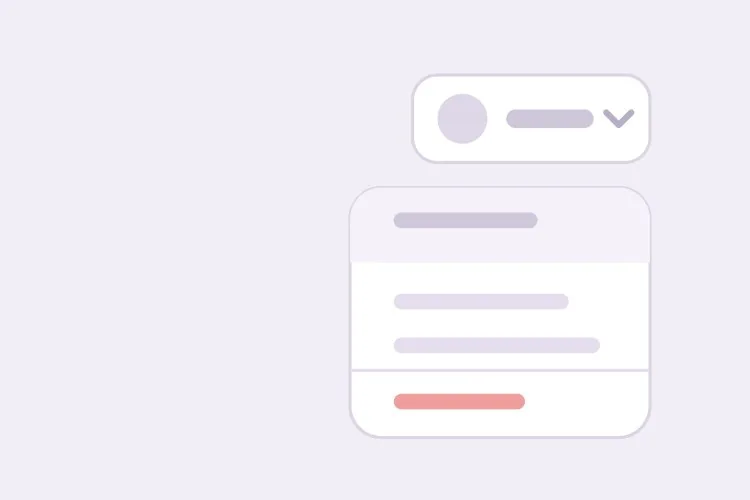
Avatar Trigger With Grouped Actions

The top-right menu every product has. Get the focus round trip right here and the rest of your menus inherit it — closing without returning focus drops keyboard users at the top of the document.

Create an account dropdown menu: a 32px avatar trigger with aria-haspopup="menu" and aria-expanded, and a 240px panel with role="menu" anchored 6px below it. Each row is role="menuitem", 32px tall, with a 16px leading icon. Use a roving tabindex so the whole menu is one tab stop — Tab closes it and leaves rather than walking the items. Enter, Space or Arrow Down opens the menu and focuses the first item; Arrow Up opens it focusing the last. Arrow Down and Up cycle with wrapping, Home and End jump to the ends, typing a letter jumps to the next item starting with it, Escape and outside pointerdown close it, and focus returns to the trigger on every close path. Group items with 1px dividers and style Sign out as a destructive red item in its own group.


Prova in MeDo
Table rowRow Overflow

Three-Dot Menu on a Table Row

Repeated once per row, which makes the trigger label the real problem: twenty buttons all called "More options" tell a screen reader user nothing about which record they are about to delete.

Create a row-level overflow menu for a data table: a 32px icon-only three-dot trigger with aria-haspopup="menu", aria-expanded, and an accessible name that names its record — "More actions for invoice 1042" — so repeated triggers are distinguishable. The panel is role="menu" with Edit, Duplicate and Export, then a divider and a destructive Delete that opens a confirmation dialog and moves focus into it rather than acting immediately. Roving tabindex, Arrow Up and Down with wrapping, Home and End, single-letter type-ahead, Escape and outside pointerdown to close, focus back to the trigger. Close the menu when its ancestor scroll container scrolls, since an anchored panel detaches from a row that has moved.

Prova in MeDo
NestedSubmenu

Parent Items With Nested Panels

One level of nesting, with a hover intent delay. Without the delay, dragging the pointer diagonally to the item you wanted opens and closes three submenus on the way there.

Create a dropdown menu with one level of submenus: the parent item carries aria-haspopup="menu", aria-expanded and a trailing chevron, and its child panel is a separate role="menu" anchored to the parent's right edge, flipping to the left when it would leave the viewport. Open the submenu on Arrow Right or Enter with focus on the first child, and on hover after a 150ms intent delay with a similar grace period before closing so a diagonal pointer path does not toggle three panels. Arrow Left closes the submenu and returns focus to the parent item; Escape closes the whole menu and focuses the trigger. Keep type-ahead scoped to the currently open panel, and do not nest a second level.

Prova in MeDo
TogglesCheckable Items

Menu With Checkbox and Radio Rows

View options and sort order inside a menu. The roles change with the semantics — menuitemcheckbox for independent toggles, menuitemradio in a group for one-of-many — and so does whether the panel closes on select.

Create a view-options dropdown mixing checkable rows: a group of role="menuitemcheckbox" rows with aria-checked for column visibility, and below a divider a group of role="menuitemradio" rows inside role="group" with aria-labelledby a Sort by heading, where exactly one is aria-checked. Keep the panel open when a checkbox row is toggled so several can be set in one pass, and close it after a radio selection since the choice is complete. Reserve the check indicator column at a fixed width so labels do not shift when a state changes. Roving tabindex, Arrow Up and Down with wrapping, Home and End, Space toggles without closing, Enter selects, Escape closes and returns focus to the trigger.

Prova in MeDo
NavigationNav Disclosure

Header Dropdown of Plain Links

Deliberately not a menu. A products dropdown holds links, so role="menu" would collapse them into one tab stop and stop cmd+click from opening a new tab.

Create a navigation dropdown for a marketing header that is a disclosure, not an ARIA menu: a trigger button with aria-expanded and aria-controls, and a panel containing a plain ul of anchor elements — no role="menu" or role="menuitem", so each link stays individually focusable and openable in a new tab with cmd+click or middle click. Tab moves through the links in order rather than a roving tabindex. Open on click and on Arrow Down, close on Escape with focus returning to the trigger, close on outside pointerdown, and close on focusout when focus leaves the panel entirely. Do not open on hover alone on touch devices. Mark the link matching the current route with aria-current="page".

Prova in MeDo
FilterableSearch Menu

Long Menu With a Filter Field

Past roughly fifteen items, single-letter type-ahead stops being enough. Adding a text field changes the contract: the field keeps focus and the highlight moves by aria-activedescendant.

Create a filterable dropdown for a long list: a trigger with aria-haspopup and aria-expanded, and a panel whose first element is a search input that receives focus on open. Because a text field now holds focus, switch from a roving tabindex to the combobox approach — role="listbox" on the list, role="option" on rows, and aria-activedescendant on the input so Arrow Up and Down move the highlight while typing keeps working. Filter as the user types with a 150ms debounce, bold the matched substring, cap the list at 280px with internal scroll, and scroll the active option into view with block nearest. Show a no-matches row rather than an empty panel. Escape clears a non-empty filter first, then closes on a second press with focus returning to the trigger.

Prova in MeDo

Come personalizzare il tuo Menu a tendina

Specifica che è un menu di azioni, non un <select>

role="menu" dice alla tecnologia assistiva che ogni voce esegue un comando. Se invece le voci impostano un valore di form, chiedi un listbox o un <select> nativo. Usare un menu per un campo di form fa annunciare comandi agli screen reader dove l'utente si aspetta opzioni.

Indica il ritardo di intenzione dell'hover per i sottomenu

Chiedi circa 150ms di ritardo prima che un sottomenu si apra e un periodo di grazia simile prima che si chiuda. Senza di esso, trascinare il puntatore in diagonale sulla lista padre apre e chiude tre sottomenu lungo la strada verso quello desiderato.

Chiedi esplicitamente un posizionamento anti-collisione

Specifica che il pannello deve ribaltarsi sopra il trigger vicino al bordo inferiore e spostarsi orizzontalmente per restare visibile. Un menu ancorato a un avatar in alto a destra è il caso più comune in cui un offset fisso rende metà delle voci fuori schermo.

Separa la voce distruttiva

Metti azioni come Esci, Elimina o Revoca accesso in un gruppo a sé sotto un divisore e chiedi il trattamento di colore distruttivo. Ciò che previene il clic sbagliato è la distanza fisica dalle voci di routine, non il testo rosso.

Chi usa il componente Menu a tendina

Prodotto SaaS

Un menu avatar in alto a destra con l'email dell'account come riga di intestazione statica, poi i link profilo e fatturazione, un sottomenu team, un interruttore del tema ed Esci isolato sotto un divisore.

Dashboard o strumento di amministrazione

Un menu overflow a livello di riga dietro un pulsante con tre puntini, contenente Modifica, Duplica, Esporta e un Elimina distruttivo, con il trigger etichettato dalla riga a cui appartiene così che gli screen reader annuncino su quale record si sta agendo.

Editor di contenuti

Un menu di inserimento blocchi con tipi di voce raggruppati, un sottomenu di provider di embed e salto per lettera così che chi conosce la lista raggiunga una voce senza scorrerla con le frecce.

Navigazione di sito marketing

Un menu a tendina prodotti nella navbar costruito da una semplice lista di link anziché con role="menu", così il pannello si comporta come la navigazione che è e i link restano focalizzabili singolarmente e apribili in una nuova scheda.

Pattern di Menu a tendina per siti web diversi

Lo stesso componente menu a tendina, calibrato sul tipo di sito su cui viene pubblicato.

01 / 06

SaaS Account Menu

Avatar trigger, the account email as a static non-focusable header row, then profile and billing links, a team submenu and Sign out below a divider. Keep the email row out of the roving tabindex — a label that takes an arrow keypress to skip reads as a broken menu item.

Stili e varianti di Menu a tendina

Scegli la variante che si adatta al resto della pagina, poi generala.

01 / 06

Grouped Action Menu

Rows split into two or three sections by 1px dividers, with the destructive action alone at the bottom. The physical gap is what prevents the misclick on Sign out or Delete — red text alone does not, because the pointer is already moving before the color registers.

Menu a tendina in React, Next.js, Vue e Svelte

React, Next.js, Vue 3, SvelteKit, Astro o HTML puro: lo stesso menu a tendina, sei modi per integrarlo.

01 / 06

React Dropdown Menu

Hold the active index in state and derive tabIndex from it — that is the roving tabindex. Keep a ref to the trigger and focus it in the close handler, since the browser will not restore focus for you.

src/components/Menu.tsx

const [open, setOpen] = useState(false)
const [active, setActive] = useState(0)
const triggerRef = useRef(null)

function close() {
  setOpen(false)
  triggerRef.current?.focus()
}

<button ref={triggerRef} aria-haspopup="menu" aria-expanded={open}>
  Account
</button>

Come aggiungere il tuo Menu a tendina a un progetto

Quattro passaggi, dalla scelta di un modello di menu a tendina alla messa in produzione.

01~30s

Pick a Menu Template

Answer one question first: do the items run commands or navigate? Actions get the menu templates and their roving tabindex; links get the navigation disclosure, where every anchor stays its own tab stop.

02~10s

Copy the Prompt

Take the prompt into MeDo, Lovable, Bolt, v0 or Cursor and list your real items with the dividers where you want them. Say which item is destructive and which opens a submenu, since both change the generated markup.

03~1min

Generate and Refine

You get React + Tailwind back with a live preview. Follow up in plain English — "add a filter field", "flip above the trigger near the bottom edge", "turn Sort into radio items" — instead of touching the keydown handler.

04~2min

Wire the Actions and Ship

Connect each item to its handler, then verify the focus round trip with the keyboard alone: open, arrow down, Escape, and confirm focus lands back on the trigger rather than the top of the page.

Domande comuni su Menu a tendina

Come genero un menu a tendina con l'IA?

Elenca le voci che vuoi, indica quali aprono sottomenu e dove vanno i divisori. MeDo genera il trigger, il pannello ancorato, le voci raggruppate e la gestione da tastiera come un unico componente, così frecce, Escape, clic esterno e ripristino del focus sono già collegati prima che tu lo apra.

Qual è la differenza tra un menu a tendina e un <select>?

Un menu invoca azioni: scegliere una voce fa immediatamente qualcosa e nulla viene memorizzato. Un <select> contiene un valore di form: scegliere un'opzione cambia uno stato che verrà inviato dopo. Usano ruoli diversi e contratti da tastiera diversi, e scambiare l'uno per l'altro è il difetto di accessibilità più comune nei dropdown personalizzati.

Un menu a tendina di navigazione deve usare role="menu"?

No. role="menu" è per menu di comandi in stile applicazione, e applicarlo a una lista di link fa annunciare ogni link come menuitem riducendoli a un unico punto di tabulazione. Un menu a tendina di navigazione dovrebbe essere una semplice lista di anchor dentro un disclosure che il trigger commuta con aria-expanded. Di' a MeDo che il pannello è navigazione e genererà link anziché voci di menu.

Come deve funzionare la navigazione da tastiera in un menu a tendina?

Enter, Space o Freccia Giù aprono il menu e portano il focus sulla prima voce. Freccia Su e Giù si muovono tra le voci e ciclano agli estremi, Home e End saltano alla prima e all'ultima, e digitare una lettera passa alla voce successiva che inizia con quel carattere. Freccia Destra apre un sottomenu, Freccia Sinistra lo chiude, ed Escape o Tab chiudono l'intero menu riportando il focus al trigger.

L'IA può generare un menu a tendina con sottomenu?

Sì. Descrivi l'annidamento e MeDo genera la voce padre con aria-haspopup, il pannello figlio, il ritardo di intenzione dell'hover e le associazioni di Freccia Destra e Freccia Sinistra. Mantieni l'annidamento a un livello quando puoi, perché un secondo livello è difficile da centrare col puntatore e difficile da descrivere a chi usa uno screen reader.

Un menu a tendina deve chiudersi al clic esterno?

Sì, e dovrebbe chiudersi anche con Escape, allo scroll di un contenitore antenato e quando il trigger viene cliccato di nuovo. Collega il listener esterno su pointerdown anziché click, così un trascinamento che inizia fuori dal pannello lo chiude, e riporta sempre il focus al trigger perché gli utenti da tastiera non finiscano in cima alla pagina.