MeDo

Generatore di Testimonianze IA.

Descrivi la sezione di social proof di cui hai bisogno — stile delle citazioni, valutazioni a stelle, layout degli avatar, griglia o carosello — e MeDo genera codice pronto per la produzione in pochi secondi. Lascia che siano i tuoi clienti a vendere.

Testimonianze
Testimonianze

La social proof è il testo più persuasivo della tua pagina.

I visitatori si fidano degli altri clienti più che di te — e una sezione testimonianze ben progettata è il modo più rapido per dimostrare che il tuo prodotto mantiene le promesse. Riduce il dubbio esattamente nel momento in cui gli acquirenti stanno decidendo. Eppure la maggior parte dei team salta del tutto le testimonianze o ammucchia citazioni in un muro di testo. MeDo rende facile generare una sezione visivamente convincente, credibile e testata per la conversione.

6 modelli

Modelli di Testimonianze che puoi generare

Ogni modello è un prompt reale, non uno screenshot. Copialo in qualsiasi editor IA, oppure eseguilo in MeDo e ottieni codice React + Tailwind.

Three-up gridAcme

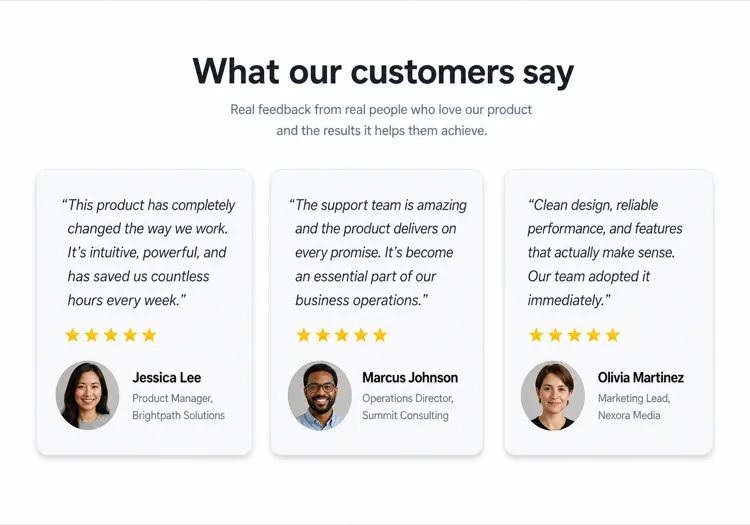
Three Quote Cards With Attribution

The baseline social proof section. It fails on attribution, not layout — an unnamed quote from "a happy customer" reads as invented and costs more trust than it buys.

Create a testimonials section with a centered h2 and three quote cards in one row. Each card holds a quote of 20 to 40 words in a blockquote element, then an attribution row with a 40px circular avatar, the customer's real name in medium weight, and their role plus company on a muted second line. Use a cite element for the source and explicit width and height on the avatar with an initials fallback on image error. Light card surface, hairline border, 12px radius, no hover animation. Stack to a single column at 768px keeping the avatar row intact rather than centering it.


Prova in MeDo
Featured quoteMega

One Large Quote Above the Grid

Promotes your strongest testimonial out of the grid, where it would have been averaged out by two weaker ones. The featured card should be the quote naming a specific outcome, not the most flattering adjective.

Create a testimonials section with a featured quote above a grid. The featured card spans the full container: a quote of 40 to 60 words at large size, a 56px avatar, the customer name, their role and company, and a company logo at the right edge. Below it, three smaller cards in one row each with a shorter quote and a 40px avatar attribution row. Wrap each quote in a blockquote with a cite for the person and company. Featured card gets a tinted background to separate it from the grid. Collapse the grid to one column at 768px and reduce the featured quote by one type step.

Prova in MeDo
Logo wallShipfast

Customer Logos With Quotes on Hover

Logos first, quotes second — the right order when your customer names are more persuasive than anything they said. Never make the quote hover-only; that hides it from touch and keyboard entirely.

Create a social proof section that leads with a customer logo wall: eight monochrome logos in two rows at reduced opacity, each an interactive button that reveals that customer's quote in a panel below the wall. Reveal on hover, focus and click so the content is reachable by keyboard and touch, with the active logo at full opacity and aria-pressed set. The panel shows the quote, avatar, name, role and company, and keeps a fixed min-height so the page does not jump between quotes. Default to the first quote on load. Four logos per row at 768px, two at 480px.

Prova in MeDo
MasonryBuilders

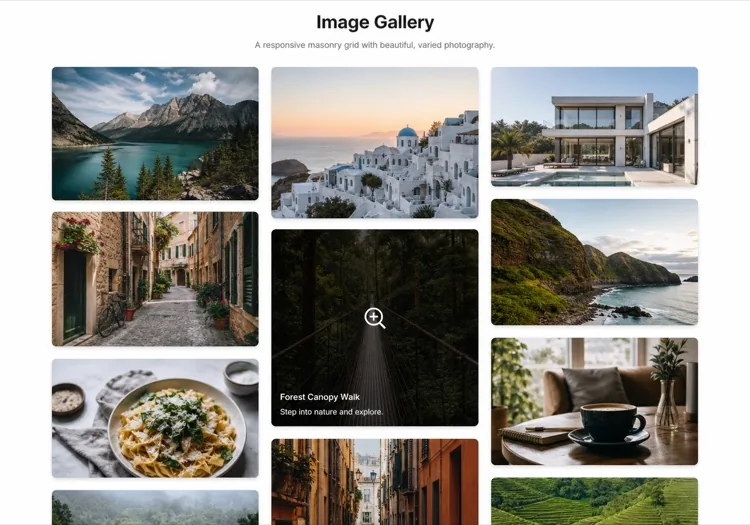
Masonry Wall of Short Quotes

Nine to twelve quotes of uneven length in staggered columns. Volume is the argument here, so it only works if every card still carries a name and a face — a wall of anonymous praise reads as filler.

Create a masonry testimonial wall of nine to twelve short quotes across three CSS columns, letting the natural quote lengths stagger the card baselines. Each card carries a 32px avatar, a name, a role, and a source label such as G2 or Product Hunt. Use blockquote and cite markup throughout, and give avatars explicit dimensions with an initials fallback. Add a fade mask and a Show more button that expands from six visible cards to the full set, updating aria-expanded. Drop to two columns at 900px and one at 600px, preserving the source label on every card.

Prova in MeDo
CarouselStudio

Single-Quote Slider With Controls

One long quote at a time, for case-study length testimonials that will not fit a card. The only variant here that needs client state, so keep the interactive shell small and leave the rest of the page static.

Create a testimonial carousel showing one quote at a time: a 60 to 100 word quote, a 64px avatar, the customer name, role, company and logo. Add previous and next buttons plus dot indicators, all real buttons with accessible labels, and support left and right arrow keys when the region has focus. Wrap the slides in an aria-roledescription carousel region with a live region announcing "slide 2 of 5". Pause any autoplay on hover and focus, and disable it entirely under prefers-reduced-motion. On mobile, swap the side buttons for a swipeable track with the dots below.

Prova in MeDo
VideoBrand*

Video Testimonials With Transcript Quote

A thumbnail that opens a short customer video, with the strongest sentence quoted in text beneath it. Most visitors never press play, so the text quote is doing the actual work and cannot be skipped.

Create a video testimonials section with three cards. Each card shows a poster image at explicit dimensions with a centered play button overlay, a duration chip, and beneath it a one-sentence pull quote in text plus the customer name, role and company. Do not embed the player on load — render the poster as an image and only mount the iframe when the play button is activated, so three third-party players do not block the page. Give each play button a label naming the customer. Provide a captions note and a transcript link per card. One column at 768px.

Prova in MeDo

Come personalizzare il tuo Testimonianze

Adatta il layout al volume delle citazioni

Tre o quattro citazioni in una griglia è il punto ottimale per la maggior parte delle landing page. Se hai molte testimonianze, chiedi a MeDo un layout a carosello o a muratura così puoi mostrarne di più senza sovraccaricare la pagina.

Inizia con la citazione più forte

La prima testimonianza riceve la maggior parte dell'attenzione. Nel tuo prompt, descrivi una grande scheda di citazione in evidenza in cima — una singola recensione eccezionale in una scheda hero prima della griglia — per ancorare immediatamente la fiducia.

Aggiungi loghi aziendali per autorità

Per i prodotti B2B, chiedi a MeDo di includere un segnaposto per il logo aziendale accanto al nome del cliente. I loghi di marchi riconoscibili nelle testimonianze aumentano significativamente la credibilità percepita.

Specifica le valutazioni a stelle in modo selettivo

Le valutazioni a 5 stelle su ogni scheda possono sembrare artefatte. Chiedi a MeDo di variare l'enfasi visiva — alcune schede con valutazioni, altre senza — per far sembrare la sezione autentica e curata a mano.

Chi usa il componente Testimonianze

Prodotto SaaS

Citazioni specifiche per ruolo da utenti avanzati — "Come growth marketer, ho risparmiato 6 ore a settimana" — abbinate a titoli professionali e loghi aziendali per costruire credibilità con gli acquirenti che valutano lo strumento.

Brand e-commerce

Schede testimonianze centrate sulle foto con immagini di prodotto, selfie dei clienti e citazioni brevi e incisive. Prova visiva che il prodotto appare e funziona come pubblicizzato.

Portfolio di agenzia o freelance

Citazioni di clienti sui risultati ottenuti — fatturato cresciuto, progetti consegnati in tempo — presentate in un layout pulito a due colonne che lascia i risultati parlare più forte di qualsiasi biografia.

Corso online o coaching

Testimonianze in stile prima-dopo con il nome dello studente, il nome del corso e una citazione di trasformazione. Aumenta le iscrizioni rendendo i risultati raggiungibili e reali.

Pattern di Testimonianze per siti web diversi

Lo stesso componente testimonianze, calibrato sul tipo di sito su cui viene pubblicato.

01 / 06

SaaS Product Testimonials

Role-specific quotes with job title, company and logo, because a B2B buyer is checking whether someone in their seat succeeded with this. Name the outcome in the quote — a quote praising the support team does not answer the question the pricing page raised.

Stili e varianti di Testimonianze

Scegli la variante che si adatta al resto della pagina, poi generala.

01 / 06

Quote Card Grid

Three or four equal cards in a row, each with quote plus attribution row. The safest default and the easiest to keep balanced, provided you trim quotes to a similar length — one 80-word card next to two 20-word cards makes the grid look broken.

Testimonianze in React, Next.js, Vue e Svelte

React, Next.js, Vue 3, SvelteKit, Astro o HTML puro: lo stesso testimonianze, sei modi per integrarlo.

01 / 06

React Testimonials Section

A grid of quotes needs no state at all — keep hooks for the carousel variant only. Type the testimonial array so a card missing a name or role fails at build rather than shipping as anonymous praise.

src/components/Testimonials.tsx

export function Testimonials({ items }) {
  return (
    <div className="grid gap-6 md:grid-cols-3">
      {items.map((t) => (
        <figure key={t.name} className="rounded-xl border p-6">
          <blockquote className="text-lg">{t.quote}</blockquote>
          <figcaption className="mt-6 flex items-center gap-3">
            <Avatar src={t.photo} name={t.name} />
            <span>{t.name}, {t.role} at {t.company}</span>
          </figcaption>
        </figure>
      ))}
    </div>
  )
}

Come aggiungere il tuo Testimonianze a un progetto

Quattro passaggi, dalla scelta di un modello di testimonianze alla messa in produzione.

01~30s

Pick a Testimonials Template

Choose by what you have. Three solid quotes means the card grid; one outstanding quote means the featured layout; recognisable customer names mean lead with the logo wall.

02~10s

Copy the Prompt

Take the prompt into MeDo, Lovable, Bolt, v0 or Cursor. Decide the quote length before you run it — the card grid only stays balanced if every quote lands in the same range.

03~2min

Generate and Refine

You get React + Tailwind back with a live preview. Follow up in plain English — "add a company logo to each card", "make it two columns on tablet" — instead of editing class strings.

04~2min

Swap In Real Attribution

Replace every placeholder with a real name, role, company and photo, and get written permission for each. A card left as "Jane Doe, CEO" is worse than no testimonials section at all.

Domande comuni su Testimonianze

Come creo una sezione testimonianze con l'IA?

In MeDo, descrivi il layout testimonianze che desideri — griglia vs. carosello, numero di schede, se includere valutazioni a stelle o avatar, e lo stile visivo. MeDo genera il codice completo del componente con citazioni, nomi e avatar segnaposto che sostituisci con il tuo vero contenuto clienti.

Qual è il miglior generatore di testimonianze IA?

MeDo è costruito appositamente per generare componenti di siti web pronti per la produzione, incluse le sezioni testimonianze. A differenza degli strumenti di chat IA generici, MeDo capisce i layout a griglia, il design responsive e i pattern di conversione che fanno funzionare davvero la social proof — così ottieni codice pulito e utilizzabile invece di un mockup approssimativo.

Posso generare un carosello di testimonianze con l'IA?

Sì. Chiedi a MeDo un 'carosello testimonianze con auto-play e punti di navigazione' e genererà un componente slider interattivo. Puoi specificare quante schede sono visibili contemporaneamente, la velocità di transizione e se includere controlli con frecce prev/next.

Come aggiungo valutazioni a stelle a una sezione testimonianze generata dall'IA?

Includi "valutazione a 5 stelle con icone di stelle piene" nel tuo prompt MeDo. Puoi anche richiedere valutazioni variabili — "mostra tra 4 e 5 stelle per scheda" — per rendere la sezione più autentica e affidabile.

L'IA può generare testimonianze con foto dei clienti?

MeDo genererà il componente con segnaposto di immagine avatar circolari e la struttura di layout corretta. Sostituisci gli attributi src segnaposto con le tue vere foto dei clienti. Puoi anche descrivere un fallback — "mostra le iniziali in un cerchio colorato se non è disponibile alcuna foto."

Come creo una sezione testimonianze mobile-friendly con l'IA?

Aggiungi "responsive, si impila in una singola colonna su mobile" al tuo prompt MeDo. Il componente generato utilizzerà CSS grid o flexbox che comprime automaticamente il layout multi-colonna a una vista a scheda singola con scorrimento verticale su schermi piccoli.