AI折叠面板生成器。

描述你的分区,MeDo即生成可折叠面板——单开或多开行为、适配任意内容长度的高度动画、自动展开指定面板的深度链接,以及用于富媒体搜索结果的FAQPage JSON-LD。

折叠面板
折叠面板

折叠起来的面板,是在赌这段内容可有可无

折叠面板通常是为了让页面看起来更短,但缩短页面并非没有代价。每个折叠分区都是用可扫读性换取信息密度:本来会快速浏览六个答案的访客,现在必须决定点开哪一个,而大多数人一个都不点。对于配送政策、边缘情况问题或冗长的规格表这类真正次要的内容,这笔交易值得;但对于真正能打消购买顾虑的那两三个答案,这是一笔糟糕的交易。有效的做法是把购买意图最高的内容从折叠面板里提出来放进正文,让折叠面板只承载长尾内容。这同时也解决了同一问题的SEO一面:位于关闭面板中但存在于HTML里的文本会被正常索引,而只在点击后才注入的文本可能不会。

6 个模板

可以生成的 折叠面板 模板

每个模板都是真实的提示词,而不是截图。复制到任意 AI 编辑器,或在 MeDo 中运行,直接拿到 React + Tailwind 代码。

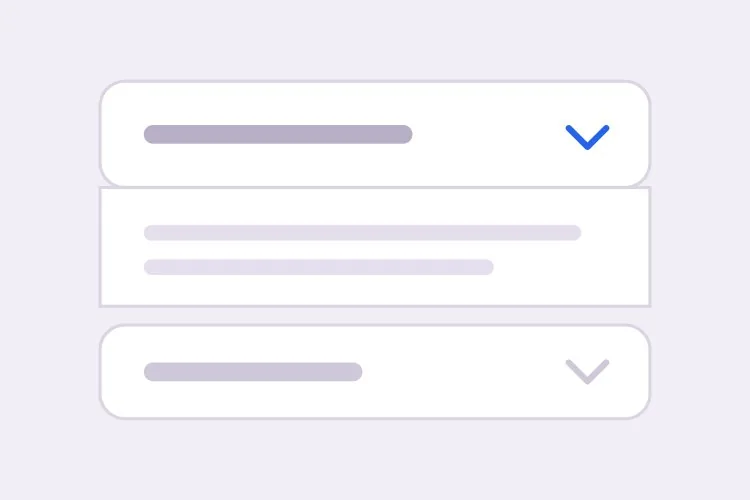
BasicFAQ Single-Open

Exclusive-Open FAQ List

One answer visible at a time, which keeps a long FAQ from turning into a wall once someone starts clicking. The default for landing-page questions.

Create an FAQ accordion with six items in single-open mode, where opening one item closes the currently open one. Each header is a full-width button carrying the question in 16px semibold text with a chevron on the right that rotates 180 degrees over 200ms; set aria-expanded on the button and aria-controls pointing at the panel, and give the panel role="region" with aria-labelledby back to the header id. Animate the panel with grid-template-rows from 0fr to 1fr so long answers never clip and short ones do not ease for the same duration. Enter and Space toggle, Tab moves between headers normally since each is its own tab stop, and a visible focus-visible ring is required. Allow the open item to be collapsed so no panel is forced open.

在 MeDo 中尝试
ComparisonMulti-Open

Several Panels Open at Once

For troubleshooting steps and spec tables, where someone genuinely needs two sections side by side. Add Expand all only here — it is meaningless in exclusive mode.

Create a multi-open accordion where any number of panels may be expanded at once, holding open ids in a set rather than a single value. Add an Expand all and Collapse all control above the stack whose label reflects the current state, and make it a real button with aria-expanded describing the group. Each header is a button with aria-expanded and aria-controls; each panel is role="region" with aria-labelledby. Animate with grid-template-rows 0fr to 1fr so several simultaneous transitions do not fight a shared max-height. Preserve panel scroll position and any half-filled form fields by keeping panels in the DOM and toggling the hidden attribute rather than unmounting them. Enter and Space toggle the focused header.

在 MeDo 中尝试
No JavaScriptNative Details

Details and Summary Accordion

Works before your bundle loads, is keyboard accessible with zero attributes, and joins find-in-page so a browser search opens the matching panel. The baseline to beat.

Create an accordion using native details and summary elements with no JavaScript at all. Give each details the same name attribute so the browser enforces exclusive-open behavior natively. Style the summary as a full-width row with 20px vertical padding, remove the default marker with list-style: none and ::-webkit-details-marker, and add a custom chevron that rotates using the details[open] selector. Animate the panel with interpolate-size: allow-keywords plus a height transition from 0 to auto, and add ::details-content to the transition so the reveal is smooth where supported and an instant open elsewhere. Keep a visible focus ring on the summary and ensure find-in-page still expands a closed panel.

在 MeDo 中尝试
ShareableDeep Linked

Hash-Opened Panels With Copy Link

Every panel gets its own URL, so a support reply can point at one answer rather than "scroll down to the FAQ". The offset for the sticky header is the part that gets skipped.

Create an accordion where each item is addressable by URL hash. Give every header a stable slug id derived from its question, and on mount read location.hash, open the matching panel, and scroll it into view with scroll-margin-top of 96px so it does not land underneath a sticky header. Update the hash on open using history.replaceState so the back button is not filled with toggles, and listen for hashchange so in-page links work after the first render. Add a small copy-link button inside each header row that writes the absolute URL to the clipboard and swaps its label to Copied for two seconds; stop its click from bubbling to the header button so copying does not also collapse the panel.

在 MeDo 中尝试
SEOFAQ Schema

Accordion With FAQPage JSON-LD

Panels and structured data generated from one array, which is the only way they stay in sync six months later. Treat the markup as a clarity signal, not a guaranteed rich result.

Create an FAQ accordion that renders both the interactive panels and a matching FAQPage JSON-LD script from the same array of question and answer objects, so the two cannot drift apart when someone edits a question. Emit the JSON-LD server-side in a script tag with type="application/ld+json", using Question and Answer entities with acceptedAnswer text. Render every answer into the HTML even while collapsed, hiding it with CSS rather than fetching it on click, since content injected after a click may never be crawled. Keep the accessible pattern intact: header buttons with aria-expanded and aria-controls, panels as role="region" with aria-labelledby, and a grid-template-rows height animation.

在 MeDo 中尝试
NestedNested Groups

Grouped Accordion With Sub-Sections

Two levels for a long feature matrix or a knowledge base. Depth past two is where people lose the thread — if you need a third, the content wants its own page.

Create a nested accordion two levels deep: outer groups such as Security, Integrations and Support, each containing three to five child items. Indent child headers by 20px, drop their type size by one step, and keep every level as its own button with aria-expanded and aria-controls, panels as role="region" with aria-labelledby — do not use a treeview role, since these are disclosures, not a tree. Outer groups are multi-open and children are single-open within their parent. When a parent collapses, remember which children were open so reopening the parent restores that state rather than resetting it, and make sure the parent panel height animation accounts for children expanding after the parent has settled.

在 MeDo 中尝试

如何自定义你的 折叠面板

先决定用<details>还是按钮

原生的<details>与<summary>组合零JavaScript即可工作,默认支持键盘操作,并且在浏览器页内搜索时会保持展开。带aria-expanded的按钮则让你完全掌控动画和互斥展开逻辑。请明确说明想要哪一种,因为两者生成的标记完全不同。

绝不要动画到硬编码的max-height

固定的max-height会裁切长答案,也会让短答案用同样的时长缓动。请要求用grid-template-rows从0fr过渡到1fr,或用interpolate-size配合calc-size实现height auto,让过渡跟随真实内容高度。

明确说明单开还是多开

互斥展开能让页面保持简短、读者专注于一个答案。允许同时展开多项则更适合用户需要对比分区或从两个分区里复制细节的场景。请说明默认行为,以及用户是否可以把所有项都收起——有些折叠面板会始终保持一项展开。

把深度链接和滚动偏移一起提出来

通过URL hash展开面板只是功能的一半。没有明确的滚动偏移,目标会落到吸顶导航下面,所以请说明导航栏高度,并在同一个提示词中要求scroll-margin-top或脚本偏移。

谁在使用 折叠面板 组件

营销站点的FAQ区块

着陆页底部用互斥展开的折叠面板放置八个问题,每项都支持深度链接,客服回复可以直接指向某一个答案,并从同一份数据数组输出FAQPage JSON-LD。

电商商品页

把配送、退换和保养说明折叠在加入购物车按钮下方,让购买区保持在首屏,同时政策文本仍留在HTML中供搜索引擎抓取。

文档或知识库

将排障步骤放进多开折叠面板,读者在动手修复时可以同时展开两个相关分区对照阅读。

定价页对比

把冗长的功能对比表拆分成安全、集成、支持等可折叠分组,让套餐列始终可见,而不必滚过三屏表格行。

不同网站的 折叠面板 方案

同一个 折叠面板 组件,针对它所在网站的类型做调整。

01 / 06

Marketing Site FAQ

Exclusive-open questions at the bottom of a landing page, with the two or three answers that actually resolve a purchase objection promoted out into plain page copy above. An accordion holding your strongest answer is an accordion hiding it.

折叠面板 的风格与变体

挑选与页面其余部分匹配的变体,然后生成它。

01 / 06

Divider List Accordion

Flush rows separated by 1px light-grey lines, with no outer border at all. The quietest option and the right one for an FAQ of ten or more items, where card borders and gaps would add more visual noise than structure.

在 React、Next.js、Vue 与 Svelte 中使用 折叠面板

React、Next.js、Vue 3、SvelteKit、Astro 或纯 HTML —— 同一个 折叠面板,六种接入方式。

01 / 06

React Accordion

Hold open ids in a Set so the same component covers single and multi-open — swap the set for one id and you have exclusive mode. No height measurement is needed if the panel animates with grid rows.

src/components/Accordion.tsx

const [open, setOpen] = useState(new Set())

<button
  aria-expanded={open.has(item.id)}
  aria-controls={`panel-${item.id}`}
  onClick={() => toggle(item.id)}
>
  {item.question}
</button>
<div id={`panel-${item.id}`} role="region" className="grid"
     style={{ gridTemplateRows: open.has(item.id) ? '1fr' : '0fr' }}>
  <div className="overflow-hidden">{item.answer}</div>
</div>

如何把 折叠面板 加入项目

四个步骤,从挑选 折叠面板 模板到上线生产环境。

01~30s

Pick an Accordion Template

Decide two things first: single or multi-open, and native details versus a button with aria-expanded. Those choices produce different markup, so picking after generation means regenerating.

02~10s

Copy the Prompt

Take the prompt into MeDo, Lovable, Bolt, v0 or Cursor and paste your real questions and answers in place of the placeholders. If you want FAQPage JSON-LD, say so now so it is generated from the same array rather than hand-written later.

03~1min

Generate and Refine

You get React + Tailwind back with a live preview. Follow up in plain English — "allow several open at once", "open the panel matching the URL hash", "swap the chevron for a plus" — instead of editing the transition by hand.

04~2min

Check the Content and Ship

Before shipping, confirm the longest answer does not clip mid-animation, every answer is present in the HTML while collapsed, and your highest-intent copy is in open page text rather than behind a click.

关于 折叠面板 的常见问题

如何用AI生成FAQ折叠面板?

在提示词中列出你的问题和答案,并说明同一时间可展开一个还是多个面板。MeDo会生成带aria-expanded和aria-controls的无障碍标题按钮、带动画的面板,并可选地基于同一份内容生成配套的FAQPage JSON-LD,因此标记与结构化数据不会脱节。

该用<details>和<summary>还是自定义折叠面板?

如果你想要一个可靠的基线,就用<details>和<summary>:它在JavaScript加载前就能工作,不加任何属性也对键盘和屏幕阅读器友好,并且能参与浏览器的页内查找。当你需要互斥展开、可控的动画曲线,或把状态存放在URL里时,改用带aria-expanded的按钮。如今浏览器已支持用interpolate-size过渡content-visibility和height,原生元素同样可以做动画。

如何把折叠面板动画到height auto?

把面板包在CSS grid里,将grid-template-rows从0fr过渡到1fr,并给内层元素设置overflow hidden。这样无需在JavaScript里测量就能跟随真实内容高度。在支持interpolate-size: allow-keywords的浏览器中,你可以直接把height从0过渡到auto,写法更简单,值得作为渐进增强使用。

折叠式FAQ能在谷歌获得富媒体搜索结果吗?

可以,前提是页面带有有效的FAQPage结构化数据,并且问答内容也出现在渲染后的HTML中。谷歌已把FAQ富结果的资格主要收窄到权威的政府和医疗健康站点,所以请把这套标记当作面向搜索和AI答案引擎的清晰度信号,而不是有保证的SERP样式。让MeDo从渲染面板的同一个数组生成JSON-LD,两者就能始终保持同步。

把内容藏在折叠面板里会影响SEO吗?

存在于HTML中但仅在视觉上折叠的内容会被正常索引,谷歌也表示移动端折叠面板是预期中的响应式模式。真正的风险是只在点击时才加载答案,导致它们可能未被抓取;以及把最重要的文案埋在没人展开的地方。请把核心信息放在展开的正文里,用折叠面板承载补充细节。

应该用折叠面板还是标签页?

当各分区彼此独立、标签文字长到读起来像句子、或读者可能想同时展开多个时,选择折叠面板——这正是FAQ列表几乎总是用折叠面板的原因。当各面板是被拿来对比的互斥选项(例如月付与年付定价),且标签短到能排成一行时,选择标签页。问句形式的长标签,是标签页用错模式最明显的信号。