MeDo

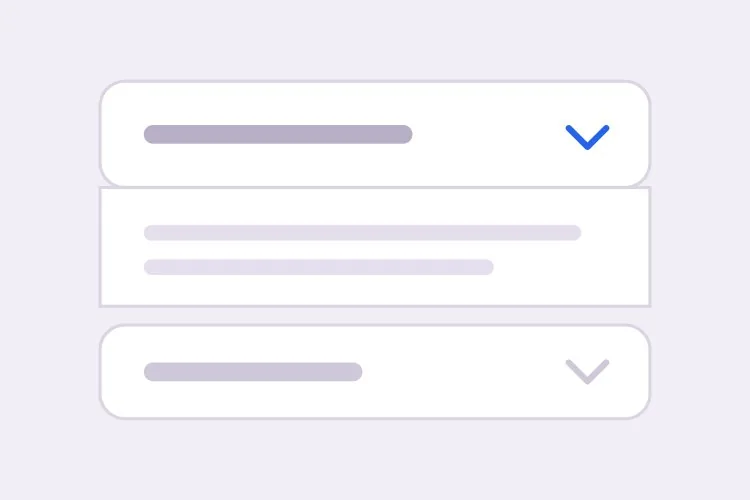
AI 아코디언 생성기.

섹션을 설명하면 MeDo가 접히는 아코디언을 생성합니다 — 단일 또는 다중 열기 동작, 어떤 콘텐츠 길이에도 작동하는 높이 애니메이션, 패널을 자동으로 여는 딥링크, 리치 결과용 FAQPage JSON-LD까지 포함합니다.

아코디언
아코디언

접힌 패널은 그 내용이 부차적이라는 것에 대한 베팅입니다

아코디언은 보통 페이지를 짧아 보이게 하려고 추가되지만, 페이지를 줄이는 데는 대가가 따릅니다. 접힌 섹션은 스캔 가능성을 밀도와 맞바꿉니다. 여섯 개의 답변을 훑어봤을 방문자는 이제 어느 것을 클릭할지 결정해야 하고, 대부분은 아무것도 클릭하지 않습니다. 배송 정책, 예외적인 질문, 긴 사양 표처럼 진짜 부차적인 내용이라면 이 거래는 합리적이지만, 실제로 구매 망설임을 해소하는 두세 개의 답변에는 나쁜 거래입니다. 유용한 원칙은 구매 의도가 가장 높은 콘텐츠를 아코디언에서 빼내 본문으로 올리고, 아코디언은 롱테일만 흡수하게 하는 것입니다. 이는 같은 문제의 SEO 측면도 해결합니다. 닫힌 패널 안이라도 HTML에 존재하는 텍스트는 정상적으로 색인되지만, 클릭 후에만 삽입되는 텍스트는 색인되지 않을 수 있습니다.

템플릿 6개

생성할 수 있는 아코디언 템플릿

모든 템플릿은 스크린샷이 아니라 실제 프롬프트입니다. 어떤 AI 에디터에든 붙여넣거나 MeDo에서 실행해 React + Tailwind 코드를 그대로 받으세요.

BasicFAQ Single-Open

Exclusive-Open FAQ List

One answer visible at a time, which keeps a long FAQ from turning into a wall once someone starts clicking. The default for landing-page questions.

Create an FAQ accordion with six items in single-open mode, where opening one item closes the currently open one. Each header is a full-width button carrying the question in 16px semibold text with a chevron on the right that rotates 180 degrees over 200ms; set aria-expanded on the button and aria-controls pointing at the panel, and give the panel role="region" with aria-labelledby back to the header id. Animate the panel with grid-template-rows from 0fr to 1fr so long answers never clip and short ones do not ease for the same duration. Enter and Space toggle, Tab moves between headers normally since each is its own tab stop, and a visible focus-visible ring is required. Allow the open item to be collapsed so no panel is forced open.
MeDo에서 시도하기
ComparisonMulti-Open

Several Panels Open at Once

For troubleshooting steps and spec tables, where someone genuinely needs two sections side by side. Add Expand all only here — it is meaningless in exclusive mode.

Create a multi-open accordion where any number of panels may be expanded at once, holding open ids in a set rather than a single value. Add an Expand all and Collapse all control above the stack whose label reflects the current state, and make it a real button with aria-expanded describing the group. Each header is a button with aria-expanded and aria-controls; each panel is role="region" with aria-labelledby. Animate with grid-template-rows 0fr to 1fr so several simultaneous transitions do not fight a shared max-height. Preserve panel scroll position and any half-filled form fields by keeping panels in the DOM and toggling the hidden attribute rather than unmounting them. Enter and Space toggle the focused header.

MeDo에서 시도하기
No JavaScriptNative Details

Details and Summary Accordion

Works before your bundle loads, is keyboard accessible with zero attributes, and joins find-in-page so a browser search opens the matching panel. The baseline to beat.

Create an accordion using native details and summary elements with no JavaScript at all. Give each details the same name attribute so the browser enforces exclusive-open behavior natively. Style the summary as a full-width row with 20px vertical padding, remove the default marker with list-style: none and ::-webkit-details-marker, and add a custom chevron that rotates using the details[open] selector. Animate the panel with interpolate-size: allow-keywords plus a height transition from 0 to auto, and add ::details-content to the transition so the reveal is smooth where supported and an instant open elsewhere. Keep a visible focus ring on the summary and ensure find-in-page still expands a closed panel.

MeDo에서 시도하기
ShareableDeep Linked

Hash-Opened Panels With Copy Link

Every panel gets its own URL, so a support reply can point at one answer rather than "scroll down to the FAQ". The offset for the sticky header is the part that gets skipped.

Create an accordion where each item is addressable by URL hash. Give every header a stable slug id derived from its question, and on mount read location.hash, open the matching panel, and scroll it into view with scroll-margin-top of 96px so it does not land underneath a sticky header. Update the hash on open using history.replaceState so the back button is not filled with toggles, and listen for hashchange so in-page links work after the first render. Add a small copy-link button inside each header row that writes the absolute URL to the clipboard and swaps its label to Copied for two seconds; stop its click from bubbling to the header button so copying does not also collapse the panel.

MeDo에서 시도하기
SEOFAQ Schema

Accordion With FAQPage JSON-LD

Panels and structured data generated from one array, which is the only way they stay in sync six months later. Treat the markup as a clarity signal, not a guaranteed rich result.

Create an FAQ accordion that renders both the interactive panels and a matching FAQPage JSON-LD script from the same array of question and answer objects, so the two cannot drift apart when someone edits a question. Emit the JSON-LD server-side in a script tag with type="application/ld+json", using Question and Answer entities with acceptedAnswer text. Render every answer into the HTML even while collapsed, hiding it with CSS rather than fetching it on click, since content injected after a click may never be crawled. Keep the accessible pattern intact: header buttons with aria-expanded and aria-controls, panels as role="region" with aria-labelledby, and a grid-template-rows height animation.

MeDo에서 시도하기
NestedNested Groups

Grouped Accordion With Sub-Sections

Two levels for a long feature matrix or a knowledge base. Depth past two is where people lose the thread — if you need a third, the content wants its own page.

Create a nested accordion two levels deep: outer groups such as Security, Integrations and Support, each containing three to five child items. Indent child headers by 20px, drop their type size by one step, and keep every level as its own button with aria-expanded and aria-controls, panels as role="region" with aria-labelledby — do not use a treeview role, since these are disclosures, not a tree. Outer groups are multi-open and children are single-open within their parent. When a parent collapses, remember which children were open so reopening the parent restores that state rather than resetting it, and make sure the parent panel height animation accounts for children expanding after the parent has settled.

MeDo에서 시도하기

아코디언 커스터마이즈 방법

<details>와 버튼 중 무엇을 쓸지 먼저 결정하세요

네이티브 <details>와 <summary> 조합은 JavaScript 없이 동작하고, 기본적으로 키보드 접근이 가능하며, 브라우저의 페이지 내 검색 시에도 열린 상태를 유지합니다. aria-expanded를 쓰는 버튼은 애니메이션과 배타적 열기 로직을 완전히 제어할 수 있습니다. 두 방식은 완전히 다른 마크업을 만들므로 원하는 쪽을 명시하세요.

하드코딩된 max-height로 애니메이션하지 마세요

고정 max-height는 긴 답변을 자르고 짧은 답변도 같은 시간 동안 이징하게 만듭니다. grid-template-rows를 0fr에서 1fr로 애니메이션하거나 height auto를 위해 interpolate-size와 calc-size를 요청해, 전환이 실제 콘텐츠 높이를 따르도록 하세요.

단일 열기와 다중 열기를 명확히 지정하세요

배타적 열기는 페이지를 짧게 유지하고 독자를 하나의 답변에 집중시킵니다. 여러 개를 동시에 열 수 있게 하는 것은 사람들이 섹션을 비교하거나 두 곳에서 세부 정보를 복사할 때 더 좋습니다. 기본값과 사용자가 모든 항목을 닫을 수 있는지를 정하세요. 일부 아코디언은 패널 하나를 항상 열어 둡니다.

딥링크와 스크롤 오프셋을 함께 요청하세요

URL 해시로 패널을 여는 것은 기능의 절반일 뿐입니다. 명시적인 스크롤 오프셋이 없으면 대상이 스티키 헤더 아래에 놓입니다. 헤더 높이를 알려주고 같은 프롬프트에서 scroll-margin-top이나 스크립트 오프셋을 요청하세요.

아코디언 컴포넌트를 사용하는 사람

마케팅 사이트 FAQ 섹션

랜딩 페이지 하단의 배타적 열기 아코디언에 질문 8개를 배치하고, 각 항목을 딥링크로 지정할 수 있어 지원 답변이 특정 답변을 가리킬 수 있으며, 동일한 데이터 배열에서 FAQPage JSON-LD를 함께 내보냅니다.

이커머스 상품 페이지

배송, 반품, 관리 방법을 장바구니 버튼 아래에 접어 두어 구매 박스를 첫 화면에 유지하면서, 정책 텍스트는 검색 엔진을 위해 HTML에 남겨둡니다.

문서 또는 지식 베이스

문제 해결 단계를 다중 열기 아코디언으로 구성해, 독자가 수정 작업을 진행하면서 관련된 두 섹션을 나란히 펼쳐 둘 수 있게 합니다.

요금 페이지 비교

긴 기능 매트릭스를 보안, 연동, 지원 같은 접히는 그룹으로 나눠, 세 화면 분량의 행을 스크롤하지 않고도 플랜 열이 계속 보이게 합니다.

웹사이트 유형별 아코디언 패턴

같은 아코디언 컴포넌트를 게시되는 사이트 유형에 맞춰 조정합니다.

01 / 06

Marketing Site FAQ

Exclusive-open questions at the bottom of a landing page, with the two or three answers that actually resolve a purchase objection promoted out into plain page copy above. An accordion holding your strongest answer is an accordion hiding it.

아코디언 스타일과 변형

페이지의 나머지 부분과 어울리는 변형을 골라 바로 생성하세요.

01 / 06

Divider List Accordion

Flush rows separated by 1px light-grey lines, with no outer border at all. The quietest option and the right one for an FAQ of ten or more items, where card borders and gaps would add more visual noise than structure.

React, Next.js, Vue, Svelte에서의 아코디언

React, Next.js, Vue 3, SvelteKit, Astro 또는 순수 HTML — 같은 아코디언을 여섯 가지 방식으로 넣을 수 있습니다.

01 / 06

React Accordion

Hold open ids in a Set so the same component covers single and multi-open — swap the set for one id and you have exclusive mode. No height measurement is needed if the panel animates with grid rows.

src/components/Accordion.tsx

const [open, setOpen] = useState(new Set())

<button
  aria-expanded={open.has(item.id)}
  aria-controls={`panel-${item.id}`}
  onClick={() => toggle(item.id)}
>
  {item.question}
</button>
<div id={`panel-${item.id}`} role="region" className="grid"
     style={{ gridTemplateRows: open.has(item.id) ? '1fr' : '0fr' }}>
  <div className="overflow-hidden">{item.answer}</div>
</div>

아코디언을 프로젝트에 추가하는 방법

아코디언 템플릿을 고르고 프로덕션에 배포하기까지 네 단계.

01~30s

Pick an Accordion Template

Decide two things first: single or multi-open, and native details versus a button with aria-expanded. Those choices produce different markup, so picking after generation means regenerating.

02~10s

Copy the Prompt

Take the prompt into MeDo, Lovable, Bolt, v0 or Cursor and paste your real questions and answers in place of the placeholders. If you want FAQPage JSON-LD, say so now so it is generated from the same array rather than hand-written later.

03~1min

Generate and Refine

You get React + Tailwind back with a live preview. Follow up in plain English — "allow several open at once", "open the panel matching the URL hash", "swap the chevron for a plus" — instead of editing the transition by hand.

04~2min

Check the Content and Ship

Before shipping, confirm the longest answer does not clip mid-animation, every answer is present in the HTML while collapsed, and your highest-intent copy is in open page text rather than behind a click.

아코디언에 대한 자주 묻는 질문

AI로 FAQ 아코디언을 생성하는 방법은?

프롬프트에 질문과 답변을 나열하고 한 번에 하나 또는 여러 패널을 열 수 있는지 지정하세요. MeDo는 aria-expanded와 aria-controls를 갖춘 접근성 있는 헤더 버튼, 애니메이션 패널, 그리고 선택적으로 동일한 콘텐츠로 만든 FAQPage JSON-LD를 생성하므로 마크업과 구조화 데이터가 어긋날 수 없습니다.

<details>와 <summary>를 써야 하나요, 커스텀 아코디언을 써야 하나요?

안정적인 기본선을 원한다면 <details>와 <summary>를 쓰세요. JavaScript가 로드되기 전에도 동작하고, 어떤 속성도 없이 키보드와 스크린 리더에 접근 가능하며, 브라우저의 페이지 내 찾기 기능에도 참여합니다. 배타적 열기 동작, 제어된 애니메이션 커브, URL에 저장되는 상태가 필요하면 aria-expanded 버튼을 선택하세요. 브라우저가 interpolate-size로 content-visibility와 height 전환을 지원하게 되어 네이티브 요소도 이제 애니메이션할 수 있습니다.

아코디언을 height auto로 애니메이션하는 방법은?

패널을 CSS 그리드로 감싸고 grid-template-rows를 0fr에서 1fr로 전환하며 내부 요소에 overflow hidden을 적용하세요. JavaScript 측정 없이 실제 콘텐츠 높이를 따릅니다. interpolate-size: allow-keywords를 지원하는 브라우저에서는 height를 0에서 auto로 직접 전환할 수 있어 더 간단하며, 점진적 향상으로 사용할 가치가 있습니다.

아코디언 FAQ가 구글에서 리치 결과를 얻을 수 있나요?

가능합니다. 페이지에 유효한 FAQPage 구조화 데이터가 있고 질문과 답변이 렌더링된 HTML에도 나타나야 합니다. 구글은 FAQ 리치 결과 자격을 주로 권위 있는 정부 및 보건 사이트로 좁혔으므로, 마크업은 보장된 SERP 기능이 아니라 검색과 AI 답변 엔진을 위한 명확성 신호로 다루세요. 패널을 렌더링하는 동일한 배열에서 JSON-LD를 생성하도록 MeDo에 요청하면 둘이 계속 동기화됩니다.

아코디언에 콘텐츠를 숨기면 SEO에 영향이 있나요?

HTML에 있으면서 시각적으로만 접힌 콘텐츠는 정상적으로 색인되며, 구글은 모바일 아코디언이 예상되는 반응형 패턴이라고 밝혔습니다. 실제 위험은 클릭 시에만 답변을 로드해 크롤되지 않을 수 있다는 점과, 가장 중요한 문구를 아무도 펼치지 않는 곳에 묻어두는 것입니다. 핵심 메시지는 펼쳐진 본문에 두고, 접힌 패널은 보조 세부 정보에 사용하세요.

아코디언을 써야 하나요, 탭을 써야 하나요?

섹션이 서로 독립적이거나, 레이블이 문장처럼 읽힐 만큼 길거나, 독자가 한 번에 여러 개를 열어 두고 싶을 때는 아코디언을 선택하세요. FAQ 목록이 거의 항상 아코디언인 이유입니다. 패널이 월간 대 연간 요금처럼 상호 배타적인 비교 대안이고 레이블이 한 줄에 들어갈 만큼 짧으면 탭을 선택하세요. 질문 형태의 긴 레이블은 탭이 잘못된 패턴이라는 가장 분명한 신호입니다.