MeDo

Generador de Acordeón con IA.

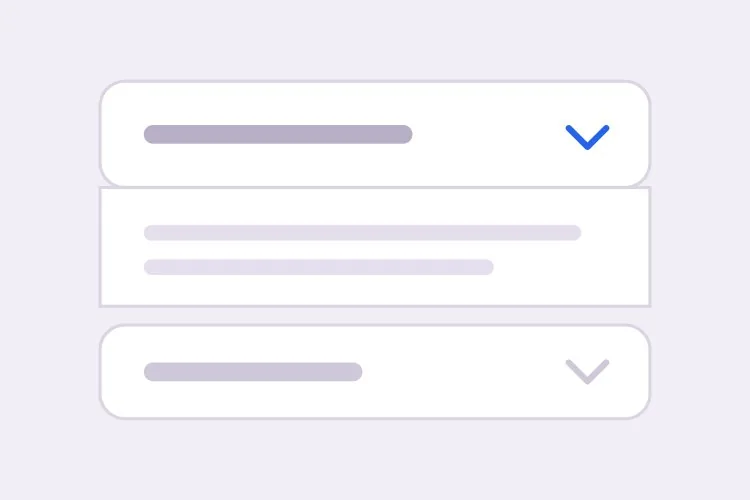
Describe tus secciones y MeDo genera un acordeón plegable — comportamiento de apertura única o múltiple, una animación de altura que funciona con cualquier longitud de contenido, enlaces directos que abren un panel automáticamente y el JSON-LD FAQPage correspondiente para resultados enriquecidos.

Acordeón
Acordeón

Un panel plegado es una apuesta a que el contenido es opcional

Los acordeones suelen añadirse para que una página parezca más corta, pero acortar la página no es gratis. Cada sección plegada cambia escaneabilidad por densidad: quien habría ojeado seis respuestas ahora debe decidir en cuál hacer clic, y la mayoría no hace clic en ninguna. Ese intercambio vale la pena para material genuinamente secundario como políticas de envío, preguntas de casos extremos o tablas largas de especificaciones, y es un mal trato para las dos o tres respuestas que realmente resuelven una objeción de compra. La disciplina útil es sacar tu contenido de mayor intención del acordeón y llevarlo al texto normal de la página, dejando que el acordeón absorba la cola larga. Hacerlo también resuelve el lado SEO del mismo problema, ya que el texto dentro de un panel cerrado que está presente en el HTML se indexa, mientras que el texto inyectado solo tras un clic puede que no.

6 plantillas

Plantillas de Acordeón que puedes generar

Cada plantilla es un prompt real, no una captura de pantalla. Cópialo en cualquier editor de IA o ejecútalo en MeDo y obtén código React + Tailwind.

BasicFAQ Single-Open

Exclusive-Open FAQ List

One answer visible at a time, which keeps a long FAQ from turning into a wall once someone starts clicking. The default for landing-page questions.

Create an FAQ accordion with six items in single-open mode, where opening one item closes the currently open one. Each header is a full-width button carrying the question in 16px semibold text with a chevron on the right that rotates 180 degrees over 200ms; set aria-expanded on the button and aria-controls pointing at the panel, and give the panel role="region" with aria-labelledby back to the header id. Animate the panel with grid-template-rows from 0fr to 1fr so long answers never clip and short ones do not ease for the same duration. Enter and Space toggle, Tab moves between headers normally since each is its own tab stop, and a visible focus-visible ring is required. Allow the open item to be collapsed so no panel is forced open.
Prueba en MeDo
ComparisonMulti-Open

Several Panels Open at Once

For troubleshooting steps and spec tables, where someone genuinely needs two sections side by side. Add Expand all only here — it is meaningless in exclusive mode.

Create a multi-open accordion where any number of panels may be expanded at once, holding open ids in a set rather than a single value. Add an Expand all and Collapse all control above the stack whose label reflects the current state, and make it a real button with aria-expanded describing the group. Each header is a button with aria-expanded and aria-controls; each panel is role="region" with aria-labelledby. Animate with grid-template-rows 0fr to 1fr so several simultaneous transitions do not fight a shared max-height. Preserve panel scroll position and any half-filled form fields by keeping panels in the DOM and toggling the hidden attribute rather than unmounting them. Enter and Space toggle the focused header.

Prueba en MeDo
No JavaScriptNative Details

Details and Summary Accordion

Works before your bundle loads, is keyboard accessible with zero attributes, and joins find-in-page so a browser search opens the matching panel. The baseline to beat.

Create an accordion using native details and summary elements with no JavaScript at all. Give each details the same name attribute so the browser enforces exclusive-open behavior natively. Style the summary as a full-width row with 20px vertical padding, remove the default marker with list-style: none and ::-webkit-details-marker, and add a custom chevron that rotates using the details[open] selector. Animate the panel with interpolate-size: allow-keywords plus a height transition from 0 to auto, and add ::details-content to the transition so the reveal is smooth where supported and an instant open elsewhere. Keep a visible focus ring on the summary and ensure find-in-page still expands a closed panel.

Prueba en MeDo
ShareableDeep Linked

Hash-Opened Panels With Copy Link

Every panel gets its own URL, so a support reply can point at one answer rather than "scroll down to the FAQ". The offset for the sticky header is the part that gets skipped.

Create an accordion where each item is addressable by URL hash. Give every header a stable slug id derived from its question, and on mount read location.hash, open the matching panel, and scroll it into view with scroll-margin-top of 96px so it does not land underneath a sticky header. Update the hash on open using history.replaceState so the back button is not filled with toggles, and listen for hashchange so in-page links work after the first render. Add a small copy-link button inside each header row that writes the absolute URL to the clipboard and swaps its label to Copied for two seconds; stop its click from bubbling to the header button so copying does not also collapse the panel.

Prueba en MeDo
SEOFAQ Schema

Accordion With FAQPage JSON-LD

Panels and structured data generated from one array, which is the only way they stay in sync six months later. Treat the markup as a clarity signal, not a guaranteed rich result.

Create an FAQ accordion that renders both the interactive panels and a matching FAQPage JSON-LD script from the same array of question and answer objects, so the two cannot drift apart when someone edits a question. Emit the JSON-LD server-side in a script tag with type="application/ld+json", using Question and Answer entities with acceptedAnswer text. Render every answer into the HTML even while collapsed, hiding it with CSS rather than fetching it on click, since content injected after a click may never be crawled. Keep the accessible pattern intact: header buttons with aria-expanded and aria-controls, panels as role="region" with aria-labelledby, and a grid-template-rows height animation.

Prueba en MeDo
NestedNested Groups

Grouped Accordion With Sub-Sections

Two levels for a long feature matrix or a knowledge base. Depth past two is where people lose the thread — if you need a third, the content wants its own page.

Create a nested accordion two levels deep: outer groups such as Security, Integrations and Support, each containing three to five child items. Indent child headers by 20px, drop their type size by one step, and keep every level as its own button with aria-expanded and aria-controls, panels as role="region" with aria-labelledby — do not use a treeview role, since these are disclosures, not a tree. Outer groups are multi-open and children are single-open within their parent. When a parent collapses, remember which children were open so reopening the parent restores that state rather than resetting it, and make sure the parent panel height animation accounts for children expanding after the parent has settled.

Prueba en MeDo

Cómo personalizar tu Acordeón

Decide entre <details> y un botón desde el principio

Un par nativo de <details> y <summary> funciona sin JavaScript, es accesible por teclado por defecto y permanece abierto cuando el navegador busca en la página. Un botón con aria-expanded te da control total sobre la animación y la lógica de apertura exclusiva. Indica cuál quieres, porque producen marcado completamente distinto.

Nunca animes hacia un max-height fijo

Un max-height fijo corta las respuestas largas y hace que las cortas se animen durante la misma duración. Pide grid-template-rows animando de 0fr a 1fr, o interpolate-size con calc-size para height auto, de modo que la transición siga la altura real del contenido.

Sé explícito sobre apertura única frente a múltiple

La apertura exclusiva mantiene la página corta y al lector centrado en una respuesta. Permitir varios abiertos a la vez es mejor cuando la gente compara secciones o copia detalles de dos de ellas. Define el valor por defecto y si el usuario puede cerrar todos los elementos, ya que algunos acordeones mantienen un panel siempre abierto.

Pide enlaces directos y offset de desplazamiento juntos

Abrir un panel desde el hash de una URL es solo la mitad de la función. Sin un offset de desplazamiento explícito, el destino queda debajo de un encabezado fijo, así que menciona la altura del encabezado y pide scroll-margin-top o un offset por script en el mismo prompt.

Quién usa el componente Acordeón

Sección FAQ de un sitio de marketing

Ocho preguntas en un acordeón de apertura exclusiva al final de una landing page, cada elemento con enlace directo para que las respuestas de soporte puedan apuntar a una sola respuesta, con JSON-LD FAQPage emitido desde el mismo array de datos.

Página de producto de e-commerce

Envío, Devoluciones e Instrucciones de Cuidado plegados debajo del botón de añadir al carrito, manteniendo la caja de compra visible mientras el texto de políticas permanece en el HTML para los motores de búsqueda.

Documentación o base de conocimiento

Pasos de resolución de problemas en un acordeón de apertura múltiple para que el lector pueda mantener dos secciones relacionadas expandidas en paralelo mientras aplica una solución.

Comparativa en la página de precios

Una matriz de características larga dividida en grupos plegables como Seguridad, Integraciones y Soporte, para que las columnas de planes sigan visibles en lugar de quedar tres pantallas más arriba.

Patrones de Acordeón para distintos sitios web

El mismo componente acordeón, adaptado al tipo de sitio donde se publica.

01 / 06

Marketing Site FAQ

Exclusive-open questions at the bottom of a landing page, with the two or three answers that actually resolve a purchase objection promoted out into plain page copy above. An accordion holding your strongest answer is an accordion hiding it.

Estilos y variantes de Acordeón

Elige la variante que encaje con el resto de la página y genérala.

01 / 06

Divider List Accordion

Flush rows separated by 1px light-grey lines, with no outer border at all. The quietest option and the right one for an FAQ of ten or more items, where card borders and gaps would add more visual noise than structure.

Acordeón en React, Next.js, Vue y Svelte

React, Next.js, Vue 3, SvelteKit, Astro o HTML puro: el mismo acordeón, seis formas de integrarlo.

01 / 06

React Accordion

Hold open ids in a Set so the same component covers single and multi-open — swap the set for one id and you have exclusive mode. No height measurement is needed if the panel animates with grid rows.

src/components/Accordion.tsx

const [open, setOpen] = useState(new Set())

<button
  aria-expanded={open.has(item.id)}
  aria-controls={`panel-${item.id}`}
  onClick={() => toggle(item.id)}
>
  {item.question}
</button>
<div id={`panel-${item.id}`} role="region" className="grid"
     style={{ gridTemplateRows: open.has(item.id) ? '1fr' : '0fr' }}>
  <div className="overflow-hidden">{item.answer}</div>
</div>

Cómo añadir tu Acordeón a un proyecto

Cuatro pasos, desde elegir una plantilla de acordeón hasta llevarlo a producción.

01~30s

Pick an Accordion Template

Decide two things first: single or multi-open, and native details versus a button with aria-expanded. Those choices produce different markup, so picking after generation means regenerating.

02~10s

Copy the Prompt

Take the prompt into MeDo, Lovable, Bolt, v0 or Cursor and paste your real questions and answers in place of the placeholders. If you want FAQPage JSON-LD, say so now so it is generated from the same array rather than hand-written later.

03~1min

Generate and Refine

You get React + Tailwind back with a live preview. Follow up in plain English — "allow several open at once", "open the panel matching the URL hash", "swap the chevron for a plus" — instead of editing the transition by hand.

04~2min

Check the Content and Ship

Before shipping, confirm the longest answer does not clip mid-animation, every answer is present in the HTML while collapsed, and your highest-intent copy is in open page text rather than behind a click.

Preguntas frecuentes sobre Acordeón

¿Cómo genero un acordeón de FAQ con IA?

Enumera tus preguntas y respuestas en el prompt e indica si uno o varios paneles pueden estar abiertos a la vez. MeDo genera los botones de encabezado accesibles con aria-expanded y aria-controls, los paneles animados y, opcionalmente, el JSON-LD FAQPage correspondiente construido con el mismo contenido, de modo que el marcado y los datos estructurados no puedan desincronizarse.

¿Debo usar <details> y <summary> o un acordeón personalizado?

Usa <details> y <summary> cuando quieras una base fiable: funciona antes de que cargue JavaScript, es accesible por teclado y lector de pantalla sin ningún atributo, y participa en la búsqueda dentro de la página del navegador. Recurre a un botón con aria-expanded cuando necesites apertura exclusiva, una curva de animación controlada o estado que viva en la URL. El elemento nativo ya puede animarse ahora que los navegadores admiten transiciones de content-visibility y height con interpolate-size.

¿Cómo animo un acordeón hasta height auto?

Envuelve el panel en un CSS grid y haz la transición de grid-template-rows de 0fr a 1fr, con overflow hidden en el elemento interno. Esto sigue la altura real del contenido sin medir nada en JavaScript. En navegadores que admiten interpolate-size: allow-keywords puedes hacer la transición de height de 0 a auto directamente, que es más simple y vale la pena como mejora progresiva.

¿Puede un acordeón de FAQ obtener resultados enriquecidos en Google?

Puede, si la página incluye datos estructurados FAQPage válidos y las preguntas y respuestas también aparecen en el HTML renderizado. Google ha restringido la elegibilidad de los resultados enriquecidos FAQ mayormente a sitios gubernamentales y de salud con autoridad, así que trata el marcado como una señal de claridad para la búsqueda y los motores de respuestas con IA, no como una función garantizada en la SERP. Pide a MeDo que genere el JSON-LD desde el mismo array que renderiza los paneles para que se mantengan sincronizados.

¿Ocultar contenido en un acordeón afecta al SEO?

El contenido que está en el HTML pero visualmente plegado se indexa con normalidad, y Google ha dicho que los acordeones en móvil son un patrón responsive esperado. Los riesgos reales son cargar las respuestas solo al hacer clic, lo que puede dejarlas sin rastrear, y enterrar tu texto más importante donde nadie lo expande. Mantén el mensaje principal en el texto visible de la página y usa los paneles plegados para el detalle complementario.

¿Debo usar un acordeón o pestañas?

Elige un acordeón cuando las secciones son independientes, las etiquetas son lo bastante largas para leerse como frases, o el lector puede querer más de una abierta a la vez, que es por lo que las listas de FAQ casi siempre son acordeones. Elige pestañas cuando los paneles son alternativas mutuamente excluyentes que se comparan, como precio mensual frente a anual, y las etiquetas son lo bastante cortas para caber en una fila horizontal. Las etiquetas largas con forma de pregunta son la señal más clara de que las pestañas son el patrón equivocado.