AI标签页生成器。

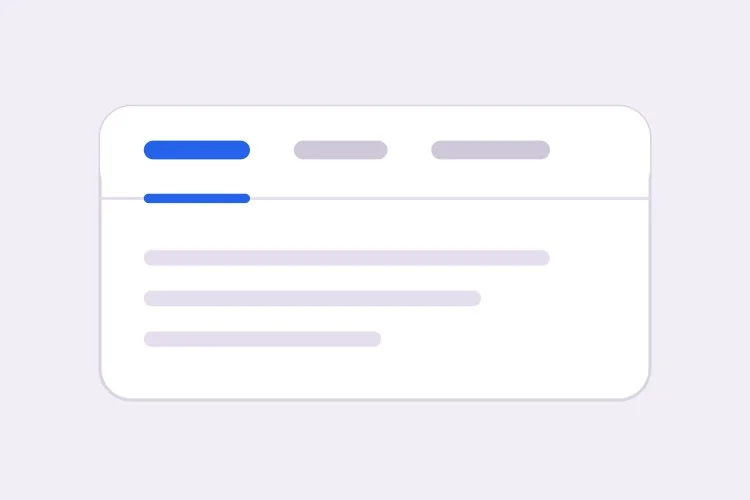
描述你的面板,MeDo 就能生成完整的标签页组件 — 正确的 ARIA 角色、方向键导航、带动画的激活指示条、移动端溢出处理,以及与 URL 同步、刷新后仍保留的激活标签。

标签页
标签页

标签页看似是样式决策,实则是路由决策

一组标签页不只是隐藏内容,它把一个页面拆成多个共用同一个 URL 的视图。一旦有人想分享定价标签、从帮助文章链接到它,或者刷新后不丢失位置,组件就需要存在于 React 之外的真实状态。团队通常在标签页上线后才发现这一点,然后再补上与动画和首次渲染相互打架的查询参数处理。如果一开始就决定激活标签由 URL 推导而不是来自本地 state,整个组件会变得更简单:触发器变成类似链接的行为,深链接自然可用,服务端渲染在首屏就输出正确的面板。这也会改变你写标记的方式,正因如此,一开始就这样生成远比事后改造便宜。

6 个模板

可以生成的 标签页 模板

每个模板都是真实的提示词,而不是截图。复制到任意 AI 编辑器,或在 MeDo 中运行,直接拿到 React + Tailwind 代码。

BasicUnderline

Underlined Tab Row With a Sliding Indicator

The default that reads as tabs without any explanation. Reach for it when the panels are static content and you want the indicator to do the signalling rather than a border box.

Create a tabs component with four triggers using the ARIA tabs pattern: role="tablist" on the container, role="tab" with aria-selected and aria-controls on each trigger, and role="tabpanel" with aria-labelledby on each panel. Use roving tabindex so only the selected tab has tabindex 0 and Tab moves out of the group entirely rather than through it. Left and Right arrows move focus and wrap at both ends, Home and End jump to the first and last tab, and activation is automatic because the panels are static text. Triggers are 40px tall with 15px medium labels, muted grey when inactive and near-black when active. Measure the active trigger and slide a 2px underline using translateX and scaleX over 200ms — never animate left or width.

在 MeDo 中尝试
SegmentedPill Segmented

Segmented Control With a Sliding Pill

Two or three mutually exclusive options that belong on one control, like monthly versus annual. Do not use it past four tabs — the track stops fitting on a phone and equal widths force truncation.

Create a segmented-control tabs component: one rounded 36px-tall track with a light grey background and 2px inner padding, holding three equal-width triggers. The active trigger is a white pill with a soft shadow that moves between positions with translateX over 180ms, so the label text never reflows mid-transition. Keep the full ARIA tabs roles and roving tabindex — Left and Right arrows move focus with wrapping, Home and End jump to the ends, and activation is automatic. Give every trigger the same explicit min-width so switching from a short label to a long one does not resize the track. Under prefers-reduced-motion, cross-fade the pill background instead of sliding it.

在 MeDo 中尝试
Deep linkableURL-Synced

Tabs Backed by a Query Parameter

The active tab lives in the URL, so support can link to one panel and a reload keeps your place. Worth doing before launch, because retrofitting it means rewriting the initial render.

Create a tabs component whose active tab is derived from a ?tab= query parameter rather than local state, so the first server render already paints the correct panel with no post-hydration flash. Read the parameter, validate it against the known tab ids, and fall back to the first tab when the value is unrecognised. On selection, write the new value with a replace-style navigation so the back button is not filled with tab switches, and preserve every other query parameter already on the URL. Keep the ARIA tabs wiring intact: roving tabindex, Left and Right arrows with wrapping, Home and End, and manual activation on Enter or Space.

在 MeDo 中尝试
OverflowScrollable

Horizontally Scrolling Tablist

What happens when seven labels meet a 390px viewport. The part teams forget is scrolling the newly focused tab into view — arrow keys otherwise move focus to a tab nobody can see.

Create a tabs component that handles overflow by scrolling rather than wrapping or clipping. Under 640px the tablist scrolls horizontally with momentum, the scrollbar is hidden, and a gradient fade appears on either edge only while content remains in that direction. When Left or Right arrow moves the roving tabindex, call scrollIntoView with inline nearest on the newly focused trigger so keyboard focus is never off screen, and do the same for Home and End. Use scroll-snap-align on each trigger so a flick settles on a label boundary instead of mid-word. Keep the full ARIA roles and aria-controls wiring, and recompute the indicator position on scroll and on resize.

在 MeDo 中尝试
PerformanceLazy Panels

Tabs With Deferred Panel Mounting

Only the active panel mounts, so opening Settings does not fetch invoices nobody asked for. The catch is state loss, so name the panels that must survive a switch.

Create a tabs component that mounts only the active panel and keeps every inactive panel out of the DOM entirely, so charts, video players and data fetches for unseen tabs never run. Use manual activation — arrow keys move the roving tabindex and only Enter or Space commits the change — because automatic activation would fire a request for every tab a keyboard user passes through. Accept a keepMounted list of tab ids whose panels stay in the DOM hidden with the hidden attribute instead, for panels holding half-filled forms or scroll position. Show a skeleton inside a newly mounted panel while its data resolves, and keep the panel container height stable so the page below does not jump.

在 MeDo 中尝试
SidebarVertical

Vertical Tabs for Settings Screens

A left rail of labels beside one panel. The one thing that changes beyond layout is the arrow axis — Up and Down, not Left and Right, and aria-orientation has to say so.

Create a vertical tabs component for a settings screen: a 200px left rail of triggers with a single panel to its right. Set aria-orientation="vertical" on the tablist and bind Arrow Up and Arrow Down to move the roving tabindex with wrapping, since Left and Right are wrong on this axis; keep Home and End for the ends. Triggers are left-aligned rows, 36px tall, with a 2px indicator on the left edge that translates vertically over 200ms. Below 768px collapse the rail into a horizontal scrolling tablist above the panel and switch the arrow bindings and aria-orientation to match. Use manual activation, and give the panel tabindex="-1" so a programmatic focus move after selection is possible.

在 MeDo 中尝试

如何自定义你的 标签页

有意识地选择自动激活或手动激活

自动激活会在方向键移动焦点时立即切换面板,速度快,但当面板渲染开销大或需要请求数据时就不适用。手动激活先移动焦点,只有按 Enter 或空格才激活。请明确说明你要哪一种,因为键盘处理代码完全不同。

用 transform 而不是 width 来动画指示条

要求生成一条测量激活触发器位置、使用 translateX 和 scaleX 滑动的下划线。动画 left 和 width 会在每一帧引发布局抖动,在子像素边界上产生跳动,并且一旦 tablist 可滚动就彻底失效。

决定标签溢出时的处理方式

四个短标签能放进手机屏幕,七个就放不下。选定一种行为并写清楚:带边缘渐隐的横向滚动 tablist、换到第二行,或在某个断点以下折叠为原生 select。如果不指定,生成的标签页通常就是直接被裁掉。

说明未激活的面板是否保持挂载

卸载未激活面板能让 DOM 保持精简,避免运行没人看的图表或视频播放器,但也会丢失滚动位置和填了一半的表单字段。告诉 MeDo 哪些面板持有状态,这些面板就会改用 CSS 隐藏。

谁在使用 标签页 组件

定价页

把月付和年付作为两个标签放在同一张价格表上方,并把选择写入 URL,这样销售可以直接链接到年付价格,年付折扣在首次加载时就可见。

产品文档

按语言划分的代码示例 — curl、Node、Python、Go — 选择一次语言即应用于页面上的所有标签组,并在下次访问时被记住。

仪表盘或后台工具

设置页面包含个人资料、团队、账单和 API 密钥四个标签,每个面板按需懒挂载,因此打开设置不会去拉取没人索取的发票数据。

电商商品页

在图库下方以标签形式展示描述、规格和评价,触发器标签上显示评价数量,同时把描述也渲染到页面正文中,使核心文案不只藏在标签背后。

不同网站的 标签页 方案

同一个 标签页 组件,针对它所在网站的类型做调整。

01 / 06

SaaS Pricing Page Tabs

Monthly and annual billing as a two-tab segmented control above one price grid. Sync the choice to the URL so a sales email can open annual pricing directly — a pricing page where the discount is one unshareable click away is losing the conversation before it starts.

标签页 的风格与变体

挑选与页面其余部分匹配的变体,然后生成它。

01 / 06

Underlined Tabs

A muted label row with a 2px indicator sliding beneath the active trigger. The most legible default because the underline gives the eye a single moving object to track. Animate it with translateX and scaleX — animating left and width thrashes layout every frame and jitters on subpixel boundaries.

在 React、Next.js、Vue 与 Svelte 中使用 标签页

React、Next.js、Vue 3、SvelteKit、Astro 或纯 HTML —— 同一个 标签页,六种接入方式。

01 / 06

React Tabs

Keep the selected id in one piece of state and derive tabindex from it — that is the whole roving tabindex mechanism. Hold refs to the triggers so the arrow handler can focus the next one directly.

src/components/Tabs.tsx

const [active, setActive] = useState(tabs[0].id)

<div role="tablist" onKeyDown={onArrowKeys}>
  {tabs.map((t) => (
    <button
      key={t.id}
      role="tab"
      aria-selected={t.id === active}
      aria-controls={`panel-${t.id}`}
      tabIndex={t.id === active ? 0 : -1}
      onClick={() => setActive(t.id)}
    >
      {t.label}
    </button>
  ))}
</div>

如何把 标签页 加入项目

四个步骤,从挑选 标签页 模板到上线生产环境。

01~30s

Pick a Tabs Template

Choose by constraint, not by looks: segmented for two or three alternatives, scrollable once labels overflow a phone, vertical for a long settings rail, lazy when a panel fetches data.

02~10s

Copy the Prompt

Take the prompt into MeDo, Lovable, Bolt, v0 or Cursor, then edit two things — your real tab labels, and whether activation is automatic or manual. That second choice changes the keyboard code, so decide it before you generate.

03~1min

Generate and Refine

You get React + Tailwind back with a live preview. Follow up in plain English — "sync the active tab to ?tab=", "collapse to a select under 640px", "keep the chart panel mounted" — rather than editing the keydown handler by hand.

04~2min

Wire the Panels and Ship

Replace the placeholder panels with your real content and check three things with the keyboard only: Tab enters and leaves the group in one stop, arrows move within it, and a reload on a deep link opens the right panel.

关于 标签页 的常见问题

如何用 AI 生成无障碍的标签页组件?

在一个提示词里描述标签文字和你想要的行为,包括激活方式是自动还是手动。MeDo 会生成 tablist、tab 和 tabpanel 角色,并配好对应的 aria-controls 与 aria-labelledby,同时加上 roving tabindex,使方向键在标签之间移动,而 Tab 键则整体移出该组。

自动激活和手动激活标签有什么区别?

自动激活下,用方向键移动焦点会立即显示对应面板,适合开销很小的静态内容。手动激活下,方向键只移动焦点,由用户按 Enter 或空格确认。只要面板需要请求数据、渲染图表或本身较慢,就应使用手动激活,否则键盘用户经过的每个标签都会触发一次请求。

可以直接链接到某个特定标签吗?

可以,前提是激活标签存在 URL 里而不是组件 state 里。要求使用类似 ?tab=pricing 的查询参数来决定初始渲染,并在切换时用 replace 方式的导航更新,这样浏览器返回记录就不会被标签切换塞满。这种场景请避免用 hash 片段,因为浏览器还会尝试滚动到 id 匹配的元素。

隐藏在未激活标签里的内容会影响 SEO 吗?

搜索引擎会索引 HTML 中存在的文本,即使面板在视觉上被隐藏,所以标签页内容并非不可见。不过它的权重通常低于访客立即看到的内容,而只有点击后才渲染的面板可能完全不会被抓取。请把主标题、价值主张和目标关键词放在始终可见的区域,标签页留给补充细节。

标签页在移动端应该如何表现?

选定一种策略,不要让标签文字被压缩。带溢出边缘渐隐的横向滚动 tablist 在大约六个短标签以内表现良好;超过之后,折叠为原生 select 能提供更大的点击区域,也不会出现看不见的标签。把断点和策略告诉 MeDo,它会用同一个组件生成两套布局。

该用标签页还是手风琴(折叠面板)?

当各个面板是用户一次比较一个的备选项时用标签页,比如计费周期或代码语言,并且标签文字要短到能放在一行。当各个区块是彼此独立、用户可能希望同时展开的条目时,或标签本身是完整的问句,或内容长到纵向堆叠更易阅读时,就用手风琴 — FAQ 列表是手风琴的典型场景,而不是标签页的场景。