MeDo

What If Your Table Sorted Itself?

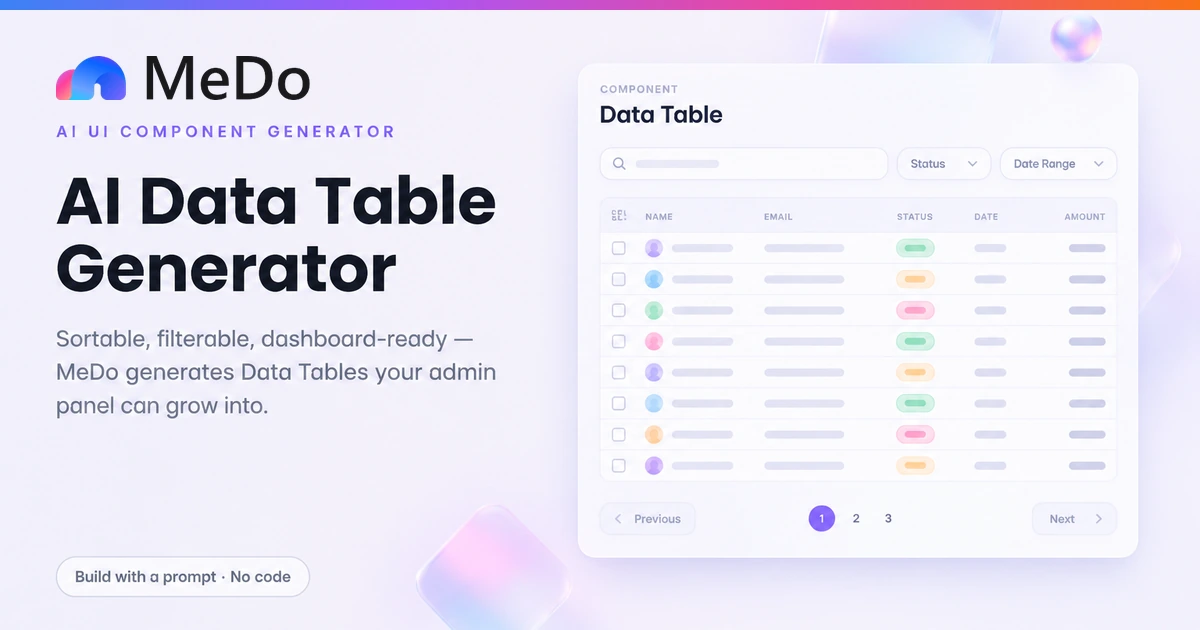
A data table is not a table with borders — it is an interactive grid that sorts on header click, filters as you type, keeps selected rows across page changes, and shows honest loading and empty states. Describe your columns and rows, and MeDo generates the React + Tailwind table your admin dashboard actually needs.

Data Table
Data Table

The Sorting Is the Product, Not the Borders

Anyone can ship a table of rows; almost every admin tool that fails does so because its table cannot answer questions. The difference between a static table and a data table is that the second one lets an operator narrow 40,000 orders to the twelve pending refunds without leaving the page — sorting by amount, filtering by status, selecting the batch, paging through the rest. Every one of those interactions is a decision with real consequences: does selection survive pagination, does the filter debounce or fire a request per keystroke, does sorting happen on the client or the server, what exactly appears when zero rows match. An AI-generated table that only renders markup leaves all of that to you; the prompts here specify the behavior, so the grid you get is the admin tool, not a picture of one. That is also why the dashboard table is the single highest-leverage component to generate: it is dense, repetitive, and governed by conventions your users already know — spend your custom design budget somewhere else.

6 modelos

Modelos de Data Table que você pode gerar

Cada modelo é um prompt real, não uma captura de tela. Copie para qualquer editor de IA, ou rode no MeDo e receba código React + Tailwind.

DashboardAdmin Orders

Server-Ready Orders Table With Status Badges

The default shape of an admin home screen: sortable columns, a debounced search, and pagination with a result count. Built on TanStack Table so switching to server-side data later is a data-source swap, not a rewrite.

Build an orders data table with TanStack Table, React and Tailwind. Columns: checkbox, Order ID in mono font, Customer with a small avatar, Status rendered as a tinted badge from this fixed set — paid in emerald, processing in amber, refunded in rose — Total right-aligned in tabular numerals, and Created date sorted descending by default. Header clicks toggle sort direction with an arrow glyph on the active column only. Above the table, a search input filters globally with a 250ms debounce and a status select narrows further; both write to the URL query string so views are shareable. Paginate 25 per page with Previous and Next, a page-size select, and "Showing 26–50 of 143" text between them. Keep the header sticky within the card and the first column pinned during horizontal scroll on narrow screens.


Teste no MeDo
Batch ActionsSelectable Bulk

Row Selection With Cross-Page Memory

For archiving, exporting or deleting in batches. Selection is stored as a Set of ids so it survives pagination and sorting, and the action bar only exists while something is selected.

Create a users table with row selection designed for bulk actions. Store selected rows as a Set of string ids, not objects, so selection survives sorting and pagination. The header checkbox selects all rows on the current page and shows an indeterminate state when the selection partially overlaps the page; a caption under the table explains "Selection applies across pages". When the set is non-empty, slide up an action bar above the table showing "N selected", a Clear selection link, and Archive and Export buttons that receive the selected ids. Checkboxes are 16px with a visible focus ring and a label for screen readers via aria-label on each row checkbox. Show the action bar with a 150ms translate and opacity transition, and announce selection count changes through an aria-live polite region.

Teste no MeDo
Loading StateSkeleton Loading

Table With Skeleton Rows and Error Retry

The fetch has three outcomes and this table renders all of them: shimmering placeholder rows sized like real ones, the data itself, and an error row with a Retry button instead of a blank grid.

Create a data table whose body handles loading, error and empty as explicit states. While pending, render eight skeleton rows matching the real row height, each cell a rounded grey block with a subtle shimmer animation — no spinner overlay, so column widths do not jump when data lands. On error, span a single row across all columns with the message "Could not load orders", the error summarized in smaller text, and a Retry button that refetches. On empty, span a centered empty state with an illustration placeholder, a one-line explanation, and a Clear filters button when a filter is active versus a create action when the dataset itself is empty. Keep the header rendered in all three states so the layout is stable, and set aria-busy on the table container while loading.

Teste no MeDo
Wide TableColumn Pinned

Horizontally Scrollable Table With Sticky Columns

For wide records — logs, transactions, exports — where the row identity and the row action must stay on screen no matter how far right someone scrolls.

Build a transactions table with many columns that scrolls horizontally inside its card at any width. Pin the first column — the transaction reference — to the left with position sticky and a solid background so underlying cells do not show through, and pin the last column holding a row actions menu to the right. Add a subtle shadow on the pinned edge that appears only while there is overflow to scroll in that direction. Keep column widths fixed with table-fixed and explicit widths so the layout does not reflow while scrolling, and give the scroll container a visible focus style plus keyboard scrolling via arrow keys when focused. Include 10 columns of sample financial data so the overflow is real, and at 640px and below offer a toggle to collapse to a compact set of four columns.

Teste no MeDo
EditingInline Edit

Editable Cells With Optimistic Save

Turns the table from a read-only report into a working tool: click a cell, edit in place, save optimistically and roll back visibly if the request fails.

Create a data table with inline editing on the Quantity and Notes columns. Clicking an editable cell swaps it for an input pre-filled with the current value; Enter or blur saves, Escape cancels, and Tab moves to the next cell in the same row. On save, update the row immediately and fire the request in the background — an optimistic update — showing a small spinner in the cell until the response lands. If the request fails, revert the value and show a red ring plus an error tooltip on that cell for five seconds, with the console carrying the details. Track which cell is being edited in state keyed by row id and column id, so only one cell is editable at a time and re-renders stay local to the row. Include a keyboard hint in the header: "Click a cell to edit. Enter saves, Escape cancels."

Teste no MeDo
High DensityDense Log

Compact Log Table With Virtualized Rows

Thousands of rows, 13px type, no card chrome. When the table is the app — an audit log, an event stream — density and scroll performance are the features.

Build a dense audit-log table rendering 5,000 rows with windowing so only visible rows are in the DOM. Rows are 36px tall, 13px text, alternating none — separate with a 1px divider instead of zebra striping — and every cell uses tabular numerals so times and counts align. Columns: timestamp in mono, actor with avatar initials, action as a plain text verb, and a details cell truncated to one line with a title attribute for the full text on hover. Filtering is a single input matching any column, applied client-side with no debounce since the data is local. A footer strip shows "5,000 events, filtered to N" and the scroll position jumps to top when the filter changes. The table fills its container height and scrolls internally, with the header pinned.

Teste no MeDo

Como personalizar seu Data Table

Decide client-side or server-side before generating

Under a few thousand rows, sort and filter in the browser and the component stays dumb and fast. Past that, every keystroke and header click must become a server request with URL params and loading state. Name your row count in the prompt — it changes the architecture, not just the styling.

Keep selection state as ids, not row objects

A Set of row ids survives refetching, pagination and sorting; an array of row objects silently desyncs the moment the underlying data updates. Ask for a Set of ids plus a way to resolve them back to rows when you act on the selection.

Put status in badges, not colored text

Paid, pending, refunded states read fastest as small pills with a tinted background, and they stay legible when someone color-adjusts the screen. Specify the exact set of statuses and a color per value, or you will get inline ternaries scattered through the cells.

Design the empty and loading states in the same prompt

Skeleton rows tell users the table is coming and roughly how big it is; a centered "no results" with a Clear filters button turns a dead end into a recovery path. If you leave these unspecified, generation will hand you a bare zero-row rectangle.

Quem usa o componente Data Table

SaaS admin dashboard

An orders or subscriptions table as the home screen of the admin: server-side pagination, status badges, date-range filter in the toolbar, and bulk actions that appear once at least one row is selected.

Internal CRM or user management

A searchable customer list where the query is a URL parameter, so a support agent can bookmark or share "all users named Ana with plan pro" as a link rather than re-typing the filter each shift.

Billing and invoices page

Invoices with amount columns right-aligned in tabular numerals, a download action per row, and totals that recompute against the filtered set instead of the whole table.

Analytics and log viewer

Dense event rows at 13px with a sticky header, column pinning so the timestamp stays visible during horizontal scroll, and client-side sorting over a few thousand already-loaded rows.

Padrões de Data Table para diferentes sites

O mesmo componente data table, ajustado ao tipo de site em que ele entra.

01 / 06

SaaS Admin Dashboard

The orders, users or subscriptions table is usually the first screen an operator sees, so it sets the tone for the whole product. Generate it with URL-encoded filters and cross-page selection from day one — retrofitting either one later means touching every screen that links to the table.

Estilos e variações de Data Table

Escolha a variação que combina com o resto da página e gere-a.

01 / 05

Card-Framed Table

The table sits inside a rounded bordered card with the toolbar — search, filters, actions — in the card header. The shadcn/ui default and the right call for admin dashboards, because it groups the controls with the data they affect.

Data Table em React, Next.js, Vue e Svelte

React, Next.js, Vue 3, SvelteKit, Astro ou HTML puro — o mesmo data table, seis formas de integrar.

01 / 03

React + TanStack Table

TanStack Table is headless: it owns sorting, filtering and selection state while you style every pixel with Tailwind. A Set of ids keeps selection stable across page changes.

src/components/OrdersTable.tsx

const table = useReactTable({
  data,
  columns,
  getCoreRowModel: getCoreRowModel(),
  getSortedRowModel: getSortedRowModel(),
  getFilteredRowModel: getFilteredRowModel(),
  getPaginationRowModel: getPaginationRowModel(),
})

<button onClick={column.getToggleSortingHandler()}>
  {flexRender(column.columnDef.header, ctx)}
  {{ asc: ' ↑', desc: ' ↓' }[column.getIsSorted() as string] ?? ''}
</button>

Como adicionar o seu Data Table a um projeto

Quatro passos, de escolher um modelo de data table até subir para produção.

01~2min

List Your Columns and Their Behavior

Write the column names, which one sorts by default, and which ones filter. Sorting and filtering are architecture decisions — client vs server, debounce or not — so specifying them in the prompt is what separates a data table from a static one.

02~10s

Generate From a Template Prompt

Paste a prompt above into MeDo with your real column names and sample data. Mention your row count so the right pagination mode gets wired, and name your status values so the badges come out with a color per state.

03~2min

Generate and Refine

You get React + Tailwind with a live preview. Refine in plain language: "keep selected rows when I change pages", "make the date column sticky on the left", "show skeleton rows while loading" — each is one follow-up, not a code edit.

04~10min

Wire Real Data and Test the Edge States

Point the table at your API, then deliberately exercise the states people forget: zero results with a filter active, a request that fails, a page past the end. If those three render well, the table is done.

Perguntas comuns sobre Data Table

When is a data table the wrong choice for my data?

When the records are scanned rather than compared, cards usually win: mobile screens, image-led content like products or team members, and anything users browse rather than operate on. Tables earn their density when rows share columns that people compare or act on — amounts, statuses, dates. A useful test: if your users need to find "the biggest one" or "the ones from last week", a table with sort and filter is the tool; if they need to recognize "the one I liked", show cards.

How many rows can a client-side table handle before I need server-side pagination?

With TanStack Table doing the work, a few thousand rows of plain objects sort and filter in the browser without users noticing. The honest thresholds are different per operation: rendering is the real limit, so virtualize the rows if you must show more than a couple hundred at once, and move sorting and filtering to the server when the dataset itself is too large to send. Say "about N rows" in your prompt and MeDo will wire the right mode instead of leaving you to refactor a client-side table into an API-driven one later.

How do I keep selected rows when the user pages or sorts?

Hold the selection as a Set of row ids instead of row objects, and merge it with the current page when rendering checkboxes. Ids survive refetching and reordering; objects do not, because the same record arrives as a new reference after every fetch. Add a subtle count like "3 selected" next to a Clear selection link, and decide explicitly in the prompt whether the header checkbox selects the page or the entire filtered result — users will assume one of the two and notice if you pick the other.

Should table sorting and filtering live in the URL?

For any table someone returns to or shares, yes. Putting sort, page and filter in query params makes "users on the pro plan who signed up in March" a link you can paste into Slack, and the back button behaves the way people expect instead of dumping the whole table. The cost is small: serialize state on change and initialize from the URL on mount. For a throwaway internal grid it is optional, but the moment a colleague asks "can you send me that view", the answer is already built.

What should an empty table state actually say?

Separate the two empty cases, because they need different copy. No data at all — a fresh account — gets an onboarding message and, where it makes sense, a create action: "No invoices yet. Create your first one." Filtered to nothing gets a recovery message: "No orders match refund + this week" plus a Clear filters button. A table that shows the same blank rectangle for both leaves fresh users lost and filtering users stuck, and both of those support tickets are avoidable with one extra conditional.

How do I make a wide table usable on mobile?

Pick a strategy in the prompt instead of letting the table overflow the viewport. The cheapest honest option is horizontal scroll with the first column sticky, so the row identity stays visible while the rest slides. Below 768px, many dashboards switch to stacked cards that surface three key values per row and hide the rest behind an expand. Hiding columns silently is the one approach to avoid — operators notice missing data only after acting on incomplete rows.