MeDo

Gerador de Depoimentos com IA.

Descreva a seção de prova social que você precisa — estilo de citação, avaliações com estrelas, layout de avatares, grade ou carrossel — e MeDo gera código pronto para produção em segundos. Deixe seus clientes fazerem a venda.

Depoimentos
Depoimentos

A prova social é o texto mais persuasivo da sua página.

Os visitantes confiam mais em outros clientes do que em você — e uma seção de depoimentos bem projetada é a forma mais rápida de provar que seu produto entrega resultados. Ela reduz a dúvida exatamente no momento em que os compradores estão decidindo. No entanto, a maioria das equipes pula os depoimentos completamente ou empilha citações em um muro de texto. MeDo facilita a geração de uma seção visualmente convincente, credível e testada para conversão.

6 modelos

Modelos de Depoimentos que você pode gerar

Cada modelo é um prompt real, não uma captura de tela. Copie para qualquer editor de IA, ou rode no MeDo e receba código React + Tailwind.

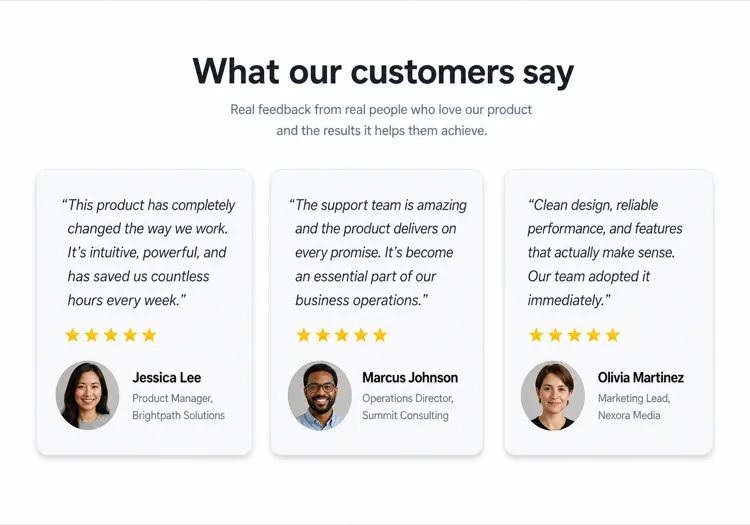
Three-up gridAcme

Three Quote Cards With Attribution

The baseline social proof section. It fails on attribution, not layout — an unnamed quote from "a happy customer" reads as invented and costs more trust than it buys.

Create a testimonials section with a centered h2 and three quote cards in one row. Each card holds a quote of 20 to 40 words in a blockquote element, then an attribution row with a 40px circular avatar, the customer's real name in medium weight, and their role plus company on a muted second line. Use a cite element for the source and explicit width and height on the avatar with an initials fallback on image error. Light card surface, hairline border, 12px radius, no hover animation. Stack to a single column at 768px keeping the avatar row intact rather than centering it.


Teste no MeDo
Featured quoteMega

One Large Quote Above the Grid

Promotes your strongest testimonial out of the grid, where it would have been averaged out by two weaker ones. The featured card should be the quote naming a specific outcome, not the most flattering adjective.

Create a testimonials section with a featured quote above a grid. The featured card spans the full container: a quote of 40 to 60 words at large size, a 56px avatar, the customer name, their role and company, and a company logo at the right edge. Below it, three smaller cards in one row each with a shorter quote and a 40px avatar attribution row. Wrap each quote in a blockquote with a cite for the person and company. Featured card gets a tinted background to separate it from the grid. Collapse the grid to one column at 768px and reduce the featured quote by one type step.

Teste no MeDo
Logo wallShipfast

Customer Logos With Quotes on Hover

Logos first, quotes second — the right order when your customer names are more persuasive than anything they said. Never make the quote hover-only; that hides it from touch and keyboard entirely.

Create a social proof section that leads with a customer logo wall: eight monochrome logos in two rows at reduced opacity, each an interactive button that reveals that customer's quote in a panel below the wall. Reveal on hover, focus and click so the content is reachable by keyboard and touch, with the active logo at full opacity and aria-pressed set. The panel shows the quote, avatar, name, role and company, and keeps a fixed min-height so the page does not jump between quotes. Default to the first quote on load. Four logos per row at 768px, two at 480px.

Teste no MeDo
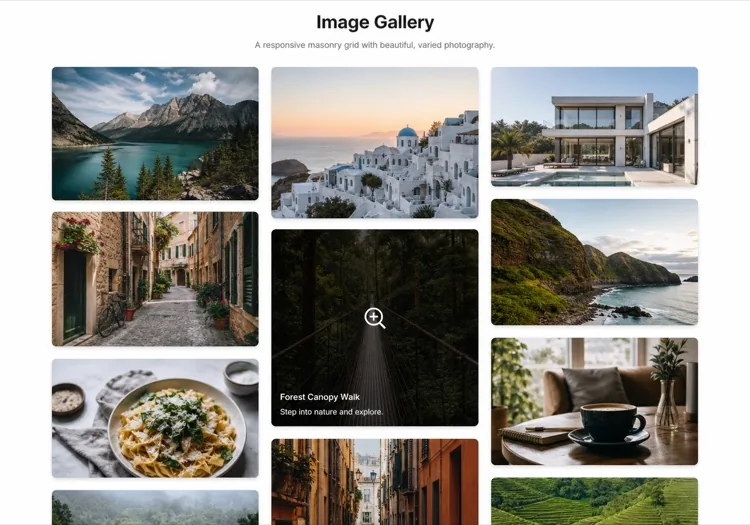
MasonryBuilders

Masonry Wall of Short Quotes

Nine to twelve quotes of uneven length in staggered columns. Volume is the argument here, so it only works if every card still carries a name and a face — a wall of anonymous praise reads as filler.

Create a masonry testimonial wall of nine to twelve short quotes across three CSS columns, letting the natural quote lengths stagger the card baselines. Each card carries a 32px avatar, a name, a role, and a source label such as G2 or Product Hunt. Use blockquote and cite markup throughout, and give avatars explicit dimensions with an initials fallback. Add a fade mask and a Show more button that expands from six visible cards to the full set, updating aria-expanded. Drop to two columns at 900px and one at 600px, preserving the source label on every card.

Teste no MeDo
CarouselStudio

Single-Quote Slider With Controls

One long quote at a time, for case-study length testimonials that will not fit a card. The only variant here that needs client state, so keep the interactive shell small and leave the rest of the page static.

Create a testimonial carousel showing one quote at a time: a 60 to 100 word quote, a 64px avatar, the customer name, role, company and logo. Add previous and next buttons plus dot indicators, all real buttons with accessible labels, and support left and right arrow keys when the region has focus. Wrap the slides in an aria-roledescription carousel region with a live region announcing "slide 2 of 5". Pause any autoplay on hover and focus, and disable it entirely under prefers-reduced-motion. On mobile, swap the side buttons for a swipeable track with the dots below.

Teste no MeDo
VideoBrand*

Video Testimonials With Transcript Quote

A thumbnail that opens a short customer video, with the strongest sentence quoted in text beneath it. Most visitors never press play, so the text quote is doing the actual work and cannot be skipped.

Create a video testimonials section with three cards. Each card shows a poster image at explicit dimensions with a centered play button overlay, a duration chip, and beneath it a one-sentence pull quote in text plus the customer name, role and company. Do not embed the player on load — render the poster as an image and only mount the iframe when the play button is activated, so three third-party players do not block the page. Give each play button a label naming the customer. Provide a captions note and a transcript link per card. One column at 768px.

Teste no MeDo

Como personalizar seu Depoimentos

Combine o layout ao volume de citações

Três a quatro citações em uma grade é o ponto ideal para a maioria das páginas de destino. Se você tiver muitos depoimentos, peça ao MeDo um layout de carrossel ou alvenaria para poder mostrar mais sem sobrecarregar a página.

Comece com a citação mais forte

O primeiro depoimento recebe mais atenção. No seu prompt, descreva um card de citação grande em destaque no topo — uma única análise excepcional em um card hero antes da grade — para estabelecer confiança imediatamente.

Adicione logos de empresas para autoridade

Para produtos B2B, peça ao MeDo para incluir um placeholder de logo de empresa ao lado do nome do cliente. Logos de marcas reconhecidas em depoimentos aumentam significativamente a credibilidade percebida.

Especifique avaliações com estrelas de forma seletiva

Avaliações de 5 estrelas em todos os cards podem parecer fabricadas. Peça ao MeDo para variar a ênfase visual — alguns cards com avaliações, outros sem — para que a seção pareça autêntica e curada manualmente.

Quem usa o componente Depoimentos

Produto SaaS

Citações específicas por função de usuários avançados — "Como profissional de marketing de crescimento, economizei 6 horas por semana" — combinadas com cargos e logos de empresas para construir credibilidade com compradores avaliando a ferramenta.

Marca de e-commerce

Cards de depoimentos centrados em fotos com imagens de produtos, selfies de clientes e citações curtas e impactantes. Prova visual de que o produto parece e funciona como anunciado.

Portfólio de agência ou freelancer

Citações de clientes sobre resultados entregues — receita crescida, projetos entregues no prazo — apresentadas em um layout limpo de duas colunas que deixa os resultados falarem mais alto do que qualquer biografia.

Curso online ou coaching

Depoimentos no estilo antes-e-depois com o nome do aluno, nome do curso e uma citação de transformação. Impulsiona as matrículas tornando os resultados alcançáveis e reais.

Padrões de Depoimentos para diferentes sites

O mesmo componente depoimentos, ajustado ao tipo de site em que ele entra.

01 / 06

SaaS Product Testimonials

Role-specific quotes with job title, company and logo, because a B2B buyer is checking whether someone in their seat succeeded with this. Name the outcome in the quote — a quote praising the support team does not answer the question the pricing page raised.

Estilos e variações de Depoimentos

Escolha a variação que combina com o resto da página e gere-a.

01 / 06

Quote Card Grid

Three or four equal cards in a row, each with quote plus attribution row. The safest default and the easiest to keep balanced, provided you trim quotes to a similar length — one 80-word card next to two 20-word cards makes the grid look broken.

Depoimentos em React, Next.js, Vue e Svelte

React, Next.js, Vue 3, SvelteKit, Astro ou HTML puro — o mesmo depoimentos, seis formas de integrar.

01 / 06

React Testimonials Section

A grid of quotes needs no state at all — keep hooks for the carousel variant only. Type the testimonial array so a card missing a name or role fails at build rather than shipping as anonymous praise.

src/components/Testimonials.tsx

export function Testimonials({ items }) {
  return (
    <div className="grid gap-6 md:grid-cols-3">
      {items.map((t) => (
        <figure key={t.name} className="rounded-xl border p-6">
          <blockquote className="text-lg">{t.quote}</blockquote>
          <figcaption className="mt-6 flex items-center gap-3">
            <Avatar src={t.photo} name={t.name} />
            <span>{t.name}, {t.role} at {t.company}</span>
          </figcaption>
        </figure>
      ))}
    </div>
  )
}

Como adicionar o seu Depoimentos a um projeto

Quatro passos, de escolher um modelo de depoimentos até subir para produção.

01~30s

Pick a Testimonials Template

Choose by what you have. Three solid quotes means the card grid; one outstanding quote means the featured layout; recognisable customer names mean lead with the logo wall.

02~10s

Copy the Prompt

Take the prompt into MeDo, Lovable, Bolt, v0 or Cursor. Decide the quote length before you run it — the card grid only stays balanced if every quote lands in the same range.

03~2min

Generate and Refine

You get React + Tailwind back with a live preview. Follow up in plain English — "add a company logo to each card", "make it two columns on tablet" — instead of editing class strings.

04~2min

Swap In Real Attribution

Replace every placeholder with a real name, role, company and photo, and get written permission for each. A card left as "Jane Doe, CEO" is worse than no testimonials section at all.

Perguntas comuns sobre Depoimentos

Como criar uma seção de depoimentos com IA?

No MeDo, descreva o layout de depoimentos que você deseja — grade vs. carrossel, número de cards, se deve incluir avaliações com estrelas ou avatares, e o estilo visual. MeDo gera o código completo do componente com citações, nomes e avatares de placeholder que você substitui pelo seu conteúdo real de clientes.

Qual é o melhor gerador de depoimentos com IA?

MeDo é construído especificamente para gerar componentes de sites prontos para produção, incluindo seções de depoimentos. Ao contrário das ferramentas de chat de IA genéricas, MeDo entende layouts de grade, design responsivo e os padrões de conversão que fazem a prova social realmente funcionar — então você obtém código limpo e utilizável em vez de um protótipo grosseiro.

Posso gerar um carrossel de depoimentos com IA?

Sim. Peça ao MeDo um 'carrossel de depoimentos com reprodução automática e pontos de navegação' e ele gerará um componente de slider interativo. Você pode especificar quantos cards são visíveis de uma vez, a velocidade de transição e se deve incluir controles de seta anterior/próximo.

Como adicionar avaliações com estrelas a uma seção de depoimentos gerada por IA?

Inclua "avaliação de 5 estrelas usando ícones de estrela preenchidos" no seu prompt do MeDo. Você também pode pedir avaliações variáveis — "mostrar entre 4 e 5 estrelas por card" — para tornar a seção mais autêntica e confiável.

A IA pode gerar depoimentos com fotos de clientes?

MeDo vai gerar o componente com placeholders de imagem de avatar circular e a estrutura de layout correta. Você substitui os atributos src dos placeholders pelas suas fotos reais de clientes. Você também pode descrever um fallback — "mostrar iniciais em um círculo colorido se nenhuma foto estiver disponível."

Como criar uma seção de depoimentos compatível com mobile com IA?

Adicione "responsivo, empilha em uma única coluna no mobile" ao seu prompt do MeDo. O componente gerado usará CSS grid ou flexbox que automaticamente recolhe o layout de múltiplas colunas para uma visualização de card único com rolagem vertical em telas pequenas.