MeDo

منشئ التبويبات بالذكاء الاصطناعي.

صِف لوحاتك ويُنشئ MeDo مكوّن تبويبات كاملاً — أدوار ARIA صحيحة، تنقل بمفاتيح الأسهم، مؤشر نشط متحرك، معالجة الفائض على الجوّال، وتبويب نشط يتزامن مع الرابط فيبقى بعد إعادة التحميل.

التبويبات
التبويبات

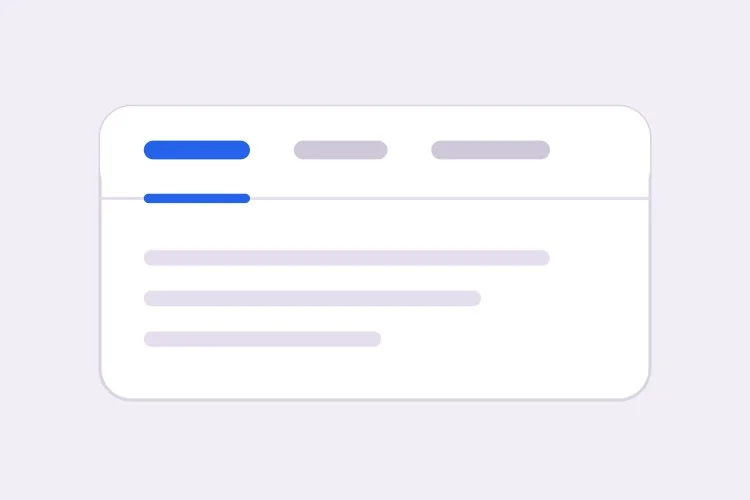
التبويبات قرار توجيه متخفٍ في هيئة قرار تنسيق

مجموعة التبويبات لا تُخفي المحتوى فقط، بل تقسّم صفحة واحدة إلى عدة عروض تتشارك رابطاً واحداً. في اللحظة التي يريد فيها أحدهم مشاركة تبويب الأسعار، أو الربط به من مقالة دعم، أو إعادة التحميل دون فقدان موضعه، يحتاج المكوّن إلى حالة حقيقية تعيش خارج React. تكتشف الفرق ذلك عادةً بعد إطلاق التبويبات، ثم تُلحق معالجةً لسلسلة الاستعلام تتصارع مع الحركة ومع العرض الأول. أن تقرر مسبقاً أن التبويب النشط مشتق من الرابط بدلاً من الحالة المحلية يجعل المكوّن كله أبسط: يصبح زر التشغيل إجراءً شبيهاً بالرابط، وتعمل الروابط العميقة تلقائياً، ويُنتج العرض من الخادم اللوحة الصحيحة من أول رسم. كما يغيّر ذلك طريقة كتابة الترميز، ولهذا فإن إنشاءه بهذا الشكل من البداية أرخص كثيراً من تعديله لاحقاً.

6 قالبًا

قوالب التبويبات التي يمكنك توليدها

كل قالب هو طلب حقيقي لا صورة. انسخه إلى أي محرّر ذكاء اصطناعي، أو شغّله في MeDo لتحصل على كود React و Tailwind مباشرة.

BasicUnderline

Underlined Tab Row With a Sliding Indicator

The default that reads as tabs without any explanation. Reach for it when the panels are static content and you want the indicator to do the signalling rather than a border box.

Create a tabs component with four triggers using the ARIA tabs pattern: role="tablist" on the container, role="tab" with aria-selected and aria-controls on each trigger, and role="tabpanel" with aria-labelledby on each panel. Use roving tabindex so only the selected tab has tabindex 0 and Tab moves out of the group entirely rather than through it. Left and Right arrows move focus and wrap at both ends, Home and End jump to the first and last tab, and activation is automatic because the panels are static text. Triggers are 40px tall with 15px medium labels, muted grey when inactive and near-black when active. Measure the active trigger and slide a 2px underline using translateX and scaleX over 200ms — never animate left or width.
جرّبه في MeDo
SegmentedPill Segmented

Segmented Control With a Sliding Pill

Two or three mutually exclusive options that belong on one control, like monthly versus annual. Do not use it past four tabs — the track stops fitting on a phone and equal widths force truncation.

Create a segmented-control tabs component: one rounded 36px-tall track with a light grey background and 2px inner padding, holding three equal-width triggers. The active trigger is a white pill with a soft shadow that moves between positions with translateX over 180ms, so the label text never reflows mid-transition. Keep the full ARIA tabs roles and roving tabindex — Left and Right arrows move focus with wrapping, Home and End jump to the ends, and activation is automatic. Give every trigger the same explicit min-width so switching from a short label to a long one does not resize the track. Under prefers-reduced-motion, cross-fade the pill background instead of sliding it.

جرّبه في MeDo
Deep linkableURL-Synced

Tabs Backed by a Query Parameter

The active tab lives in the URL, so support can link to one panel and a reload keeps your place. Worth doing before launch, because retrofitting it means rewriting the initial render.

Create a tabs component whose active tab is derived from a ?tab= query parameter rather than local state, so the first server render already paints the correct panel with no post-hydration flash. Read the parameter, validate it against the known tab ids, and fall back to the first tab when the value is unrecognised. On selection, write the new value with a replace-style navigation so the back button is not filled with tab switches, and preserve every other query parameter already on the URL. Keep the ARIA tabs wiring intact: roving tabindex, Left and Right arrows with wrapping, Home and End, and manual activation on Enter or Space.

جرّبه في MeDo
OverflowScrollable

Horizontally Scrolling Tablist

What happens when seven labels meet a 390px viewport. The part teams forget is scrolling the newly focused tab into view — arrow keys otherwise move focus to a tab nobody can see.

Create a tabs component that handles overflow by scrolling rather than wrapping or clipping. Under 640px the tablist scrolls horizontally with momentum, the scrollbar is hidden, and a gradient fade appears on either edge only while content remains in that direction. When Left or Right arrow moves the roving tabindex, call scrollIntoView with inline nearest on the newly focused trigger so keyboard focus is never off screen, and do the same for Home and End. Use scroll-snap-align on each trigger so a flick settles on a label boundary instead of mid-word. Keep the full ARIA roles and aria-controls wiring, and recompute the indicator position on scroll and on resize.

جرّبه في MeDo
PerformanceLazy Panels

Tabs With Deferred Panel Mounting

Only the active panel mounts, so opening Settings does not fetch invoices nobody asked for. The catch is state loss, so name the panels that must survive a switch.

Create a tabs component that mounts only the active panel and keeps every inactive panel out of the DOM entirely, so charts, video players and data fetches for unseen tabs never run. Use manual activation — arrow keys move the roving tabindex and only Enter or Space commits the change — because automatic activation would fire a request for every tab a keyboard user passes through. Accept a keepMounted list of tab ids whose panels stay in the DOM hidden with the hidden attribute instead, for panels holding half-filled forms or scroll position. Show a skeleton inside a newly mounted panel while its data resolves, and keep the panel container height stable so the page below does not jump.

جرّبه في MeDo
SidebarVertical

Vertical Tabs for Settings Screens

A left rail of labels beside one panel. The one thing that changes beyond layout is the arrow axis — Up and Down, not Left and Right, and aria-orientation has to say so.

Create a vertical tabs component for a settings screen: a 200px left rail of triggers with a single panel to its right. Set aria-orientation="vertical" on the tablist and bind Arrow Up and Arrow Down to move the roving tabindex with wrapping, since Left and Right are wrong on this axis; keep Home and End for the ends. Triggers are left-aligned rows, 36px tall, with a 2px indicator on the left edge that translates vertically over 200ms. Below 768px collapse the rail into a horizontal scrolling tablist above the panel and switch the arrow bindings and aria-orientation to match. Use manual activation, and give the panel tabindex="-1" so a programmatic focus move after selection is possible.

جرّبه في MeDo

كيف تخصّص التبويبات الخاص بك

اختر التنشيط التلقائي أو اليدوي بوعي

التنشيط التلقائي يبدّل اللوحات بمجرد تحريك التركيز بمفاتيح الأسهم، وهو سريع لكنه غير مفيد عندما تكون اللوحات مكلفة في العرض أو تجلب بيانات. التنشيط اليدوي يحرّك التركيز أولاً ولا ينشّط إلا بـ Enter أو Space. حدّد أيهما تريد، لأن كود لوحة المفاتيح يختلف.

حرّك المؤشر بـ transform لا بالعرض

اطلب تسطيراً يقيس زر التشغيل النشط وينزلق باستخدام translateX و scaleX. تحريك left و width يُثقل التخطيط في كل إطار ويهتز عند حدود البكسل الجزئي، وينكسر تماماً بمجرد أن تصبح tablist قابلة للتمرير.

قرّر ما يحدث عند فائض التبويبات

أربعة عناوين قصيرة تتسع على الهاتف؛ سبعة لا تتسع. اختر سلوكاً واحداً وصرّح به: tablist بتمرير أفقي مع تلاشٍ على الحافة، أو الانتقال إلى صف ثانٍ، أو الانطواء إلى قائمة select أصلية أسفل نقطة توقف معينة. بدون تحديد، تُقتطع التبويبات المُنشأة عادةً وحسب.

وضّح إن كانت اللوحات غير النشطة تبقى مُحمّلة

إزالة اللوحات غير النشطة تُبقي DOM صغيراً وتمنع تشغيل مخططات أو مشغلات فيديو لا يراها أحد، لكنها تُسقط أيضاً موضع التمرير وحقول النماذج المكتملة جزئياً. اذكر اللوحات التي تحمل حالة حتى تُخفى تلك تحديداً بـ CSS بدلاً من إزالتها.

من يستخدم مكوّن التبويبات

صفحة الأسعار

الفوترة الشهرية والسنوية كتبويبين فوق جدول أسعار واحد، مع كتابة الاختيار في الرابط ليتمكن فريق البيع من الربط مباشرة بالسعر السنوي ويظهر الخصم السنوي من أول تحميل.

توثيق المنتج

أمثلة برمجية مقسّمة حسب اللغة — curl و Node و Python و Go — حيث ينطبق اختيار اللغة مرة واحدة على كل مجموعة تبويبات في الصفحة ويُحفظ للزيارة التالية.

لوحة تحكم أو أداة إدارة

شاشة إعدادات بتبويبات الملف الشخصي والفريق والفوترة ومفاتيح API، حيث تُحمّل كل لوحة عند الحاجة فقط، فلا يؤدي فتح الإعدادات إلى جلب فواتير لم يطلبها أحد.

صفحة منتج للتجارة الإلكترونية

الوصف والمواصفات والمراجعات كتبويبات أسفل معرض الصور، مع عدد المراجعات في عنوان زر التشغيل وعرض الوصف في متن الصفحة أيضاً، حتى لا يكون النص الأساسي متاحاً خلف تبويب فحسب.

أنماط التبويبات لمواقع مختلفة

المكوّن التبويبات نفسه، مُهيّأ لنوع الموقع الذي يُنشر عليه.

01 / 06

SaaS Pricing Page Tabs

Monthly and annual billing as a two-tab segmented control above one price grid. Sync the choice to the URL so a sales email can open annual pricing directly — a pricing page where the discount is one unshareable click away is losing the conversation before it starts.

أنماط التبويبات وتنويعاته

اختر التنويعة التي تناسب بقية الصفحة، ثم ولّدها.

01 / 06

Underlined Tabs

A muted label row with a 2px indicator sliding beneath the active trigger. The most legible default because the underline gives the eye a single moving object to track. Animate it with translateX and scaleX — animating left and width thrashes layout every frame and jitters on subpixel boundaries.

التبويبات في React و Next.js و Vue و Svelte

React و Next.js و Vue 3 و SvelteKit و Astro أو HTML صِرف — المكوّن التبويبات نفسه بست طرق للإضافة.

01 / 06

React Tabs

Keep the selected id in one piece of state and derive tabindex from it — that is the whole roving tabindex mechanism. Hold refs to the triggers so the arrow handler can focus the next one directly.

src/components/Tabs.tsx

const [active, setActive] = useState(tabs[0].id)

<div role="tablist" onKeyDown={onArrowKeys}>
  {tabs.map((t) => (
    <button
      key={t.id}
      role="tab"
      aria-selected={t.id === active}
      aria-controls={`panel-${t.id}`}
      tabIndex={t.id === active ? 0 : -1}
      onClick={() => setActive(t.id)}
    >
      {t.label}
    </button>
  ))}
</div>

كيف تضيف التبويبات إلى مشروعك

أربع خطوات، من اختيار قالب التبويبات إلى إطلاقه في الإنتاج.

01~30s

Pick a Tabs Template

Choose by constraint, not by looks: segmented for two or three alternatives, scrollable once labels overflow a phone, vertical for a long settings rail, lazy when a panel fetches data.

02~10s

Copy the Prompt

Take the prompt into MeDo, Lovable, Bolt, v0 or Cursor, then edit two things — your real tab labels, and whether activation is automatic or manual. That second choice changes the keyboard code, so decide it before you generate.

03~1min

Generate and Refine

You get React + Tailwind back with a live preview. Follow up in plain English — "sync the active tab to ?tab=", "collapse to a select under 640px", "keep the chart panel mounted" — rather than editing the keydown handler by hand.

04~2min

Wire the Panels and Ship

Replace the placeholder panels with your real content and check three things with the keyboard only: Tab enters and leaves the group in one stop, arrows move within it, and a reload on a deep link opens the right panel.

أسئلة شائعة حول التبويبات

كيف أُنشئ مكوّن تبويبات سهل الوصول بالذكاء الاصطناعي؟

صِف عناوين التبويبات والسلوك المطلوب في موجه واحد، بما في ذلك ما إذا كان التنشيط تلقائياً أو يدوياً. يُنشئ MeDo أدوار tablist و tab و tabpanel مع ربط aria-controls و aria-labelledby المتوافق، إضافة إلى roving tabindex بحيث تنقل مفاتيح الأسهم بين التبويبات ويخرج مفتاح Tab من المجموعة بالكامل.

ما الفرق بين التنشيط التلقائي واليدوي للتبويبات؟

مع التنشيط التلقائي، يؤدي تحريك التركيز بمفتاح سهم إلى إظهار تلك اللوحة فوراً، وهو مناسب للمحتوى الثابت غير المكلف. مع التنشيط اليدوي، تحرّك مفاتيح الأسهم التركيز فقط ويؤكد المستخدم بـ Enter أو Space. استخدم اليدوي كلما كانت اللوحة تجلب بيانات أو ترسم مخططاً أو كانت بطيئة، لأن التنشيط التلقائي سيُطلق طلباً لكل تبويب يمر به مستخدم لوحة المفاتيح.

هل يمكنني الربط مباشرة بتبويب معيّن؟

نعم، إذا كان التبويب النشط مخزّناً في الرابط بدلاً من حالة المكوّن. اطلب معامل استعلام مثل ?tab=pricing يُغذي العرض الأولي ويُحدَّث بتنقل من نوع replace حتى لا يمتلئ زر الرجوع بتبديلات التبويبات. تجنّب استخدام جزء hash لهذا الغرض، لأن المتصفح سيحاول أيضاً التمرير إلى عنصر يطابق ذلك المعرّف.

هل يضر المحتوى المخفي في التبويبات غير النشطة بتحسين محركات البحث؟

تفهرس محركات البحث النص الموجود في HTML حتى عندما تكون اللوحة مخفية بصرياً، فالمحتوى داخل التبويبات ليس غائباً. لكنه يُقيَّم عادةً كمحتوى ثانوي مقارنة بما يراه الزائر فوراً، واللوحات التي لا تُعرض إلا بعد نقرة قد لا تُزحف أبداً. أبقِ عنوانك الرئيسي وعرض القيمة والكلمات المفتاحية المستهدفة في الجزء الظاهر دائماً من الصفحة، واستخدم التبويبات للتفاصيل المساندة.

كيف يجب أن تتصرف التبويبات على الجوّال؟

اختر استراتيجية واحدة بدلاً من ترك العناوين تتقلص. tablist قابلة للتمرير أفقياً مع تلاشٍ على الحافة الفائضة تعمل جيداً حتى نحو ستة عناوين قصيرة؛ بعد ذلك، يمنح الانطواء إلى قائمة select أصلية هدفاً أفضل للمس ويتجنب التبويبات المخفية. أخبر MeDo بنقطة التوقف والاستراتيجية وسيُنشئ التخطيطين من مكوّن واحد.

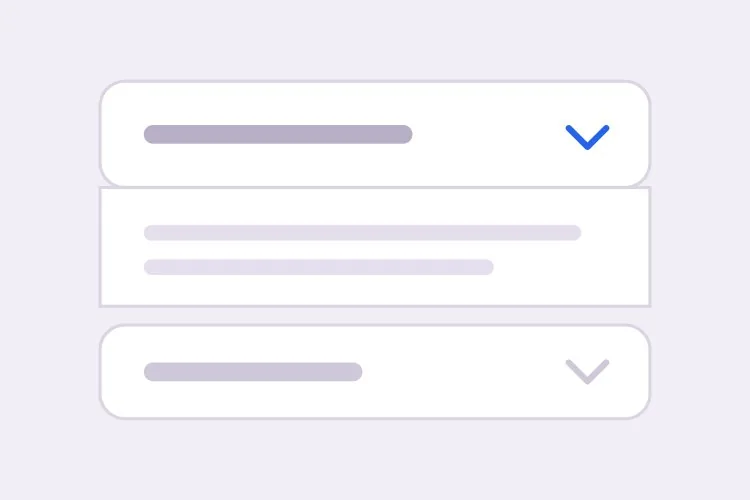
هل أستخدم التبويبات أم قائمة منسدلة متراكمة (أكورديون)؟

استخدم التبويبات عندما تكون اللوحات بدائل يقارنها المستخدم واحدة في المرة، مثل فترات الفوترة أو لغات البرمجة، وعندما تكون العناوين قصيرة بما يكفي لتستقر في سطر واحد. استخدم الأكورديون عندما تكون الأقسام عناصر مستقلة قد يرغب أحدهم في فتح عدة منها معاً، أو عندما تكون العناوين أسئلة كاملة، أو عندما يكون المحتوى طويلاً بما يجعل التراكم الرأسي أسهل قراءةً — قائمة الأسئلة الشائعة هي الحالة النموذجية للأكورديون وليست حالة تبويبات.