AI分頁標籤生成器。

描述你的面板,MeDo 就會生成完整的分頁標籤元件 — 正確的 ARIA 角色、方向鍵導覽、帶動畫的啟用指示線、手機版溢出處理,以及與網址同步、重新載入後依然保留的啟用標籤。

分頁標籤
分頁標籤

分頁標籤看似樣式決定,實際上是路由決定

一組分頁標籤並非只是隱藏內容,它把一個頁面拆成多個共用同一個網址的檢視。一旦有人想分享定價標籤、由支援文章連結過去,或者重新載入而不失去所在位置,元件就需要活在 React 以外的真實狀態。團隊通常在分頁標籤上線之後才發現這件事,然後補上與動畫及首次渲染互相打架的查詢字串處理。如果一開始就決定啟用中的標籤由網址推導而非來自本地 state,整個元件會簡單得多:觸發器變成類似連結的操作,深層連結自然可用,伺服器渲染在第一次繪製就輸出正確的面板。這也會改變你撰寫標記的方式,因此一開始就這樣生成,遠比事後改造划算。

6 個模板

可以產生的 分頁標籤 模板

每個模板都是真實的提示詞,而非截圖。複製到任何 AI 編輯器,或在 MeDo 中執行,直接取得 React + Tailwind 程式碼。

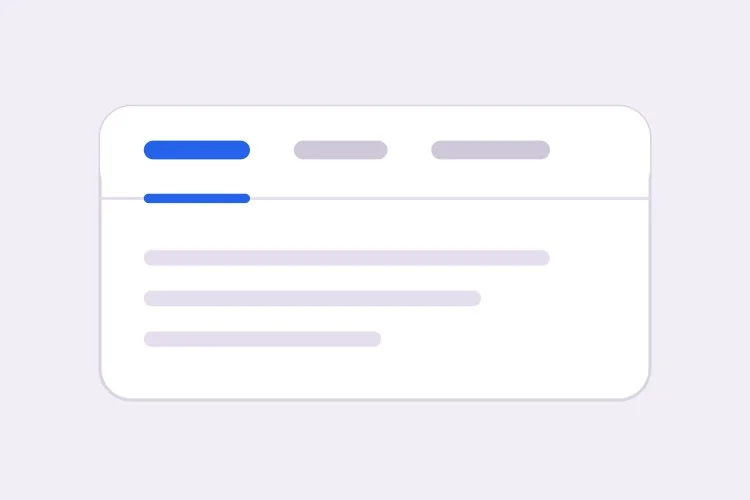
BasicUnderline

Underlined Tab Row With a Sliding Indicator

The default that reads as tabs without any explanation. Reach for it when the panels are static content and you want the indicator to do the signalling rather than a border box.

Create a tabs component with four triggers using the ARIA tabs pattern: role="tablist" on the container, role="tab" with aria-selected and aria-controls on each trigger, and role="tabpanel" with aria-labelledby on each panel. Use roving tabindex so only the selected tab has tabindex 0 and Tab moves out of the group entirely rather than through it. Left and Right arrows move focus and wrap at both ends, Home and End jump to the first and last tab, and activation is automatic because the panels are static text. Triggers are 40px tall with 15px medium labels, muted grey when inactive and near-black when active. Measure the active trigger and slide a 2px underline using translateX and scaleX over 200ms — never animate left or width.

在 MeDo 中試試
SegmentedPill Segmented

Segmented Control With a Sliding Pill

Two or three mutually exclusive options that belong on one control, like monthly versus annual. Do not use it past four tabs — the track stops fitting on a phone and equal widths force truncation.

Create a segmented-control tabs component: one rounded 36px-tall track with a light grey background and 2px inner padding, holding three equal-width triggers. The active trigger is a white pill with a soft shadow that moves between positions with translateX over 180ms, so the label text never reflows mid-transition. Keep the full ARIA tabs roles and roving tabindex — Left and Right arrows move focus with wrapping, Home and End jump to the ends, and activation is automatic. Give every trigger the same explicit min-width so switching from a short label to a long one does not resize the track. Under prefers-reduced-motion, cross-fade the pill background instead of sliding it.

在 MeDo 中試試
Deep linkableURL-Synced

Tabs Backed by a Query Parameter

The active tab lives in the URL, so support can link to one panel and a reload keeps your place. Worth doing before launch, because retrofitting it means rewriting the initial render.

Create a tabs component whose active tab is derived from a ?tab= query parameter rather than local state, so the first server render already paints the correct panel with no post-hydration flash. Read the parameter, validate it against the known tab ids, and fall back to the first tab when the value is unrecognised. On selection, write the new value with a replace-style navigation so the back button is not filled with tab switches, and preserve every other query parameter already on the URL. Keep the ARIA tabs wiring intact: roving tabindex, Left and Right arrows with wrapping, Home and End, and manual activation on Enter or Space.

在 MeDo 中試試
OverflowScrollable

Horizontally Scrolling Tablist

What happens when seven labels meet a 390px viewport. The part teams forget is scrolling the newly focused tab into view — arrow keys otherwise move focus to a tab nobody can see.

Create a tabs component that handles overflow by scrolling rather than wrapping or clipping. Under 640px the tablist scrolls horizontally with momentum, the scrollbar is hidden, and a gradient fade appears on either edge only while content remains in that direction. When Left or Right arrow moves the roving tabindex, call scrollIntoView with inline nearest on the newly focused trigger so keyboard focus is never off screen, and do the same for Home and End. Use scroll-snap-align on each trigger so a flick settles on a label boundary instead of mid-word. Keep the full ARIA roles and aria-controls wiring, and recompute the indicator position on scroll and on resize.

在 MeDo 中試試
PerformanceLazy Panels

Tabs With Deferred Panel Mounting

Only the active panel mounts, so opening Settings does not fetch invoices nobody asked for. The catch is state loss, so name the panels that must survive a switch.

Create a tabs component that mounts only the active panel and keeps every inactive panel out of the DOM entirely, so charts, video players and data fetches for unseen tabs never run. Use manual activation — arrow keys move the roving tabindex and only Enter or Space commits the change — because automatic activation would fire a request for every tab a keyboard user passes through. Accept a keepMounted list of tab ids whose panels stay in the DOM hidden with the hidden attribute instead, for panels holding half-filled forms or scroll position. Show a skeleton inside a newly mounted panel while its data resolves, and keep the panel container height stable so the page below does not jump.

在 MeDo 中試試
SidebarVertical

Vertical Tabs for Settings Screens

A left rail of labels beside one panel. The one thing that changes beyond layout is the arrow axis — Up and Down, not Left and Right, and aria-orientation has to say so.

Create a vertical tabs component for a settings screen: a 200px left rail of triggers with a single panel to its right. Set aria-orientation="vertical" on the tablist and bind Arrow Up and Arrow Down to move the roving tabindex with wrapping, since Left and Right are wrong on this axis; keep Home and End for the ends. Triggers are left-aligned rows, 36px tall, with a 2px indicator on the left edge that translates vertically over 200ms. Below 768px collapse the rail into a horizontal scrolling tablist above the panel and switch the arrow bindings and aria-orientation to match. Use manual activation, and give the panel tabindex="-1" so a programmatic focus move after selection is possible.

在 MeDo 中試試

如何自訂你的 分頁標籤

刻意選擇自動啟用或手動啟用

自動啟用會在方向鍵移動焦點時立即切換面板,速度快,但面板渲染成本高或需要抓取資料時就不適用。手動啟用先移動焦點,只有按 Enter 或空白鍵才啟用。請明確指出你要哪一種,因為鍵盤處理的程式碼並不相同。

用 transform 而非 width 為指示線做動畫

要求生成一條會量度啟用觸發器位置、以 translateX 與 scaleX 滑動的底線。為 left 與 width 做動畫會在每一格引發版面重算,在次像素邊界上抖動,而且一旦 tablist 可以捲動就會完全失效。

決定標籤溢出時的處理方式

四個短標籤放得進手機螢幕,七個就放不下。選定一種行為並寫清楚:帶邊緣漸隱的橫向捲動 tablist、換到第二行,或在某個斷點以下收合為原生 select。若不指定,生成出來的分頁標籤通常就是直接被裁掉。

說明未啟用的面板是否保持掛載

卸載未啟用的面板能令 DOM 保持精簡,避免執行沒有人看的圖表或影片播放器,但同時會丟失捲動位置和填了一半的表單欄位。告訴 MeDo 哪些面板持有狀態,這些面板就會改用 CSS 隱藏。

誰在使用 分頁標籤 組件

定價頁

把月繳與年繳做成同一張價格表上方的兩個標籤,並把選擇寫進網址,讓銷售可以直接連到年繳價格,而年繳折扣在首次載入時就看得見。

產品文件

按語言劃分的程式碼範例 — curl、Node、Python、Go — 選擇一次語言便套用到頁面上所有標籤群組,並在下次到訪時被記住。

儀表板或後台工具

設定畫面包含個人檔案、團隊、帳單與 API 金鑰四個標籤,每個面板延遲掛載,因此打開設定不會去抓取沒有人索取的發票。

電商產品頁

在相片庫下方以標籤呈現說明、規格與評價,觸發器標籤上顯示評價數量,同時把說明也渲染在頁面正文,使核心文案不只藏在標籤背後。

不同網站的 分頁標籤 方案

同一個 分頁標籤 組件,針對它所在網站的類型作調整。

01 / 06

SaaS Pricing Page Tabs

Monthly and annual billing as a two-tab segmented control above one price grid. Sync the choice to the URL so a sales email can open annual pricing directly — a pricing page where the discount is one unshareable click away is losing the conversation before it starts.

分頁標籤 的風格與變體

挑選與頁面其餘部分相襯的變體,然後產生它。

01 / 06

Underlined Tabs

A muted label row with a 2px indicator sliding beneath the active trigger. The most legible default because the underline gives the eye a single moving object to track. Animate it with translateX and scaleX — animating left and width thrashes layout every frame and jitters on subpixel boundaries.

在 React、Next.js、Vue 與 Svelte 中使用 分頁標籤

React、Next.js、Vue 3、SvelteKit、Astro 或純 HTML —— 同一個 分頁標籤,六種接入方式。

01 / 06

React Tabs

Keep the selected id in one piece of state and derive tabindex from it — that is the whole roving tabindex mechanism. Hold refs to the triggers so the arrow handler can focus the next one directly.

src/components/Tabs.tsx

const [active, setActive] = useState(tabs[0].id)

<div role="tablist" onKeyDown={onArrowKeys}>
  {tabs.map((t) => (
    <button
      key={t.id}
      role="tab"
      aria-selected={t.id === active}
      aria-controls={`panel-${t.id}`}
      tabIndex={t.id === active ? 0 : -1}
      onClick={() => setActive(t.id)}
    >
      {t.label}
    </button>
  ))}
</div>

如何把 分頁標籤 加入專案

四個步驟,從挑選 分頁標籤 模板到推上生產環境。

01~30s

Pick a Tabs Template

Choose by constraint, not by looks: segmented for two or three alternatives, scrollable once labels overflow a phone, vertical for a long settings rail, lazy when a panel fetches data.

02~10s

Copy the Prompt

Take the prompt into MeDo, Lovable, Bolt, v0 or Cursor, then edit two things — your real tab labels, and whether activation is automatic or manual. That second choice changes the keyboard code, so decide it before you generate.

03~1min

Generate and Refine

You get React + Tailwind back with a live preview. Follow up in plain English — "sync the active tab to ?tab=", "collapse to a select under 640px", "keep the chart panel mounted" — rather than editing the keydown handler by hand.

04~2min

Wire the Panels and Ship

Replace the placeholder panels with your real content and check three things with the keyboard only: Tab enters and leaves the group in one stop, arrows move within it, and a reload on a deep link opens the right panel.

關於 分頁標籤 的常見問題

如何用 AI 生成無障礙的分頁標籤元件?

在一個提示詞裡描述標籤文字與你想要的行為,包括啟用方式是自動還是手動。MeDo 會生成 tablist、tab 與 tabpanel 角色,並配好對應的 aria-controls 與 aria-labelledby,同時加上 roving tabindex,令方向鍵在標籤之間移動,而 Tab 鍵則整體移出該群組。

自動啟用與手動啟用標籤有何分別?

自動啟用之下,用方向鍵移動焦點會立即顯示該面板,適合成本很低的靜態內容。手動啟用之下,方向鍵只移動焦點,由使用者按 Enter 或空白鍵確認。只要面板需要抓取資料、繪製圖表或本身較慢,就應該使用手動啟用,否則鍵盤使用者經過的每個標籤都會觸發一次請求。

可以直接連結到某個特定標籤嗎?

可以,前提是啟用中的標籤存放在網址而非元件 state。要求使用類似 ?tab=pricing 的查詢參數決定初始渲染,並在切換時用 replace 方式的導覽更新,這樣返回記錄就不會被標籤切換塞滿。這種情況請避免用 hash 片段,因為瀏覽器還會嘗試捲動到 id 相符的元素。

隱藏在未啟用標籤內的內容會影響 SEO 嗎?

搜尋引擎會索引 HTML 中存在的文字,即使面板在視覺上被隱藏,所以分頁標籤內的內容並非看不見。不過它的權重通常低於訪客立即看到的內容,而只在點擊後才渲染的面板可能完全不會被爬取。請把主標題、價值主張與目標關鍵字放在永遠可見的區域,分頁標籤留給補充細節。

分頁標籤在手機上應該如何表現?

選定一種策略,不要讓標籤文字被壓縮。帶溢出邊緣漸隱的橫向捲動 tablist 在大約六個短標籤以內表現良好;超過之後,收合為原生 select 能提供更大的點擊範圍,也不會出現看不見的標籤。把斷點與策略告訴 MeDo,它會用同一個元件生成兩套版面。

應該用分頁標籤還是手風琴(摺疊面板)?

當各個面板是使用者一次比較一個的選項時用分頁標籤,例如計費週期或程式語言,而且標籤文字要短到可以放在一行。當各個區塊是彼此獨立、使用者可能想同時展開的項目,或標籤本身是完整問句,或內容長到縱向堆疊更易閱讀時,就用手風琴 — FAQ 清單是手風琴的典型場景,而不是分頁標籤的場景。