MeDo

AI कुकी बैनर जेनरेटर।

आपको जिस कुकी सहमति अनुभव की आवश्यकता है उसका वर्णन करें — बैनर स्टाइल, बटन लेबल, कानूनी कॉपी, कलर स्कीम — और MeDo तुरंत प्रोडक्शन-रेडी कोड जेनरेट करेगा। बॉयलरप्लेट के बिना एक अनुपालन, ब्रांड-संगत कुकी बैनर शिप करें।

कुकी बैनर
कुकी बैनर

कुकी बैनर कानूनी रूप से अनिवार्य हैं — और आमतौर पर भयानक।

GDPR, CCPA, और ePrivacy विनियम गैर-आवश्यक कुकीज सेट करने से पहले सूचित सहमति की मांग करते हैं, और नियामक इसे सक्रिय रूप से लागू करते हैं। लेकिन अधिकांश कुकी बैनर डार्क पैटर्न वाले, बदसूरत, या टूटे हुए होते हैं। एक अच्छी तरह से डिज़ाइन किया गया सहमति बैनर उपयोगकर्ता विश्वास बनाता है, दखल देने वाले पॉपअप से होने वाला बाउंस कम करता है, और अनुभव को बलिदान किए बिना आपकी साइट को अनुपालन में रखता है। MeDo आपको एक ऐसा बैनर जेनरेट करने में मदद करता है जो जानबूझकर लगता है, न कि बाद में जोड़ा गया।

6 टेम्पलेट

कुकी बैनर टेम्पलेट जो आप जेनरेट कर सकते हैं

हर टेम्पलेट एक असली प्रॉम्प्ट है, स्क्रीनशॉट नहीं। इसे किसी भी AI एडिटर में कॉपी करें, या MeDo में चलाकर React + Tailwind कोड सीधे पाएं।

Bottom barBaseline

Accept and Reject Bottom Bar

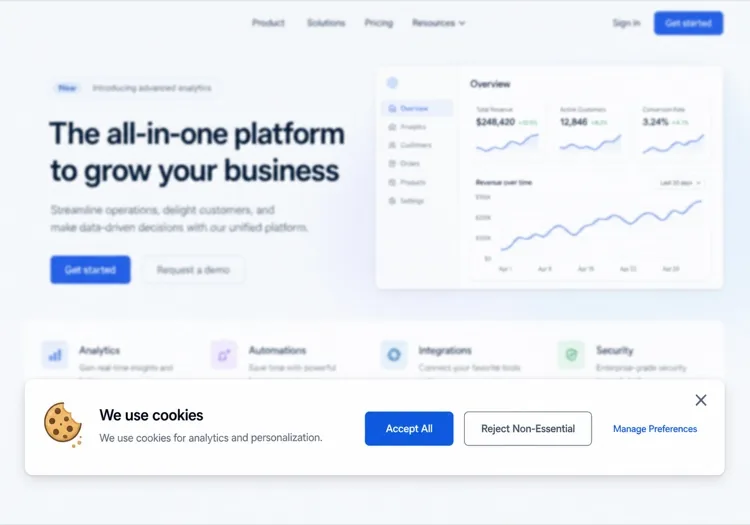
One line of copy, two buttons of equal weight, a policy link. The smallest banner that still gives a genuine choice rather than a dismiss disguised as one.

Create a cookie consent bar fixed to the bottom of the viewport: a short line explaining that non-essential cookies are used for analytics, a link to the cookie policy, and two buttons — Accept all and Reject non-essential — rendered with identical size, contrast and padding so neither is visually demoted. Render it in a region with role="region" and an accessible name, do not trap focus, and place it last in the DOM so it does not sit ahead of the page content in tab order. Persist the decision under a versioned key in localStorage with a timestamp, and keep the bar hidden on every later visit until that version changes. Load no analytics script before a decision exists.


MeDo में आज़माएं
CategoriesGranular

Per-Category Consent Panel

Four categories, three of them off until someone turns them on. The version to build when tags actually differ in purpose rather than all being one analytics script.

Create a cookie consent panel with four categories: Necessary (locked on, with a note explaining it cannot be disabled), Functional, Analytics and Marketing, each a labelled switch with a one-sentence description of what it enables. Every non-essential switch defaults to off. Provide Accept all, Reject all and Save preferences, with Accept all and Reject all identical in weight. Store the result as an object keyed by category alongside a schema version and timestamp, and emit a consent-changed event so tag loading can react without a page reload. Keep the switches keyboard operable with visible focus rings and expose state through aria-checked rather than colour alone.

MeDo में आज़माएं
ModalGate

Centered Consent Modal

Blocks the page until a choice is made. Highest completion rate, highest bounce rate — reach for it only when a decision genuinely has to precede the first render.

Create a centered cookie consent modal with a dimmed backdrop: heading, two sentences of explanation, a cookie policy link, and Accept all, Reject all and Manage preferences buttons with the first two given equal visual weight. Use role="dialog" with aria-modal="true", label it by its heading, move focus to the heading on open, cycle Tab within the dialog, and do not close on Escape or backdrop click since either would leave consent undecided. Persist the choice in a versioned localStorage record with a timestamp and render nothing on subsequent visits. Do not pre-tick any non-essential category, and gate every non-essential script behind the stored value.

MeDo में आज़माएं
ToastCorner

Corner Card Consent Toast

A small card in the bottom corner that leaves the page usable. Least disruptive and least answered — expect a large share of visitors to simply ignore it.

Create a cookie consent card anchored to the bottom-left corner, roughly 360px wide, with a cookie icon, a two-line explanation, a policy link and stacked Accept all and Reject all buttons of matching width and contrast. It must not overlap other fixed UI, so offset it above any support launcher. Do not include a bare X dismiss control — a close button that leaves consent unrecorded means the banner returns on every navigation. Render it after the main landmark in the DOM, keep it out of any focus trap, and persist the decision in a versioned localStorage entry with a timestamp so it stays hidden once answered.

MeDo में आज़माएं
Persistent accessReopen

Banner With a Preferences Trigger

The banner plus a permanent footer link that reopens it. Consent that cannot be changed later is the most common defect in a shipped banner, and the fix is one link.

Create a cookie consent bar plus a persistent Cookie preferences button for the site footer that reopens the same panel with the stored values pre-loaded, so a visitor can withdraw consent as easily as they gave it. The panel lists Necessary, Functional, Analytics and Marketing switches with non-essential ones reflecting whatever was saved, and offers Accept all, Reject all and Save preferences. On reopen, move focus to the panel heading and return focus to the footer button on close. Write changes to the same versioned localStorage key with a fresh timestamp and emit a consent-changed event so already-loaded tags can be told to stop.

MeDo में आज़माएं
Geo-awareRegional

Region-Conditional Consent Banner

Shows the full category panel where prior consent is expected and a lighter notice elsewhere, driven by a server-supplied region hint. The requirements vary by jurisdiction, so confirm the rules for each region with counsel.

Create a consent component that takes a region prop resolved server-side from the request and renders one of two variants: a full category panel with all non-essential switches defaulting to off and Accept all, Reject all and Save preferences of equal weight, or a lighter notice with an acknowledge action and a link to a cookie settings page. Never pre-tick a non-essential category in either variant. Store the decision with the region and a schema version so the record explains which variant produced it, and re-prompt when the version changes. Keep the region check server-side so no tracking script loads before the variant is known.

MeDo में आज़माएं

अपने कुकी बैनर को कैसे कस्टमाइज़ करें

अपने साइट डिज़ाइन सिस्टम से मिलाएं

प्रॉम्प्ट में अपने ब्रांड कलर, बॉर्डर रेडियस, और फ़ॉन्ट निर्दिष्ट करें ताकि बैनर नेटिव लगे — थर्ड-पार्टी विजेट जैसा नहीं। उपयोगकर्ता उस बैनर के साथ अधिक जुड़ते हैं जो साइट का हिस्सा लगता है।

बैनर स्थिति और एनिमेशन चुनें

बॉटम बार, सेंटर्ड मोडल, और कॉर्नर टोस्ट तीन मुख्य पैटर्न हैं। MeDo को बताएं कि आप कौन सा पसंद करते हैं और स्लाइड-अप, फ़ेड-इन, या तुरंत दिखना चाहते हैं। बॉटम बार सबसे कम बाधक हैं; मोडल सख्त अधिकार क्षेत्रों के लिए सबसे अनुपालन वाले हैं।

बटन हायरार्की को अनुकूलित करें

डार्क पैटर्न (अस्वीकार बटन छुपाना) नियामक जुर्माना आकर्षित करते हैं। MeDo से "स्वीकार" और "अस्वीकार" को समान विज़ुअल वेट देने को कहें, या एक तटस्थ "प्राथमिकताएं प्रबंधित करें" CTA का उपयोग करें जो विस्तृत सहमति मोडल की ओर ले जाए।

प्राथमिकता पैनल जोड़ें

अधिक संपूर्ण अनुपालन के लिए, MeDo से श्रेणी-वार टॉगल (एनालिटिक्स, मार्केटिंग, फ़ंक्शनल) के साथ एक टॉगल करने योग्य प्राथमिकता पैनल शामिल करने को कहें। यह GDPR अनुपालन और उपयोगकर्ता विश्वास का गोल्ड स्टैंडर्ड है।

कुकी बैनर कंपोनेंट का उपयोग कौन करता है

SaaS प्रोडक्ट

स्वीकार/अस्वीकार और कुकी पॉलिसी के लिंक वाला हल्का बॉटम बैनर। दखल न देने वाला लेकिन अनुपालन — GDPR दायित्वों को पूरा करते हुए ऐप UI को सामने रखता है।

ई-कॉमर्स स्टोर

एनालिटिक्स, पर्सनलाइज़ेशन, और मार्केटिंग कुकीज को कवर करने वाले प्राथमिकता मोडल के साथ पूर्ण-विशेषताओं वाला सहमति बैनर। एड पिक्सल और रीटार्गेटिंग का उपयोग करने वाले स्टोर के लिए महत्वपूर्ण।

मार्केटिंग या ब्लॉग साइट

एक "स्वीकार" बटन और कुकी सेटिंग्स के टेक्स्ट लिंक वाला सरल कुकी नोटिस। केवल एनालिटिक्स कुकीज वाली कंटेंट-फ़र्स्ट साइटों के लिए न्यूनतम घर्षण।

एंटरप्राइज़ या विनियमित उद्योग

वेंडर-वार टॉगल, सहमति निर्णयों का पूर्ण ऑडिट लॉग, और एक प्रमुख "सभी अस्वीकार करें" विकल्प वाला विस्तृत सहमति मोडल — सख्त DPA आवश्यकताओं को पूरा करने के लिए बनाया गया।

अलग-अलग वेबसाइटों के लिए कुकी बैनर पैटर्न

वही कुकी बैनर कंपोनेंट, उस वेबसाइट के प्रकार के हिसाब से ढाला गया जहाँ वह लगेगा।

01 / 06

SaaS Product Consent

A bottom bar with equal-weight accept and reject, and the reject path wired to skip product analytics rather than just hiding the bar. The failure here is a banner on the marketing site and none inside the authenticated app, where most of the event tracking actually happens.

कुकी बैनर की शैलियाँ और वेरिएंट

जो वेरिएंट बाकी पेज से मेल खाता है उसे चुनें और जेनरेट करें।

01 / 06

Bottom Bar Banner

Full-width strip pinned to the bottom, one line of copy, two buttons. The least disruptive pattern and the safest default. Watch the mobile height — a three-line bar covering a sticky Add to cart button is a conversion bug, not a design detail.

React, Next.js, Vue और Svelte में कुकी बैनर

React, Next.js, Vue 3, SvelteKit, Astro या सादा HTML — वही कुकी बैनर, जोड़ने के छह तरीके।

01 / 06

React Cookie Banner

Consent belongs in a context provider at the app root, not in the banner — the banner is one reader of that state and every gated feature is another. Read localStorage in an effect so the first render matches the server.

src/components/ConsentProvider.tsx

const KEY = 'consent.v2'

export function ConsentProvider({ children }) {
  const [consent, setConsent] = useState(null)

  useEffect(() => {
    setConsent(JSON.parse(localStorage.getItem(KEY) ?? 'null'))
  }, [])

  return (
    <Ctx.Provider value={{ consent, setConsent }}>{children}</Ctx.Provider>
  )
}

अपने कुकी बैनर को प्रोजेक्ट में कैसे जोड़ें

कुकी बैनर टेम्पलेट चुनने से प्रोडक्शन में भेजने तक, चार चरण।

01~30s

Pick a Consent Pattern

Choose by how many distinct cookie purposes you actually have — a bottom bar for one analytics script, a category panel once marketing and functional tags are separate concerns.

02~10s

Copy the Prompt

Paste it into MeDo, Lovable, Bolt, v0 or Cursor. Replace the category descriptions with the tags you really run, since that list is what your policy page has to agree with.

03~1min

Generate and Refine

You get React + Tailwind with a live preview. Follow up in plain English — "give reject all the same weight as accept", "expand preferences in place", "add a footer trigger that reopens it".

04~2min

Gate Your Scripts and Verify

Wire analytics and pixel loading to the stored value, then load the site fresh and confirm no non-essential request fires before a choice. Specific consent obligations vary by jurisdiction — have counsel review what you ship.

कुकी बैनर के बारे में सामान्य प्रश्न

AI से कुकी बैनर कैसे बनाएं?

MeDo में, आपको जिस कुकी सहमति बैनर की आवश्यकता है उसका वर्णन करें — उसकी स्थिति, बटन लेबल, आप कौन सी कुकीज उपयोग करते हैं, और आपकी विज़ुअल स्टाइल। MeDo पूरा कंपोनेंट कोड जेनरेट करता है, जिसे आप अपने प्रोजेक्ट में कॉपी कर सकते हैं या फ़ॉलो-अप प्रॉम्प्ट से रिफ़ाइन करते रह सकते हैं। बॉयलरप्लेट खोजने की ज़रूरत नहीं।

सबसे अच्छा AI कुकी बैनर जेनरेटर कौन सा है?

MeDo विशेष रूप से कुकी बैनर सहित प्रोडक्शन-रेडी वेबसाइट कंपोनेंट जेनरेट करने के लिए बनाया गया है। जेनेरिक AI टूल्स के विपरीत, MeDo एक्सेसिबल मार्कअप और GDPR-अनुपालन लेबलिंग के लिए समझदार डिफ़ॉल्ट्स के साथ साफ, सिमेंटिक कोड आउटपुट करता है — न कि एक कच्चा टेम्प्लेट जिसे आपको ठीक करना पड़े।

क्या AI GDPR-अनुपालन कुकी बैनर जेनरेट कर सकता है?

MeDo ऐसे कुकी बैनर जेनरेट कर सकता है जो GDPR बेस्ट-प्रैक्टिस पैटर्न का पालन करते हैं: समान-भार स्वीकार/अस्वीकार बटन, आपकी कुकी पॉलिसी का लिंक, और वैकल्पिक श्रेणी-वार सहमति टॉगल। हालांकि, वास्तविक कानूनी अनुपालन आपकी विशिष्ट डेटा प्रथाओं और अधिकार क्षेत्र पर निर्भर करता है — हमेशा अपनी कानूनी टीम से अंतिम कार्यान्वयन की समीक्षा करवाएं।

मेरे कुकी बैनर में "सभी अस्वीकार करें" बटन कैसे जोड़ें?

बस इसे अपने प्रॉम्प्ट में शामिल करें — उदाहरण के लिए, "स्वीकार बटन के समान विज़ुअल वेट वाला सभी अस्वीकार करें बटन जोड़ें"। MeDo मिलते-जुलते स्टाइल के साथ दोनों बटन जेनरेट करेगा और उचित लॉजिक प्लेसहोल्डर वायर करेगा।

क्या मैं AI से कुकी प्राथमिकता मोडल जेनरेट कर सकता हूं?

हाँ। MeDo से श्रेणी-वार टॉगल के साथ एक प्राथमिकता पैनल शामिल करने को कहें (जैसे एनालिटिक्स, मार्केटिंग, फ़ंक्शनल कुकीज)। MeDo टॉगल स्विच, श्रेणी विवरण, और सेव/कन्फ़र्म एक्शन के साथ एक पूर्ण मोडल जेनरेट करेगा।

क्या AI कुकी बैनर Google Analytics और Meta Pixel के साथ काम करता है?

MeDo UI और कंसेंट-गेट लॉजिक जेनरेट करता है। आप इसे उपयोगकर्ता सहमति के आधार पर एनालिटिक्स स्क्रिप्ट को ब्लॉक या लोड करने के लिए प्लेसहोल्डर हुक शामिल करने के लिए प्रॉम्प्ट कर सकते हैं। इसे अपने विशिष्ट टैग मैनेजर या एनालिटिक्स SDK से जोड़ने के लिए जेनरेशन के बाद एक छोटा इंटीग्रेशन स्टेप लगता है।

अभी अपना कुकी बैनर जेनरेट करें।

कोई भी प्रॉम्प्ट आज़माएं — मुफ्त, कोई साइन अप नहीं।
