MeDo

Generador de Banner de Cookies con IA.

Describe la experiencia de consentimiento de cookies que necesitas — estilo del banner, etiquetas de botones, texto legal, esquema de colores — y MeDo genera código listo para producción al instante. Publica un banner de cookies conforme y con tu marca sin el boilerplate.

Banner de Cookies
Banner de Cookies

Los banners de cookies son legalmente obligatorios — y generalmente terribles.

El GDPR, la CCPA y las regulaciones de ePrivacy exigen consentimiento informado antes de establecer cookies no esenciales, y los reguladores lo aplican activamente. Pero la mayoría de los banners de cookies son manipuladores, feos o defectuosos. Un banner de consentimiento bien diseñado genera confianza en el usuario, reduce el rebote causado por popups intrusivos y mantiene tu sitio en cumplimiento sin sacrificar la experiencia. MeDo te ayuda a generar uno que parece intencional, no añadido a último momento.

6 plantillas

Plantillas de Banner de Cookies que puedes generar

Cada plantilla es un prompt real, no una captura de pantalla. Cópialo en cualquier editor de IA o ejecútalo en MeDo y obtén código React + Tailwind.

Bottom barBaseline

Accept and Reject Bottom Bar

One line of copy, two buttons of equal weight, a policy link. The smallest banner that still gives a genuine choice rather than a dismiss disguised as one.

Create a cookie consent bar fixed to the bottom of the viewport: a short line explaining that non-essential cookies are used for analytics, a link to the cookie policy, and two buttons — Accept all and Reject non-essential — rendered with identical size, contrast and padding so neither is visually demoted. Render it in a region with role="region" and an accessible name, do not trap focus, and place it last in the DOM so it does not sit ahead of the page content in tab order. Persist the decision under a versioned key in localStorage with a timestamp, and keep the bar hidden on every later visit until that version changes. Load no analytics script before a decision exists.


Prueba en MeDo
CategoriesGranular

Per-Category Consent Panel

Four categories, three of them off until someone turns them on. The version to build when tags actually differ in purpose rather than all being one analytics script.

Create a cookie consent panel with four categories: Necessary (locked on, with a note explaining it cannot be disabled), Functional, Analytics and Marketing, each a labelled switch with a one-sentence description of what it enables. Every non-essential switch defaults to off. Provide Accept all, Reject all and Save preferences, with Accept all and Reject all identical in weight. Store the result as an object keyed by category alongside a schema version and timestamp, and emit a consent-changed event so tag loading can react without a page reload. Keep the switches keyboard operable with visible focus rings and expose state through aria-checked rather than colour alone.

Prueba en MeDo
ModalGate

Centered Consent Modal

Blocks the page until a choice is made. Highest completion rate, highest bounce rate — reach for it only when a decision genuinely has to precede the first render.

Create a centered cookie consent modal with a dimmed backdrop: heading, two sentences of explanation, a cookie policy link, and Accept all, Reject all and Manage preferences buttons with the first two given equal visual weight. Use role="dialog" with aria-modal="true", label it by its heading, move focus to the heading on open, cycle Tab within the dialog, and do not close on Escape or backdrop click since either would leave consent undecided. Persist the choice in a versioned localStorage record with a timestamp and render nothing on subsequent visits. Do not pre-tick any non-essential category, and gate every non-essential script behind the stored value.

Prueba en MeDo
ToastCorner

Corner Card Consent Toast

A small card in the bottom corner that leaves the page usable. Least disruptive and least answered — expect a large share of visitors to simply ignore it.

Create a cookie consent card anchored to the bottom-left corner, roughly 360px wide, with a cookie icon, a two-line explanation, a policy link and stacked Accept all and Reject all buttons of matching width and contrast. It must not overlap other fixed UI, so offset it above any support launcher. Do not include a bare X dismiss control — a close button that leaves consent unrecorded means the banner returns on every navigation. Render it after the main landmark in the DOM, keep it out of any focus trap, and persist the decision in a versioned localStorage entry with a timestamp so it stays hidden once answered.

Prueba en MeDo
Persistent accessReopen

Banner With a Preferences Trigger

The banner plus a permanent footer link that reopens it. Consent that cannot be changed later is the most common defect in a shipped banner, and the fix is one link.

Create a cookie consent bar plus a persistent Cookie preferences button for the site footer that reopens the same panel with the stored values pre-loaded, so a visitor can withdraw consent as easily as they gave it. The panel lists Necessary, Functional, Analytics and Marketing switches with non-essential ones reflecting whatever was saved, and offers Accept all, Reject all and Save preferences. On reopen, move focus to the panel heading and return focus to the footer button on close. Write changes to the same versioned localStorage key with a fresh timestamp and emit a consent-changed event so already-loaded tags can be told to stop.

Prueba en MeDo
Geo-awareRegional

Region-Conditional Consent Banner

Shows the full category panel where prior consent is expected and a lighter notice elsewhere, driven by a server-supplied region hint. The requirements vary by jurisdiction, so confirm the rules for each region with counsel.

Create a consent component that takes a region prop resolved server-side from the request and renders one of two variants: a full category panel with all non-essential switches defaulting to off and Accept all, Reject all and Save preferences of equal weight, or a lighter notice with an acknowledge action and a link to a cookie settings page. Never pre-tick a non-essential category in either variant. Store the decision with the region and a schema version so the record explains which variant produced it, and re-prompt when the version changes. Keep the region check server-side so no tracking script loads before the variant is known.

Prueba en MeDo

Cómo personalizar tu Banner de Cookies

Combinar con el sistema de diseño de tu sitio

Especifica tus colores de marca, radio de borde y fuente en el prompt para que el banner se sienta nativo — no como un widget de terceros. Los usuarios tienen más probabilidades de interactuar con un banner que parece que pertenece al sitio.

Elegir posición y animación del banner

La barra inferior, el modal centrado y el toast de esquina son los tres patrones principales. Dile a MeDo cuál prefieres y si quieres un slide-up, fade-in o aparición instantánea. Las barras inferiores son las menos disruptivas; los modals son los más conformes para jurisdicciones estrictas.

Ajustar la jerarquía de botones

Los patrones oscuros (ocultar el botón de rechazar) atraen multas regulatorias. Pide a MeDo que dé a "Aceptar" y "Rechazar" el mismo peso visual, o que use un CTA neutral "Gestionar preferencias" que lleve a un modal de consentimiento granular.

Añadir un panel de preferencias

Para un cumplimiento más completo, solicita a MeDo que incluya un panel de preferencias desplegable con toggles por categoría (Analíticas, Marketing, Funcionales). Este es el estándar de oro para el cumplimiento del GDPR y la confianza del usuario.

Quién usa el componente Banner de Cookies

Producto SaaS

Banner inferior ligero con aceptar/rechazar y un enlace a la política de cookies. No intrusivo pero conforme — mantiene la interfaz de la app en primer plano mientras cumple con las obligaciones del GDPR.

Tienda de e-commerce

Banner de consentimiento completo con modal de preferencias que cubre cookies de analíticas, personalización y marketing. Crítico para tiendas que usan píxeles publicitarios y retargeting.

Sitio de marketing o blog

Aviso de cookies simple con un único botón "Aceptar" y un enlace de texto a la configuración de cookies. Fricción mínima para sitios centrados en contenido con solo cookies de analíticas.

Empresa o industria regulada

Modal de consentimiento granular con toggles por proveedor, un registro de auditoría completo de las decisiones de consentimiento y una opción destacada "Rechazar todo" — diseñado para satisfacer los estrictos requisitos de las DPA.

Patrones de Banner de Cookies para distintos sitios web

El mismo componente banner de cookies, adaptado al tipo de sitio donde se publica.

01 / 06

SaaS Product Consent

A bottom bar with equal-weight accept and reject, and the reject path wired to skip product analytics rather than just hiding the bar. The failure here is a banner on the marketing site and none inside the authenticated app, where most of the event tracking actually happens.

Estilos y variantes de Banner de Cookies

Elige la variante que encaje con el resto de la página y genérala.

01 / 06

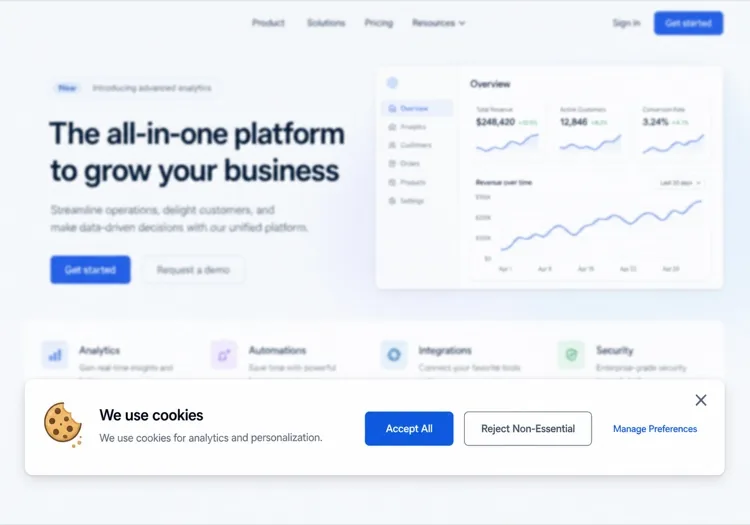
Bottom Bar Banner

Full-width strip pinned to the bottom, one line of copy, two buttons. The least disruptive pattern and the safest default. Watch the mobile height — a three-line bar covering a sticky Add to cart button is a conversion bug, not a design detail.

Banner de Cookies en React, Next.js, Vue y Svelte

React, Next.js, Vue 3, SvelteKit, Astro o HTML puro: el mismo banner de cookies, seis formas de integrarlo.

01 / 06

React Cookie Banner

Consent belongs in a context provider at the app root, not in the banner — the banner is one reader of that state and every gated feature is another. Read localStorage in an effect so the first render matches the server.

src/components/ConsentProvider.tsx

const KEY = 'consent.v2'

export function ConsentProvider({ children }) {
  const [consent, setConsent] = useState(null)

  useEffect(() => {
    setConsent(JSON.parse(localStorage.getItem(KEY) ?? 'null'))
  }, [])

  return (
    <Ctx.Provider value={{ consent, setConsent }}>{children}</Ctx.Provider>
  )
}

Cómo añadir tu Banner de Cookies a un proyecto

Cuatro pasos, desde elegir una plantilla de banner de cookies hasta llevarlo a producción.

01~30s

Pick a Consent Pattern

Choose by how many distinct cookie purposes you actually have — a bottom bar for one analytics script, a category panel once marketing and functional tags are separate concerns.

02~10s

Copy the Prompt

Paste it into MeDo, Lovable, Bolt, v0 or Cursor. Replace the category descriptions with the tags you really run, since that list is what your policy page has to agree with.

03~1min

Generate and Refine

You get React + Tailwind with a live preview. Follow up in plain English — "give reject all the same weight as accept", "expand preferences in place", "add a footer trigger that reopens it".

04~2min

Gate Your Scripts and Verify

Wire analytics and pixel loading to the stored value, then load the site fresh and confirm no non-essential request fires before a choice. Specific consent obligations vary by jurisdiction — have counsel review what you ship.

Preguntas frecuentes sobre Banner de Cookies

¿Cómo creo un banner de cookies con IA?

En MeDo, describe el banner de consentimiento de cookies que necesitas — su posición, etiquetas de botones, qué cookies usas y tu estilo visual. MeDo genera el código completo del componente, que puedes copiar en tu proyecto o seguir refinando con prompts de seguimiento. No se requiere buscar boilerplate.

¿Cuál es el mejor generador de banners de cookies con IA?

MeDo está diseñado específicamente para generar componentes de sitios web listos para producción, incluidos banners de cookies. A diferencia de las herramientas de IA genéricas, MeDo genera código limpio y semántico con markup accesible y valores predeterminados sensatos para el etiquetado conforme con GDPR — no solo una plantilla básica que tienes que arreglar.

¿Puede la IA generar un banner de cookies conforme con GDPR?

MeDo puede generar banners de cookies que siguen los patrones de mejores prácticas del GDPR: botones de aceptar/rechazar de igual peso visual, un enlace a tu política de cookies y toggles opcionales de consentimiento por categoría. Sin embargo, el verdadero cumplimiento legal depende de tus prácticas de datos específicas y jurisdicción — siempre haz que tu equipo legal revise la implementación final.

¿Cómo añado un botón "Rechazar todo" a mi banner de cookies?

Simplemente inclúyelo en tu prompt — por ejemplo, "añade un botón Rechazar todo con el mismo peso visual que el botón Aceptar". MeDo generará ambos botones con estilos coincidentes y conectará los marcadores de posición de lógica apropiados.

¿Puedo generar un modal de preferencias de cookies con IA?

Sí. Pide a MeDo que incluya un panel de preferencias con toggles por categoría (p. ej., Analíticas, Marketing, Cookies funcionales). MeDo generará un modal completo con interruptores, descripciones de categorías y acciones de guardar/confirmar.

¿El banner de cookies con IA funciona con Google Analytics y Meta Pixel?

MeDo genera la interfaz de usuario y la lógica del consent-gate. Puedes pedirle que incluya hooks de marcador de posición para bloquear o cargar scripts de analíticas según el consentimiento del usuario. Conectar esto a tu tag manager o SDK de analíticas específico requiere un pequeño paso de integración tras la generación.
