MeDo

One Shortcut Away From Every Action in Your App.

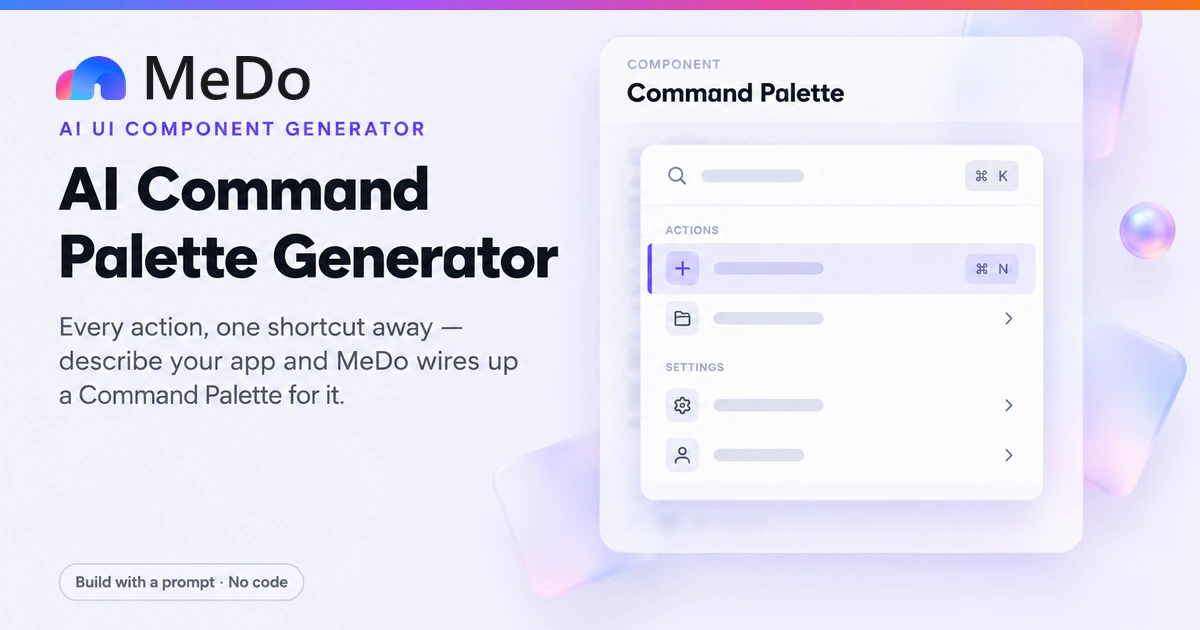
Press ⌘K and MeDo generates a command palette — a dialog that opens on a keyboard shortcut, fuzzy-searches a list of commands, and executes the highlighted one with Enter. Navigation commands, AI actions, recent items: not just a way to find pages, but a surface that performs them. It is three patterns composed into one, and this page builds all three.

Command Palette
Command Palette

A Command Palette Is Not a Widget — It Is Three Patterns Fused Into One

People describe ⌘K as a component and then wonder why their version feels cheap. What shipped in Linear, Notion, and Raycast is a composition: a dialog that owns focus and layering, a search field with fuzzy matching, and a list with selection state and execution semantics. Each part is ordinary; the fusion is the product. The second misconception is what the commands are for. A palette that only lists page links is a sitemap with a shortcut, and most users will never press ⌘K to navigate somewhere a click could reach. The palette earns its place when it executes: toggling theme, creating a record, inviting a teammate, running an AI action like "summarize this document". That is the modern twist — with AI in the loop, the command list is no longer fixed at build time, and the palette becomes the natural-language remote control for the whole application. Once a power user learns that one shortcut reaches every action, they stop learning your menus, which is precisely the point.

4 個のテンプレート

生成できる Command Palette テンプレート

どのテンプレートもスクリーンショットではなく実際のプロンプトです。任意の AI エディタに貼り付けるか、MeDo で実行して React + Tailwind のコードを受け取れます。

StandardClassic ⌘K

Grouped Command Palette With Fuzzy Search

Dialog on shortcut, fuzzy search, grouped commands, full keyboard loop. The Linear-style baseline every other variant modifies.

Create a command palette opening on Cmd+K / Ctrl+K: a centered modal dialog at the top 20% of the viewport, max-width 560px, rounded-xl, 40% black overlay, 150ms scale-and-fade entrance. A search input on top with icon, then a scrollable grouped list under non-selectable headers Actions, Navigate, Recent. Rows are 40px with icon, label, and a key-chip hint on the right. Typing fuzzy-filters labels and hidden keywords with matched substrings highlighted; empty state echoes the query. Arrow keys move highlight with wrap, Enter executes and closes, Escape closes and restores focus to the prior element, focus trapped while open. Commands execute real actions — route changes, theme toggle, opening a dialog. Restore last query and highlight on reopen, zinc-50 hover, indigo-50 highlight with 2px left edge.


MeDoで試す
AIAI Actions

Palette With Natural-Language Commands

The modern twist: commands generated or interpreted by AI, so the palette answers "what do you want to do" rather than "which page do you know".

Create a command palette like the classic version, but add an AI action layer. Alongside static commands, include a primary input behavior where a free-text query that matches no command offers an "Ask AI:" row at the top of the results that passes the raw query to an action handler with a streaming indicator while the response loads. Add three built-in AI commands under an AI group: Summarize this page, Draft a reply, and Translate selection — each executing with a small inline progress state inside the palette rather than navigating away. While an AI action runs, keep the palette open with a cancel button, then close on completion and show a toast with the result link. Style the AI rows with a subtle sparkle icon and an indigo tint, and make sure Escape cancels an in-flight request cleanly.

MeDoで試す
AdvancedNested Context

Sub-Menu Palette With Drill-In

Commands that open second-level lists inside the same dialog — pick a project, then an action on it — without ever leaving the palette.

Create a command palette supporting nested sub-menus: selecting a command with children — such as Switch project or Move to page — slides the list left into a child view with a back row on top showing the parent name and a breadcrumb hint. Child views reuse the same search input, now scoped to the child items, and Escape steps back one level before closing the dialog. Keep a small view stack in state rather than replacing content, animate the transition with a 150ms translate, and preserve the parent query when returning. Deep commands display their path in the row description, like "Move to page → Documentation". Keyboard loop works at every level, and the depth indicator appears in the header as subtle dots.

MeDoで試す
HybridSpotlight Search

Search-Everything Palette

One input across pages, records, people, and commands — results grouped by type so the palette doubles as the app-wide search.

Create a search-everything command palette: a single input queries pages, records, people, and actions simultaneously, rendering grouped results under typed headers — Pages, Records, People, Commands — with type icons on every row. Records and people results show a secondary detail line; command rows show key hints. Rank commands above content when the query is verb-like, content above commands when it matches a title. Limit each group to five rows with a "See all N results" row that navigates to a full results page. Debounce record queries at 150ms with cached previous results shown instantly, support arrow navigation across all groups contiguously, and Enter on any row executes its type-appropriate action. Include recent items shown before any typing.

MeDoで試す

Command Palette をカスタマイズする方法

Ask for the three parts by name

A prompt like "add a search dropdown" produces a filtered list but not a palette. Ask for "a modal dialog that opens on Cmd+K, containing a fuzzy search input and a grouped, keyboard-navigable command list" — naming the composition is what gets focus trapping, overlay handling, and Escape behavior for free instead of half of each.

Curate the command list; do not dump the sitemap

Forty flat entries make the palette slower than clicking. Group commands under headers — Actions, Navigate, Recent — and let frequency matter: recent items float up, destructive commands sit behind a group or a confirm. A palette with 12 excellent commands beats one with 60 adequate ones.

Make commands execute, not just navigate

The test: would anyone press ⌘K for this? Toggle dark mode, duplicate this page, copy a share link, ask AI to draft a reply — these are worth a shortcut. Before writing the list, audit what your app can do and pick the ten actions people repeat daily; those are the palette. Everything else stays in the menus.

Show keyboard hints and honor muscle memory

Render a small key chip on each row and support sequence shortcuts where the ecosystem expects them — G then D for dashboard, in the style users already know. Also support ⌘K a second time to close, and remember the last query on reopen, because power users iterate: open, type, act, reopen, refine.

Command Palette コンポーネントを使うのは誰か

Project management and docs tools

⌘K opens search across pages, people, and commands in one list — jump to a project, assign a teammate, create a task — the Linear-and-Notion pattern users now expect from any tool they live in.

Developer dashboards

A palette that reaches every environment, flag, and settings page, plus execution commands like "rotate API key" or "copy service URL", so keyboard-native operators never touch the sidebar.

AI-first applications

The command list includes natural-language AI actions — draft a reply, summarize this thread, translate the selection — making ⌘K the front door to the AI rather than a button buried in a toolbar.

Design and productivity tools

Figma-style action search: type what you want done — flip vertical, 8px grid, export PNG — and the palette finds the action by description, not by menu location.

サイト種別ごとの Command Palette パターン

同じ command palette コンポーネントを、掲載するサイトの種類に合わせて調整します。

01 / 06

Project and Documentation Tools

Where users live all day and learn shortcuts within an hour. Group navigation and creation commands together so "new task" and "go to roadmap" sit one ⌘K apart, and seed the Recent group from real usage rather than a hardcoded list.

Command Palette のスタイルとバリアント

ページ全体のトーンに合うバリアントを選び、そのまま生成します。

01 / 05

Floating Center Dialog

The standard: a rounded dialog at the top fifth of the screen over a dimmed page. Positioned high rather than centered because the eye searches the top half and it leaves the underlying page context visible below.

React・Next.js・Vue・Svelte での Command Palette

React、Next.js、Vue 3、SvelteKit、Astro、素の HTML — 同じ command palette を 6 通りの方法で組み込めます。

01 / 03

React Command Palette

A window keydown listener toggles the dialog; a flat filtered list plus a highlight index covers keyboard navigation. Real palette libraries add fuzzy scoring and focus trapping on top.

src/components/CommandPalette.tsx

useEffect(() => {
  const onKey = (e: KeyboardEvent) => {
    if ((e.metaKey || e.ctrlKey) && e.key === 'k') {
      e.preventDefault()
      setOpen((o) => !o)
    }
    if (e.key === 'Escape') setOpen(false)
  }
  window.addEventListener('keydown', onKey)
  return () => window.removeEventListener('keydown', onKey)
}, [])

const filtered = useMemo(() => fuzzyFilter(commands, query), [query])

function run(cmd: Command) {
  cmd.action()          // execute, don't navigate
  setOpen(false)
}

Command Palette をプロジェクトに追加する方法

command palette テンプレートを選んで本番に載せるまでの 4 ステップ。

01~3min

Audit your app for the ten actions worth a shortcut

List what users repeat daily — create, toggle, jump, copy — plus buried operations the palette would rescue. This list, not the styling, decides whether the palette gets used. If your app has AI, add the natural-language actions now.

02~10s

Generate the palette from a prompt that names the parts

Ask for "a modal dialog on Cmd+K containing fuzzy search and a grouped keyboard-navigable command list" — the composition phrasing is what gets focus trapping and Escape handling. Specify both platform shortcuts and that Enter executes the action.

03~5min

Wire real commands and refine the behavior

Connect each entry to its actual handler — route, mutation, dialog — via follow-up messages. Then tune the details: recent items, keyword aliases for fuzzy matching, sequence hints, and the visible ⌘K trigger in your header.

04~3min

Test the keyboard loop end to end

Unplug the mouse mentally: open with the shortcut, type a misspelled command, arrow down with wrap, Enter to execute, Escape mid-dialog, reopen and confirm the query was remembered. Check focus returns to where you were, and that the browser find shortcut still works when the palette is closed.

Command Paletteに関するよくある質問

Is a command palette just a search bar in a modal?

Functionally it contains a search bar, but the intent is opposite. A search bar finds content — products, articles, documents — and hands you a result to click. A command palette executes operations: it closes itself after running, and its entries are verbs (create task, toggle theme, invite user) rather than nouns (blue sneakers, pricing page). The modal shell is what makes the execution safe: focus is trapped, the background is inert, and Escape cancels cleanly. If the best action after typing is "click a link", you built site search; if it is "press Enter and something happens", you built a palette.

How do I make a ⌘K shortcut in React?

Add a keydown listener on window that checks for the K key with metaKey on Mac or ctrlKey elsewhere, call preventDefault to stop the browser find shortcut, and toggle the dialog open state. Register the listener inside a useEffect with a cleanup so it unbinds on unmount, and guard it to client-side code if you are on a server-rendered framework. MeDo generates all of this when the prompt says "open with Cmd+K on Mac and Ctrl+K on Windows" — spelling out both platforms is what prevents a palette that only works on laptops.

What commands should I put in my palette?

Start with the ten actions users repeat daily: create, search-inside, navigate to the four or five key places, toggle theme, and copy or share. Then add the operations that are currently buried three menus deep — those are the ones the palette rescues. Leave out anything a first-session user would not recognize by name, since the palette has no room for explanations, and keep destructive commands behind a confirm step. If your app has AI, the highest-leverage entries are natural-language actions, which is why AI tools made the palette their primary surface.

How does fuzzy search in a command palette work?

Instead of requiring a substring match, fuzzy matching scores whether the query characters appear in order in the command label or its hidden keywords — typing "usr" matches "Invite user". Good implementations also match against synonyms you register per command, so "theme" finds "Toggle dark mode", and highlight the matched substrings in the result rows. Ask MeDo for "fuzzy filtering with hidden keyword aliases per command" — without the aliases, users have to know your exact labels before the palette is useful.

Should a command palette be keyboard-only?

Keyboard-first, not keyboard-only. Power users should never touch the mouse — arrow keys, Enter, Escape — but clicking a row, tapping on mobile, and an explicit visible trigger button all matter: discoverability depends on a visible "⌘K" affordance in the header, because users cannot want a shortcut they have never seen. On touch devices without a keyboard, surface the palette from the trigger tap with a numeric keyboard instead, and keep row targets at 40px or more for fingers.

Command palette or nav sidebar — do I still need both?

Both, because they serve different memories. The sidebar stores the app structure visibly, which is how new users learn what exists; the palette is retrieval for people who already know, and it can never teach the topography of your app. Ship the sidebar as the primary navigation and the palette as the accelerator on top — see the MeDo sidebar page for the persistent-navigation side of this pairing. The failure mode is dropping the sidebar because "⌘K covers it": new-user activation collapses, and the palette only helps people who already stayed.

command paletteを今すぐ生成。

プロンプトを試す — 無料、登録不要。