MeDo

AIトーストジェネレーター。

通知の挙動を説明するだけで、MeDoがトーストシステム全体を生成します — 4つのセマンティックタイプ、スタッキングキュー、ホバーで一時停止する自動非表示タイマー、タッチでのスワイプ削除、そして各タイプに適したaria-liveの丁寧さレベル。

トースト
トースト

トーストはボックスを装ったタイマーであり、キューであり、ライブリージョンです

トーストの見た目の部分は数分で終わります。その下にあるものはそうではありません。トーストは、どれだけ表示し続けるか、3件同時に届いたらどうなるか、ユーザーがフォーム入力の途中だったらどうなるか、そしてスクリーンリーダーが割り込まれずにどう読み上げるかを決めなければなりません。見落とされがちな結果として、トーストの不具合は信頼の不具合として表面化します。読まれる前に消える保存確認や、参照先のフィールドを読んでいる最中に消えるエラーは、インターフェースを信じないよう人に教え込みます。タイミングのルール、キューの上限、ライブリージョンの丁寧さを一緒に生成することで、通知を発火した呼び出し箇所ごとに散らばるのではなく、これらの判断が一貫して保たれます。

6 個のテンプレート

生成できる トースト テンプレート

どのテンプレートもスクリーンショットではなく実際のプロンプトです。任意の AI エディタに貼り付けるか、MeDo で実行して React + Tailwind のコードを受け取れます。

BasicFour Tones

Success, Error, Warning, Info Stack

The baseline set, and the only one where per-type rules matter more than styling. Errors that auto-dismiss are the single most common toast bug in production.

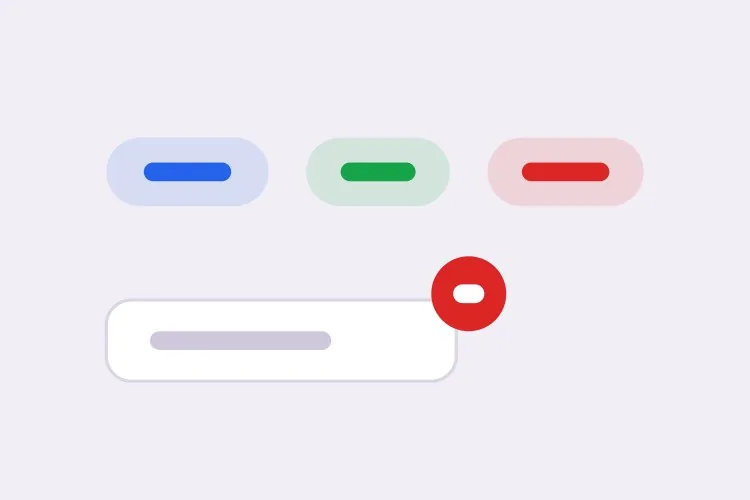
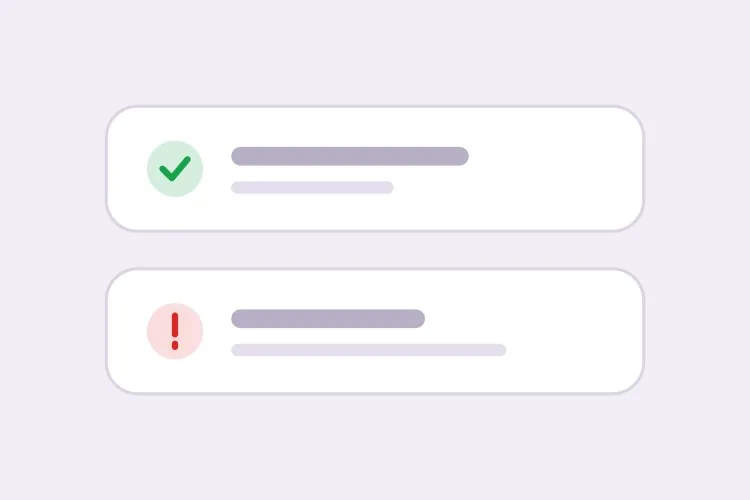
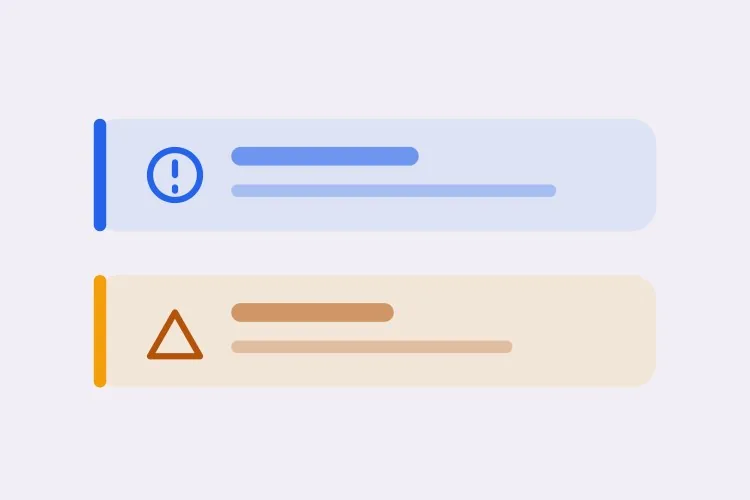
Create a toast system with four semantic types — success with a check icon and green accent, error with an alert icon and red accent, warning with a triangle and amber accent, info with a circle and blue accent. Each toast is 360px wide with a 12px radius, 16px padding, a semibold title, an optional description and a close button with an accessible label. Stack in the bottom-right with 8px gaps, newest on top, three visible at once and the rest queued. Auto-dismiss success, info and warning after 5000ms; keep errors until the user closes them. Wrap non-error toasts in role="status" with aria-live="polite" and give errors role="alert". Slide in 16px from the right and fade out; under prefers-reduced-motion, fade only.
MeDoで試す
TimingPausable Timer

Countdown Bar That Freezes on Hover

A visible progress bar plus a timer that stops while the pointer or keyboard focus is on the toast. Without the pause, a toast can vanish while the user is reaching for its own action button.

Create a toast with a visible dismiss countdown: a 2px progress bar along the bottom edge animating from full to zero over the toast duration. Pause the timer and freeze the bar on pointerenter and on focusin anywhere inside the toast, then resume from the remaining time on pointerleave and focusout — track elapsed time explicitly rather than restarting the interval, or the toast will live longer every time the pointer crosses it. Reset to the full duration when the toast content is updated in place. Under prefers-reduced-motion, replace the animated bar with a static severity stripe and keep the timer behaviour unchanged. Keep the toast in a role="status" region with aria-live="polite".

MeDoで試す
UndoAction Toast

Toast With an Undo or Retry Action

The moment a toast carries a button, it stops being decoration and becomes the only route to a reversible operation — so it must not auto-dismiss while the action is still valid.

Create a toast variant with a single inline action button — Undo or Retry — beside the close control. Do not auto-dismiss while an action is present unless the caller passes an explicit duration, and never dismiss on a timer shorter than the window in which the action is still valid server-side. Move keyboard focus nowhere on mount; instead expose the toast region via a landmark and make the action reachable through a documented shortcut plus normal tab order, so a toast never steals focus from a form the user is typing in. Announce the toast with role="status" and aria-live="polite", and include the action label in the announced text so the option is heard, not just seen.

MeDoで試す
AsyncPromise Toast

One Toast That Updates in Place

Pending, then success or error, on the same node. Firing a second toast when a request resolves stacks two notifications about one event and doubles the screen reader announcement.

Create a promise-driven toast that mounts in a pending state with a spinner and a loading title, then updates the same toast node to success or error when the promise settles rather than mounting a second toast. Keep the toast ID stable across the transition so the stack position does not change, swap the icon and accent, and start the auto-dismiss timer only once the promise resolves. On rejection, switch the container to role="alert" and cancel auto-dismiss. Because the live region content changes in place, debounce the announcement so a request that resolves in under 400ms announces the final state only. Cap the pending state with a timeout that converts to an error toast rather than spinning forever.

MeDoで試す
MobileSwipe Toast

Top-Center Toast With Swipe Dismiss

On a phone the bottom corner is under the thumb and the home indicator. Top-center with a horizontal drag threshold is the only placement that does not fight the platform.

Create a mobile-first toast pinned to the top-center with a safe-area inset using env(safe-area-inset-top), full width minus 16px gutters, capped at a single line of title text with the description truncated to two lines. Add horizontal swipe-to-dismiss with a 60px or 40% drag threshold, translating with the pointer and springing back below the threshold; suppress the pointer handlers while the user is scrolling the page underneath. Keep the close button hit area at 44px even though the glyph is 16px. Show one toast at a time and replace rather than stack, since a stack on a 375px viewport covers the content. Use role="status" with aria-live="polite" and disable the spring under prefers-reduced-motion.

MeDoで試す
SnackbarCompact Snackbar

Single-Line Bar With No Icon

One line, no title, no icon — for low-stakes confirmations like "Link copied" where a 360px card with an icon block is more furniture than the message deserves.

Create a compact snackbar toast: a single line of 14px text on a dark surface, 8px radius, 12px vertical and 16px horizontal padding, no icon and no separate title, with an optional text-only action on the right. Anchor it bottom-center with a 24px offset and allow only one at a time — a new snackbar replaces the current one and resets its 4000ms timer instead of queueing, because these fire from rapid interactions like copy and toggle. Announce via role="status" with aria-live="polite", and when the text is identical to the previous message, force re-announcement by clearing the live region for one frame. Fade and lift 8px on entry; fade only under prefers-reduced-motion.

MeDoで試す

トースト をカスタマイズする方法

エラーには他とは異なるルールを与える

success、info、warningは自動非表示に、エラーは閉じられるまで残るように依頼しましょう。エラーは通常ユーザーの対応を必要とし、理解される前に自ら消える通知はないよりも悪いのです。

スタック上限とあふれた時の挙動を決める

同時に表示できるトーストの数を指定しましょう — 3件が妥当な上限です — そして超過分をキューに入れるのか、最も古いものを置き換えるのかも指定します。上限がなければ、項目ごとに通知を発火するループが画面全体を埋め尽くします。

ホバーとフォーカスでタイマーを一時停止するよう依頼する

ポインタがトースト上にある間、またはトースト内のコントロールがキーボードフォーカスを持っている間は、非表示までのカウントダウンを止めるようプロンプトで指定しましょう。そうでなければ、ユーザーがそのアクションボタンに手を伸ばしている最中にトーストが消えてしまいます。

配置する角とセーフエリアを明示する

配置場所を1つ選んで説明しましょう:右下は主要ナビゲーションから離れており、上部中央は最も速く読まれます。モバイルではenv(safe-area-inset-bottom)のパディングを依頼し、トーストがホームインジケーターや固定タブバーの下に隠れないようにします。

トースト コンポーネントを使うのは誰か

SaaS製品

自動保存や招待の完了を伝える短い成功トーストと、バックグラウンド同期が失敗したときに「再試行」アクションを持つ永続的なエラートースト。右下配置によりアプリのサイドバーを避けられます。

Eコマースストア

サムネイルと「カートを見る」リンク付きの「カートに追加しました」トーストが5秒後に消えます。在庫や決済の失敗はエラータイプを使い、買い物客が何が起きたか読めるよう表示を維持します。

ダッシュボードや管理ツール

一括操作はレコードごとではなく1件のサマリートーストを出し、長時間実行のジョブは2つ目の通知を積み重ねる代わりに、単一のトーストを処理中から成功へその場で更新します。

モバイルWebアプリ

スワイプで閉じられセーフエリアインセットを備えた上部中央のトースト。1行に収まるサイズにして、ユーザーが入力中のフィールドを覆わないようにします。

サイト種別ごとの トースト パターン

同じ トースト コンポーネントを、掲載するサイトの種類に合わせて調整します。

01 / 06

SaaS Product Toasts

Autosave confirmations and invite receipts, bottom-right so they clear the sidebar. The rule that matters most here is that background-sync failures get persistent error toasts with a Retry action — a sync error that dismisses itself is indistinguishable from a sync that worked.

トースト のスタイルとバリアント

ページ全体のトーンに合うバリアントを選び、そのまま生成します。

01 / 06

Card Toast With Icon and Accent

The full anatomy: icon, semibold title, description, close button, colored accent. Worth the vertical space when the message has a subject and a detail. It is overkill for "Copied" — use the snackbar for those.

React・Next.js・Vue・Svelte での トースト

React、Next.js、Vue 3、SvelteKit、Astro、素の HTML — 同じ トースト を 6 通りの方法で組み込めます。

01 / 06

React Toast

A context provider holding the queue plus a portal for the container. Mount the provider once above the router so navigating between routes does not unmount the toast that was just fired.

src/components/ToastProvider.tsx

export function ToastProvider({ children }) {
  const [toasts, setToasts] = useState([])
  const push = (t) => setToasts((prev) => [...prev, { id: uid(), ...t }])

  return (
    <ToastContext.Provider value={{ push }}>
      {children}
      {createPortal(<ToastStack toasts={toasts} />, document.body)}
    </ToastContext.Provider>
  )
}

トースト をプロジェクトに追加する方法

トースト テンプレートを選んで本番に載せるまでの 4 ステップ。

01~30s

Pick a Toast Pattern

Choose by the event, not the look: the four-tone stack for general notifications, the promise toast for async jobs, the action toast for anything reversible, the swipe variant for phone-first surfaces.

02~10s

Copy the Prompt

Take it into MeDo, Lovable, Bolt, v0 or Cursor. Set the duration and the stack limit before you run it, and decide there whether errors auto-dismiss — that is the decision you will otherwise relitigate at every call site.

03~1min

Generate and Refine

You get the provider, the queue and the toast back with a live preview. Follow up in plain English — "pause the timer on hover", "move it to top-center on mobile", "cap the stack at two" — instead of hand-editing timer logic.

04~2min

Mount the Provider Once

Put it above the router in your root layout so a toast fired just before a navigation survives it, then fire one from a real form submit and confirm a screen reader announces it without cutting off the page.

トーストに関するよくある質問

AIでトースト通知コンポーネントを生成するには?

セマンティックタイプ、配置、タイミングを1つのプロンプトで説明してください — 例えば「success、error、warning、infoのトーストを右下に積み重ね、エラー以外は5秒後に自動非表示」— MeDoがプロバイダー、キュー、トースト本体を生成します。あとから配線が必要な静的なボックスではなく、マークアップと一緒にトリガー関数が手に入ります。

トーストはどれくらいの時間表示すべきですか?

短い確認なら4〜6秒が機能し、5000msが妥当なデフォルトです。長いメッセージにはより多くの時間が必要で、下限を決めるのは見た目ではなく読む速さです。エラーやアクションボタンを含むものは、そもそも自動非表示にすべきではありません。

アラートとトーストの違いは何ですか?

トーストは一時的で固定された角のページ上に浮かぶため、ユーザーが今行ったことの確認に適しています。インラインのアラートはドキュメントフローの一部で条件が変わるまで残るため、単一の操作より長く続く状態に適しています — 失敗した支払い方法、メンテナンス期間、フォームレベルのエラーなどです。ユーザーが戻って読み返せる必要があるなら、アラートを使いましょう。

トーストはrole="status"とrole="alert"のどちらを使うべきですか?

成功と情報のトーストにはrole="status"とaria-live="polite"を使い、読み上げが発話の切れ目を待つようにします。暗黙的にassertiveで割り込むrole="alert"は、即座の注意が必要なエラーと警告に限定してください。すべてのトーストをアラートとして扱うと、スクリーンリーダーが絶えずユーザーの声にかぶってしまいます。

複数のトーストを重ならないように積み重ねられますか?

はい。MeDoに、固定の間隔で上限付きのスタックを描画し、上限を超えた分をキューに入れ、1つ閉じるたびに次を解放するトーストコンテナを依頼してください。退出トランジションを加え、アニメーション完了まで消えていく要素の高さを確保することで、残りのトーストが飛び跳ねるのを防げます。

トーストはタッチデバイスでも機能しますか?

ジェスチャー対応を依頼すれば機能します。ドラッグのしきい値を伴う横方向スワイプでの削除を指定し、閉じるボタンのタップ領域を少なくとも44px確保し、セーフエリアインセットのパディングを加えて、トーストがホームインジケーターや固定の下部バーにかからないようにしましょう。