MeDo

Answer the Objection Where It Happens.

Describe your product and your customers’ doubts and MeDo generates a FAQ section — questions sequenced by buying objection, a presentation you choose (accordion, two-column, or fully open), and FAQPage JSON-LD rendered from the same array so the markup and the structured data can never disagree.

FAQ Section
FAQ Section

A FAQ Section Is Not Content — It Is Objection Handling With a Deadline

Most FAQ sections are written as an afterthought: whatever the founder could think of, dumped at the bottom of the page in whatever order they remembered it. That wastes the only place on the page where a hesitant reader is actively looking for a reason to say no. A real FAQ section is sequenced by objection strength — the refund question a first-time visitor asks goes first, the integration edge case a ready-to-buy evaluator asks goes last — and it lives next to the objection itself: pricing questions under the pricing table, security questions under the enterprise pitch, "what happens when I cancel" beside the signup form. That placement discipline is also why a FAQ section and a FAQ page are different deliverables: the section is contextual handling embedded in a flow, while the standalone page is a searchable index of everything. MeDo generates the section, and because it renders the copy and the FAQPage JSON-LD from one array, the answer a shopper reads is structurally the same answer an AI answer engine quotes.

4 個のテンプレート

生成できる FAQ Section テンプレート

どのテンプレートもスクリーンショットではなく実際のプロンプトです。任意の AI エディタに貼り付けるか、MeDo で実行して React + Tailwind のコードを受け取れます。

PricingPricing Objection

Open Two-Column Pricing FAQ

Fully open questions under the plan table — pricing visitors will not click to reveal, so nothing hides. Objection order: refunds, billing, cancellation, then fit.

Create a FAQ section for a SaaS pricing page with six fully open questions in a two-column grid on desktop, collapsing to one column on mobile — no accordion, no click required. Order: 30-day refund policy, switching between monthly and annual, what happens to our data on cancellation, seat minimums and proration, SSO on the mid tier, and how this differs from the market-leading alternative. Section header is a 32px bold line with a one-sentence subheading in zinc-500. Questions in 16px semibold zinc-900, answers in 15px zinc-600 with 18px line height, each answer ending in one concrete next step. Separate items with 1px zinc-200 rules and 28px vertical padding. Every answer is real server-rendered text, and emit FAQPage JSON-LD from the same array that renders the section.
MeDoで試す
AccordionLanding Accordion

Compact Single-Open Landing FAQ

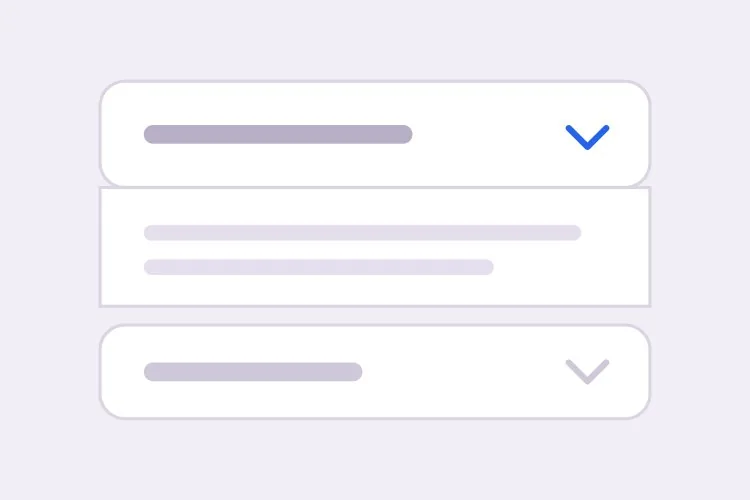
For dense landing pages where the fold matters: five questions in an exclusive-open accordion above the final CTA, each answer closed with a step toward signup.

Create a FAQ section for a product landing page: five questions in a single-open accordion, placed directly above the final call-to-action. Questions cover the trial length, whether a credit card is required, import from existing tools, team collaboration limits, and support response time. Each header is a full-width button with aria-expanded and aria-controls; the panel is role="region" with aria-labelledby, animating via grid-template-rows from 0fr to 1fr over 200ms. Chevron rotates 180 degrees when open. Write each answer in two to three sentences ending with an action: "start your trial", "book a demo", "reply to this email". Constrain the section to a 720px measure centered on the page so answers stay readable, with 20px vertical padding per item and a visible focus-visible ring on headers.

MeDoで試す
EnterpriseSecurity FAQ

Enterprise Security and Compliance Block

Short, quotable answers for procurement reviewers: SOC 2 status, data residency, subprocessors, deletion. Placed beside the enterprise pitch, not in a general FAQ.

Create a FAQ section for an enterprise sales page covering security and compliance: SOC 2 Type II status, data residency options, subprocessor list, encryption at rest and in transit, data deletion on request, and SSO or SCIM provisioning. Render as a two-column grid of open questions at desktop, one column on mobile, each answer limited to three sentences of concrete fact — certification names, dates, regions — written so a procurement reviewer can paste them into a vendor questionnaire without editing. Use a slightly denser layout: 15px answers, 1px zinc-200 dividers, no illustrations, no emojis. Beneath the grid add one quiet line: "Full documentation available under NDA — request from sales." Emit FAQPage JSON-LD server-side from the same array that renders the visible section.

MeDoで試す
MobileApp Store FAQ

Pre-Download FAQ for a Mobile App Page

Three questions that decide the install: cost, account requirements, and switching. Small, single-column, sitting directly above the store badge.

Create a compact FAQ section for a mobile app download page: exactly three questions — is the app free, do I need an account before trying, and can I bring my data from another tool. Single column, fully open, no accordion and no collapse behavior; this section must be readable in a five-second skim. Question in 17px semibold, answer in one to two sentences of 15px zinc-600 text, 16px vertical gap between items. Place a subtle zinc-100 background band behind the section so it reads as a distinct block above the App Store and Google Play badges, and keep the whole section under 400px tall on a 390px-wide viewport. Render answers as real text in the HTML and skip structured data — this page targets installs, not search features.

MeDoで試す

FAQ Section をカスタマイズする方法

Order questions by objection, not by topic

Group questions the way doubt arrives: money first (refunds, billing), then commitment (data export, cancellation), then fit (comparisons, edge cases). A topic-sorted FAQ buries the refund answer a hesitant visitor came for under six onboarding questions they never asked.

Match the presentation to the page, not to habit

On a pricing page, a fully open two-column block works better than a collapsible one — pricing visitors are comparing and will not click to reveal. On a dense landing page, an accordion keeps the fold intact. Say which you want; they produce visibly different sections.

Write answers that end in the next step

The refund answer should end with the refund window and where to request it, not with a restatement of the policy. Ask MeDo to close each answer with a short action or link target so the section converts instead of merely informing.

Generate the JSON-LD in the same breath

Structured data hand-written after the fact drifts: someone edits a question and the schema keeps answering the old one. Ask for FAQPage JSON-LD emitted from the same array that renders the section, server-side, so there is exactly one source of truth.

FAQ Section コンポーネントを使うのは誰か

SaaS pricing page FAQ

Six objection-ordered questions directly under the plan comparison, open on desktop so nothing hides behind a click at the decision moment, with the refund and billing answers in the left column.

Product landing page FAQ

A four-question accordion block above the final CTA, each answer ending in a step toward signup, so the last thing a skimmer reads before the button is a resolved doubt.

Enterprise sales page security FAQ

Compliance and data-residency questions placed beside the security pitch rather than in a general FAQ, short enough for a procurement reviewer to quote into a vendor questionnaire.

Mobile app onboarding FAQ

A compact single-column section on the download page answering "do I need a credit card" and "can I import from my old tool" before the store badge.

サイト種別ごとの FAQ Section パターン

同じ faq section コンポーネントを、掲載するサイトの種類に合わせて調整します。

01 / 04

SaaS Pricing Pages

The canonical home. Objection-ordered, mostly open questions under the plan table, because a pricing-page visitor comparing options treats a collapsed answer as an unanswered one. The refund and cancellation answers do more conversion work than any testimonial on the page.

FAQ Section のスタイルとバリアント

ページ全体のトーンに合うバリアントを選び、そのまま生成します。

01 / 04

Open Two-Column Grid

All questions visible at once in a two-column layout, divided by hairline rules. The highest-trust presentation and the right default for pricing and enterprise pages — nothing is hidden, so nothing needs clicking.

React・Next.js・Vue・Svelte での FAQ Section

React、Next.js、Vue 3、SvelteKit、Astro、素の HTML — 同じ faq section を 6 通りの方法で組み込めます。

01 / 03

React FAQ Section

The section data lives in one array that feeds both the rendering and, if you ask for it, the JSON-LD. Open questions need no state at all — only the accordion variant does.

src/components/FaqSection.tsx

const faqs = [
  { q: 'Can I get a refund?', a: 'Within 30 days, no questions asked.' },
  { q: 'What happens to my data if we cancel?', a: 'Export anytime; deleted after 30 days.' },
]

export function FaqSection() {
  return (
    <section className="mx-auto max-w-3xl px-6 py-16">
      <h2 className="text-3xl font-bold">Questions, answered</h2>
      <dl className="mt-8 divide-y divide-zinc-200">
        {faqs.map((f) => (
          <div key={f.q} className="py-6">
            <dt className="font-semibold">{f.q}</dt>
            <dd className="mt-2 text-zinc-600">{f.a}</dd>
          </div>
        ))}
      </dl>
    </section>
  )
}

FAQ Section をプロジェクトに追加する方法

faq section テンプレートを選んで本番に載せるまでの 4 ステップ。

01~15min

Collect Real Objections, Not Imagined Ones

Pull questions from support emails, sales calls, and churn surveys before you open MeDo. A FAQ section written from memory answers the questions you wish customers asked; one written from transcripts answers the ones actually costing you signups.

02~5min

Choose the Page and Presentation

Decide where the section lives and let that decide its form: open two-column under a pricing table, compact accordion above a landing-page CTA, dense factual grid on an enterprise page. Naming the page in your prompt is what makes the generated section fit it.

03~2min

Generate in MeDo

Paste your questions in the customer's own wording, state whether you want collapsible or open questions, and ask for FAQPage JSON-LD if the page targets search. You get React + Tailwind back with a live preview you can refine conversationally.

04~10min

Read It as a Skeptic and Ship

Open the preview and try to talk yourself out of buying at each answer: is the refund window stated, is the cancellation consequence explicit, does every answer end somewhere actionable? Fix the weak ones in plain English, then ship.

FAQ Sectionに関するよくある質問

Is a FAQ section the same thing as a FAQ accordion?

No — the accordion is one presentation of a FAQ section, not the definition. A FAQ section is the content block: header, question set, answers, placement. It can render as an accordion, as a two-column grid of fully open questions, or as plain text. On a pricing page, open questions usually outperform collapsible ones because visitors are already comparing and resent the extra click. Decide the presentation after you know the page, and MeDo generates whichever you describe.

Do I need a FAQ section on every page, or one FAQ page?

Both, doing different jobs. The section is contextual: three to six questions that resolve the specific objection of the page they sit on — pricing doubts under pricing, security doubts under the enterprise pitch. The standalone page is a searchable index for people arriving from search or support links with a question already formed. Collapsing everything into one distant FAQ page forces a mid-funnel reader to leave the page where their doubt occurred, and most do not come back.

How many questions should a FAQ section have?

Four to eight for a section, and only questions that belong to the page it sits on. The test is not "could someone ask this" but "would answering this move someone closer to buying, signing up, or trusting us on this specific page." Everything else — onboarding how-tos, account settings, troubleshooting — belongs on the FAQ page or in help docs. A twelve-question section is a FAQ page wearing a section's clothes.

Will a FAQ section help me rank in Google?

Indirectly, and you should set expectations correctly. FAQ rich results in search are now largely limited to authoritative government and health sites, so the FAQPage JSON-LD is best treated as a clarity signal for search engines and AI answer engines rather than a guaranteed SERP feature. The direct benefit is different: objection-ordered answers reduce bounce at the decision moment, and answers written in plain question form are exactly the shape AI assistants quote when users ask about your product. Ask MeDo to emit the JSON-LD from the same array that renders the section so both stay in sync.

What if I only have two or three real questions?

Then write a two-line FAQ block, not a full section — three strong answers placed next to the objection beat eight padded ones below the fold. Padding questions like "Is your product easy to use?" actively erode trust because readers recognize filler. If you are short on real questions, mine support emails, sales-call objections, and churn surveys; those are the questions that were expensive enough to be worth answering publicly.

How do I generate a FAQ section with AI?

List the actual questions your customers ask — in their wording, not marketing wording — and name the page the section sits on, since placement determines ordering and presentation. Say whether you want collapsible or fully open questions, and whether you want FAQPage JSON-LD. MeDo generates the section as React + Tailwind with the structured data rendered from the same content array, then you refine in plain English: "move the refund question first", "make the desktop layout two columns", "shorten the cancellation answer to two sentences".