
MeDo

AI न्यूज़लेटर साइनअप जेनरेटर।

एक वाक्य की ब्रीफ़ को एक बेहतरीन न्यूज़लेटर साइनअप सेक्शन में बदलें। ईमेल फ़ील्ड, सहायक टेक्स्ट, सोशल प्रूफ़ और स्टाइल्ड कोड — सब कुछ जेनरेट और शिप-रेडी।

न्यूज़लेटर साइनअप
न्यूज़लेटर साइनअप

आपकी ईमेल लिस्ट ही एकमात्र ऑडियंस है जो वास्तव में आपकी है

सोशल एल्गोरिदम बदलते हैं, विज्ञापन लागत बढ़ती है, और प्लेटफ़ॉर्म रीच घटती है — लेकिन ईमेल सब्सक्राइबर लिस्ट समय के साथ बढ़ती जाती है और पूरी तरह आपकी होती है। एक अच्छी तरह डिज़ाइन किया गया न्यूज़लेटर साइनअप कंपोनेंट पैसिव विज़िटर्स को डायरेक्ट, परमिशन-बेस्ड ऑडियंस में बदलता है। कॉपी, लेआउट और फ्रिक्शन को इस पल में सही करना एक वेबसाइट के सबसे प्रभावशाली निवेशों में से एक है।

6 टेम्पलेट

न्यूज़लेटर साइनअप टेम्पलेट जो आप जेनरेट कर सकते हैं

हर टेम्पलेट एक असली प्रॉम्प्ट है, स्क्रीनशॉट नहीं। इसे किसी भी AI एडिटर में कॉपी करें, या MeDo में चलाकर React + Tailwind कोड सीधे पाएं।

CenteredAcme

Centered Section With One Field

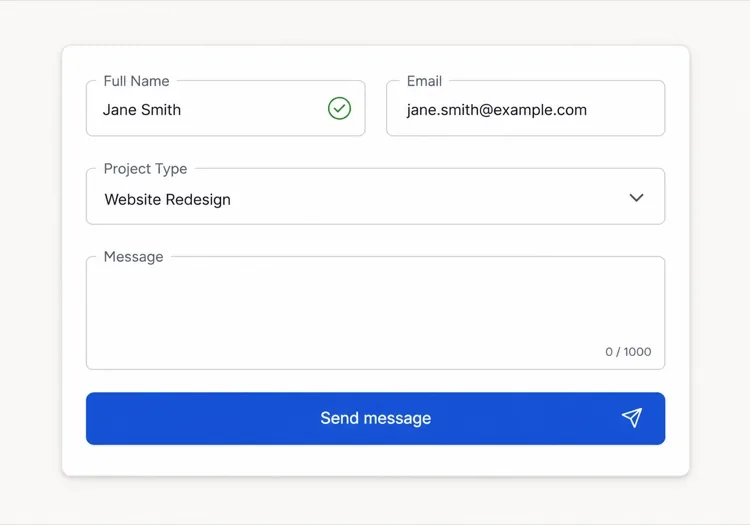
The default: headline, one line of value exchange, email, button. One field is the whole design decision — asking for a first name alongside the email buys you a merge tag and costs you subscribers.

Create a centered newsletter signup section with generous vertical padding: a headline naming the topic and the cadence, one supporting line describing exactly what arrives and how often, then an inline form with a single email input and a Subscribe button sitting flush beside it on desktop and stacked full-width on mobile. Use type="email", autocomplete="email", inputmode="email" and a visually hidden label. Validate on blur and on submit rather than on every keystroke, showing the message in an element referenced by aria-describedby with aria-invalid on the field. Disable the button and swap its label to a spinner while submitting, then replace the whole form with a confirmation message asking the reader to check their inbox.

MeDo में आज़माएं
InlineInline

In-Article Capture Strip

A compact strip dropped mid-post, where the reader has already decided the writing is worth their time. Catches intent that a footer form never sees, but it has to stay short — a full section mid-article reads as an interruption.

Create a compact inline newsletter strip for placement mid-article: a tinted rounded panel about the width of the article column, with a one-line bold prompt referencing the topic of the surrounding post, a short second line naming the cadence, and a single-row form with an email input and a short button label. No heading larger than the article body headings, so it does not read as a new section. Validate inline on blur with the error text replacing the cadence line rather than growing the panel, keep the panel height fixed across default, error and success states, and on success swap the form for a one-line confirmation in place.

MeDo में आज़माएं
Split panelMega

Two-Column Panel With a Sample Issue

Copy and form on one side, a preview of a real issue on the other. Showing the thing itself outperforms describing it — a reader who can see the format does not have to trust your adjectives.

Create a two-column newsletter signup panel: on the left, a headline, three short bullet points naming what each issue contains, the email form and a muted no-spam line; on the right, a framed screenshot or rendered preview of a recent issue with a link to read it in full before subscribing. Give the right column a fixed aspect-ratio box so the panel does not reflow while the preview image loads. Keep the form to one input plus a button, with inline validation on blur and an aria-live region for the result. Stack to one column on mobile with the preview below the form, and lazy load the preview image.

MeDo में आज़माएं
Lead magnetShipfast

Signup Traded for a Download

The email buys a specific artefact rather than a subscription. It converts colder traffic, and it fills your list with people who wanted the file — say plainly that the newsletter continues after it.

Create a lead-magnet signup section: a thumbnail of the asset on the left, and on the right a headline naming the asset concretely, a line stating its format and length, an email input with a Send it to me button, and a small line stating that subscribers also receive the weekly email so the ongoing commitment is not a surprise. Add a required consent checkbox with the wording as a visible label rather than a tooltip, and block submission with an inline message if it is unchecked. On success, show a confirmation that names the sending address and asks the reader to confirm the double opt-in email before the download link arrives.

MeDo में आज़माएं
Social proofStudio

Subscriber Count With Reader Faces

A stacked avatar row and a real count above the form. It answers the fear of joining a dead list — but only with a true number, since a rounded-up count is the easiest kind of claim for a reader to disbelieve.

Create a newsletter signup section led by social proof: a stacked row of five overlapping reader avatars with a plus-N chip, then a line stating the subscriber count and who they are, then the headline, then the form. Below the button, a two-item reassurance row covering unsubscribe in one click and no sharing of addresses. Keep the form to one email field with inline validation on blur, aria-invalid on the field and the message wired via aria-describedby. Give the avatars explicit width and height so the row does not shift as images load, and render a confirmation state in place of the form on success rather than a toast.

MeDo में आज़माएं
Footer barAnchor

Persistent Bottom Capture Bar

A slim bar pinned to the bottom of the viewport after a scroll threshold. The lowest-friction placement and the easiest one to overdo — one dismissal must be remembered, or it stops being a form and becomes a nuisance.

Create a slim newsletter capture bar fixed to the bottom of the viewport, revealed once the reader passes about 60% scroll depth and animated in with a short translate. It holds one line of copy, an email input, a short button and a labelled dismiss button. Persist the dismissal in localStorage so it never returns for that reader, and hide it entirely for anyone already subscribed. Show validation errors as a tooltip above the input rather than growing the bar, keep the bar under 72px tall, add bottom padding to the page so it never covers the final content, respect prefers-reduced-motion, and collapse to a single tap target that expands into the form on mobile.

MeDo में आज़माएं

अपने न्यूज़लेटर साइनअप को कैसे कस्टमाइज़ करें

स्पष्ट बताएं कि सब्सक्राइबर को क्या और कब मिलेगा

"हमारे न्यूज़लेटर को सब्सक्राइब करें" जैसी अस्पष्ट CTAs खराब प्रदर्शन करती हैं। इसे विशिष्टता से बदलें: "हर शुक्रवार एक कार्रवाई योग्य ग्रोथ टैक्टिक" या "इंडी फ़ाउंडर्स के लिए साप्ताहिक केस स्टडीज़"। जितना अधिक सटीक रूप से आप कंटेंट केडेंस और फ़ॉर्मैट बताते हैं, सही पाठक के लिए हाँ कहना उतना ही आसान होता है।

सोशल प्रूफ़ के रूप में सब्सक्राइबर काउंट जोड़ें

एक सिंगल लाइन — "12,000 पाठकों से जुड़ें" या "4,500 डेवलपर्स द्वारा भरोसेमंद" — सब्सक्राइब बटन के नीचे रखने से उस चीज़ के लिए साइनअप करने का डर दूर हो जाता है जिसे कोई नहीं पढ़ता। एक मामूली वास्तविक संख्या भी किसी संख्या न होने से बेहतर है, क्योंकि यह सिग्नल करती है कि लिस्ट जीवित है।

फ़ॉर्म को एक फ़ील्ड तक सीमित करें

ईमेल के साथ नाम पूछने से ड्रॉप-ऑफ़ रेट बढ़ता है। केवल ईमेल से शुरू करें। पर्सनलाइज़ेशन बाद में हो सकता है जब सब्सक्राइबर फ़नल में आ जाए। हर अतिरिक्त फ़ील्ड छोड़ने का एक कारण है।

कम रुचि वाले विज़िटर्स के लिए लीड मैग्नेट ऑफ़र करें

जिन ऑडियंस को अधिक विश्वास दिलाने की ज़रूरत है, उनके लिए साइनअप फ़ॉर्म को एक ठोस उपहार के साथ जोड़ें: एक मुफ़्त चेकलिस्ट, एक सैंपल इश्यू, या एक एक्सक्लूसिव रिसोर्स। एक छोटा तुरंत इनाम उन अनिर्णीत विज़िटर्स को कन्वर्ट करता है जो अन्यथा बिना सब्सक्राइब किए चले जाते।

न्यूज़लेटर साइनअप कंपोनेंट का उपयोग कौन करता है

SaaS प्रोडक्ट ब्लॉग

प्रोडक्ट ब्लॉग आर्टिकल के बीच और पोस्ट के अंत में इनलाइन न्यूज़लेटर साइनअप लगाते हैं, आमतौर पर नए आर्टिकल्स का डाइजेस्ट या क्यूरेटेड टूल लिस्ट ऑफ़र करते हैं — पाठकों को कंटेंट से सबसे ज़्यादा जुड़े होने के पल में कैप्चर करते हैं।

स्वतंत्र क्रिएटर या लेखक

सोलोप्रेन्योर साइट्स पूरे होमपेज को न्यूज़लेटर साइनअप के इर्दगिर्द केंद्रित करती हैं, एक बोल्ड पर्सनल हुक — विशिष्ट विषय और केडेंस — से लीड करती हैं और वास्तविक सब्सक्राइबर काउंट को प्राइमरी क्रेडिबिलिटी सिग्नल के रूप में उपयोग करती हैं।

ई-कॉमर्स या DTC ब्रांड

रिटेल साइट्स न्यूज़लेटर साइनअप का उपयोग पहली ऑर्डर डिस्काउंट ऑफ़र करने के लिए करती हैं, फिर प्रोडक्ट लॉन्च, रीस्टॉक और सीज़नल कैंपेन से सब्सक्राइबर्स को नर्चर करती हैं — ईमेल लिस्ट एक डायरेक्ट रेवेन्यू चैनल बन जाती है।

डेवलपर टूल या ओपन-सोर्स प्रोजेक्ट

डेवलपर-केंद्रित न्यूज़लेटर रिलीज़ नोट्स, चेंजलॉग सारांश और टेक्निकल डीप-डाइव्स का वादा करते हैं। इन साइट्स पर साइनअप मिनिमल होते हैं — ईमेल फ़ील्ड, एक-लाइन विवरण, और सबमिट बटन — क्योंकि ऑडियंस स्टाइल से ज़्यादा सब्सटेंस को महत्व देती है।

अलग-अलग वेबसाइटों के लिए न्यूज़लेटर साइनअप पैटर्न

वही न्यूज़लेटर साइनअप कंपोनेंट, उस वेबसाइट के प्रकार के हिसाब से ढाला गया जहाँ वह लगेगा।

01 / 06

SaaS Product Blog Signup

Inline mid-article beats a footer form here, because the reader who is 60% through a technical post is the only one whose intent you can actually read. Promise the specific thing — release notes, or a monthly digest — not "our newsletter".

न्यूज़लेटर साइनअप की शैलियाँ और वेरिएंट

जो वेरिएंट बाकी पेज से मेल खाता है उसे चुनें और जेनरेट करें।

01 / 06

Centered Section

Headline, one supporting line, one field, one button, centred with wide padding. The safest default and the one that survives being dropped anywhere on the page, since it makes no assumption about the content around it.

React, Next.js, Vue और Svelte में न्यूज़लेटर साइनअप

React, Next.js, Vue 3, SvelteKit, Astro या सादा HTML — वही न्यूज़लेटर साइनअप, जोड़ने के छह तरीके।

01 / 06

React Newsletter Signup

Model the form as one status value — idle, submitting, success, error — rather than three booleans, so the impossible states cannot render. Keep the input controlled so validation and the disabled button read from the same source.

src/components/NewsletterSignup.tsx

type Status = 'idle' | 'submitting' | 'success' | 'error'

export function NewsletterSignup() {
  const [email, setEmail] = useState('')
  const [status, setStatus] = useState<Status>('idle')

  if (status === 'success') return <p role="status">Check your inbox to confirm.</p>

  return (
    <form onSubmit={submit} noValidate>
      <input type="email" value={email} onChange={(e) => setEmail(e.target.value)} required />
      <button disabled={status === 'submitting'}>Subscribe</button>
    </form>
  )
}

अपने न्यूज़लेटर साइनअप को प्रोजेक्ट में कैसे जोड़ें

न्यूज़लेटर साइनअप टेम्पलेट चुनने से प्रोडक्शन में भेजने तक, चार चरण।

01~30s

Pick a Signup Layout

Match the placement to the reader's state — inline mid-article for engaged readers, a centred section for a landing page, a split panel when showing a sample issue does the persuading.

02~10s

Copy the Prompt

Take the prompt into MeDo, or paste it into Lovable, Bolt, v0 or Cursor. Write the real value exchange first — topic, cadence, what arrives — because "Subscribe to our newsletter" is the line that costs you the signup.

03~1min

Generate and Refine

You get React + Tailwind back with a live preview. Follow up in plain English — "add a consent checkbox", "show the error under the input", "keep the panel height fixed across states" — rather than editing markup by hand.

04~2min

Wire It to Your List

Post to your provider from a server action or API route so the token never reaches the browser, turn on double opt-in, and check the success, error and already-subscribed states before shipping.

न्यूज़लेटर साइनअप के बारे में सामान्य प्रश्न

AI न्यूज़लेटर साइनअप जेनरेटर क्या है?

AI न्यूज़लेटर साइनअप जेनरेटर एक टूल है जो आपके न्यूज़लेटर का सरल भाषा में विवरण — विषय, ऑडियंस और इंसेंटिव — लेकर कॉपी, लेआउट, ईमेल इनपुट और स्टाइल्ड कोड सहित एक पूरा साइनअप कंपोनेंट तैयार करता है। MeDo हेडलाइन, सबटेक्स्ट, इनपुट फ़ील्ड, बटन और सोशल-प्रूफ़ लाइन सहित पूरा कंपोनेंट एक ही प्रॉम्प्ट में जेनरेट करता है।

AI से न्यूज़लेटर साइनअप फ़ॉर्म कैसे बनाएं?

MeDo खोलें और अपने न्यूज़लेटर को सरल भाषा में बताएं: यह किसके लिए है, क्या कवर करता है, कितनी बार भेजा जाता है, और कौन सा लीड मैग्नेट ऑफ़र करते हैं। उदाहरण: "मिलेनियल्स के लिए पर्सनल फ़ाइनेंस पर साप्ताहिक ईमेल का न्यूज़लेटर साइनअप बनाएं — हेडलाइन, दो-लाइन विवरण, ईमेल इनपुट और सब्सक्राइब बटन शामिल करें।" MeDo कंपोनेंट बनाता है; आप फ़ॉलो-अप प्रॉम्प्ट से स्टाइलिंग और कॉपी को रिफ़ाइन कर सकते हैं।

एक अच्छे न्यूज़लेटर साइनअप सेक्शन में क्या होना चाहिए?

कम से कम: विषय और केडेंस बताने वाली एक विशिष्ट हेडलाइन, एक से दो लाइन सहायक कॉपी, एक ईमेल इनपुट फ़ील्ड और एक स्पष्ट सब्सक्राइब बटन। हाई-परफ़ॉर्मिंग साइनअप में सोशल प्रूफ़ के लिए सब्सक्राइबर काउंट, एक-लाइन प्राइवेसी आश्वासन ("कोई स्पैम नहीं, कभी भी अनसब्सक्राइब करें") और वैकल्पिक रूप से फ़ॉर्म के ऊपर लीड मैग्नेट कॉलआउट भी होता है।

न्यूज़लेटर साइनअप कंपोनेंट जेनरेट करने का सबसे अच्छा AI टूल कौन सा है?

MeDo विशेष रूप से प्रॉम्प्ट से UI कंपोनेंट जेनरेट करने के लिए बना है, जिसमें न्यूज़लेटर साइनअप शामिल हैं। सामान्य चैट टूल्स के विपरीत, MeDo कन्वर्ज़न पैटर्न, कंपोनेंट स्ट्रक्चर और एक्सेसिबिलिटी को समझता है — इसलिए आउटपुट प्रोडक्शन-रेडी होता है, न कि एक रफ़ स्टार्टिंग पॉइंट जिसे व्यापक क्लीनअप की ज़रूरत हो।

न्यूज़लेटर साइनअप कन्वर्ज़न रेट कैसे बढ़ाएं?

तीन सबसे प्रभावशाली बदलाव हैं: अस्पष्ट CTAs को विशिष्ट कंटेंट वादों से बदलना, सोशल प्रूफ़ के रूप में वास्तविक सब्सक्राइबर काउंट जोड़ना, और फ़ॉर्म को एक ईमेल फ़ील्ड तक सीमित करना। इसके अलावा, प्लेसमेंट मायने रखता है — आर्टिकल के बीच इनलाइन साइनअप हमेशा केवल फ़ुटर फ़ॉर्म को पछाड़ते हैं क्योंकि वे पाठकों को एंगेज्ड रहते हुए कैप्चर करते हैं।

क्या AI मेरे न्यूज़लेटर साइनअप की कॉपी भी लिख सकता है?

हाँ। MeDo कंपोनेंट कोड और उसके अंदर की कॉपी — हेडलाइन, सबहेडिंग, बटन लेबल और सोशल-प्रूफ़ टेक्स्ट — दोनों आपके प्रॉम्प्ट के आधार पर जेनरेट करता है। आप इसे अलग टोन में कॉपी दोबारा लिखने, वास्तविक सब्सक्राइबर काउंट डालने या कोड को छुए बिना वैकल्पिक हेडलाइन टेस्ट करने के लिए कह सकते हैं।

अभी अपना न्यूज़लेटर साइनअप जेनरेट करें।

कोई भी प्रॉम्प्ट आज़माएं — मुफ्त, कोई साइन अप नहीं।
