
MeDo

Generador de registro de newsletter con IA.

Convierte un briefing de una frase en una sección de registro de newsletter pulida. Campo de email, copy de apoyo, prueba social y código con estilo — todo generado y listo para usar.

Registro de newsletter

Tu lista de email es la única audiencia que realmente te pertenece

Los algoritmos de las redes sociales cambian, los costos publicitarios suben y el alcance de las plataformas disminuye — pero una lista de suscriptores de email crece continuamente y te pertenece por completo. Un componente de registro de newsletter bien diseñado convierte visitantes pasivos en una audiencia directa basada en permiso. Acertar con el copy, el diseño y la fricción en este momento es una de las inversiones con mayor impacto que un sitio puede hacer.

6 plantillas

Plantillas de Registro de newsletter que puedes generar

Cada plantilla es un prompt real, no una captura de pantalla. Cópialo en cualquier editor de IA o ejecútalo en MeDo y obtén código React + Tailwind.

CenteredAcme

Centered Section With One Field

The default: headline, one line of value exchange, email, button. One field is the whole design decision — asking for a first name alongside the email buys you a merge tag and costs you subscribers.

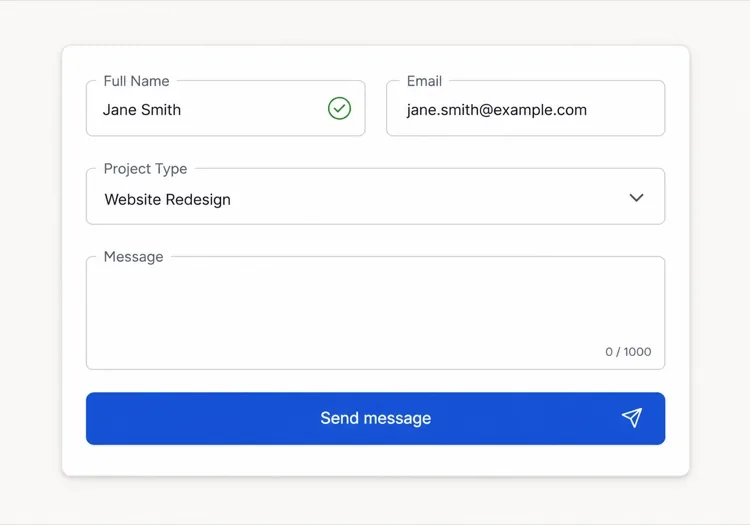
Create a centered newsletter signup section with generous vertical padding: a headline naming the topic and the cadence, one supporting line describing exactly what arrives and how often, then an inline form with a single email input and a Subscribe button sitting flush beside it on desktop and stacked full-width on mobile. Use type="email", autocomplete="email", inputmode="email" and a visually hidden label. Validate on blur and on submit rather than on every keystroke, showing the message in an element referenced by aria-describedby with aria-invalid on the field. Disable the button and swap its label to a spinner while submitting, then replace the whole form with a confirmation message asking the reader to check their inbox.

Prueba en MeDo
InlineInline

In-Article Capture Strip

A compact strip dropped mid-post, where the reader has already decided the writing is worth their time. Catches intent that a footer form never sees, but it has to stay short — a full section mid-article reads as an interruption.

Create a compact inline newsletter strip for placement mid-article: a tinted rounded panel about the width of the article column, with a one-line bold prompt referencing the topic of the surrounding post, a short second line naming the cadence, and a single-row form with an email input and a short button label. No heading larger than the article body headings, so it does not read as a new section. Validate inline on blur with the error text replacing the cadence line rather than growing the panel, keep the panel height fixed across default, error and success states, and on success swap the form for a one-line confirmation in place.

Prueba en MeDo
Split panelMega

Two-Column Panel With a Sample Issue

Copy and form on one side, a preview of a real issue on the other. Showing the thing itself outperforms describing it — a reader who can see the format does not have to trust your adjectives.

Create a two-column newsletter signup panel: on the left, a headline, three short bullet points naming what each issue contains, the email form and a muted no-spam line; on the right, a framed screenshot or rendered preview of a recent issue with a link to read it in full before subscribing. Give the right column a fixed aspect-ratio box so the panel does not reflow while the preview image loads. Keep the form to one input plus a button, with inline validation on blur and an aria-live region for the result. Stack to one column on mobile with the preview below the form, and lazy load the preview image.

Prueba en MeDo
Lead magnetShipfast

Signup Traded for a Download

The email buys a specific artefact rather than a subscription. It converts colder traffic, and it fills your list with people who wanted the file — say plainly that the newsletter continues after it.

Create a lead-magnet signup section: a thumbnail of the asset on the left, and on the right a headline naming the asset concretely, a line stating its format and length, an email input with a Send it to me button, and a small line stating that subscribers also receive the weekly email so the ongoing commitment is not a surprise. Add a required consent checkbox with the wording as a visible label rather than a tooltip, and block submission with an inline message if it is unchecked. On success, show a confirmation that names the sending address and asks the reader to confirm the double opt-in email before the download link arrives.

Prueba en MeDo
Social proofStudio

Subscriber Count With Reader Faces

A stacked avatar row and a real count above the form. It answers the fear of joining a dead list — but only with a true number, since a rounded-up count is the easiest kind of claim for a reader to disbelieve.

Create a newsletter signup section led by social proof: a stacked row of five overlapping reader avatars with a plus-N chip, then a line stating the subscriber count and who they are, then the headline, then the form. Below the button, a two-item reassurance row covering unsubscribe in one click and no sharing of addresses. Keep the form to one email field with inline validation on blur, aria-invalid on the field and the message wired via aria-describedby. Give the avatars explicit width and height so the row does not shift as images load, and render a confirmation state in place of the form on success rather than a toast.

Prueba en MeDo
Footer barAnchor

Persistent Bottom Capture Bar

A slim bar pinned to the bottom of the viewport after a scroll threshold. The lowest-friction placement and the easiest one to overdo — one dismissal must be remembered, or it stops being a form and becomes a nuisance.

Create a slim newsletter capture bar fixed to the bottom of the viewport, revealed once the reader passes about 60% scroll depth and animated in with a short translate. It holds one line of copy, an email input, a short button and a labelled dismiss button. Persist the dismissal in localStorage so it never returns for that reader, and hide it entirely for anyone already subscribed. Show validation errors as a tooltip above the input rather than growing the bar, keep the bar under 72px tall, add bottom padding to the page so it never covers the final content, respect prefers-reduced-motion, and collapse to a single tap target that expands into the form on mobile.

Prueba en MeDo

Cómo personalizar tu Registro de newsletter

Nombra exactamente lo que recibe el suscriptor y cuándo

CTAs vagos como "Suscríbete a nuestro newsletter" rinden poco. Reemplázalo con especificidad: "Una táctica de crecimiento accionable cada viernes" o "Casos de estudio semanales para fundadores independientes". Cuanto más precisamente describas la cadencia y formato del contenido, más fácil será para el lector correcto decir que sí.

Añade un contador de suscriptores como prueba social

Una línea — "Únete a 12.000 lectores" o "Confiado por 4.500 desarrolladores" — ubicada debajo del botón de suscripción elimina el miedo de apuntarse a algo que nadie lee. Incluso un número real modesto supera a no tener número, porque señala que la lista está viva.

Reduce el formulario a un solo campo

Pedir un nombre junto al email aumenta la tasa de abandono. Comienza solo con el email. La personalización puede hacerse después una vez que el suscriptor está dentro del funnel. Cada campo extra es una razón para irse.

Ofrece un lead magnet para visitantes con baja intención

Para audiencias que necesitan más convencimiento, combina el formulario de registro con un regalo concreto: una checklist gratuita, un número de muestra o un recurso exclusivo. Una pequeña recompensa inmediata convierte a visitantes indecisos que de otro modo se irían sin suscribirse.

Quién usa el componente Registro de newsletter

Blog de producto SaaS

Los blogs de producto insertan registros de newsletter inline a mitad del artículo y al final de los posts, ofreciendo típicamente un resumen de artículos nuevos o una lista curada de herramientas — capturando lectores en el momento de mayor engagement con el contenido.

Creador independiente o escritor

Los sitios de solopreneurs centran toda la homepage en un registro de newsletter, liderando con un gancho personal audaz — el tema específico y la cadencia — y usando un número real de suscriptores como señal principal de credibilidad.

E-commerce o marca DTC

Los sitios de retail usan registros de newsletter para ofrecer un descuento en la primera compra, luego nutren a los suscriptores con lanzamientos de productos, reposiciones y campañas estacionales — haciendo de la lista de email un canal directo de ingresos.

Herramienta de desarrollo o proyecto open-source

Los newsletters orientados a desarrolladores prometen notas de versión, resúmenes de changelogs y análisis técnicos profundos. Los registros en estos sitios son mínimos — campo de email, descripción de una línea y botón de envío — porque la audiencia valora la sustancia sobre el estilo.

Patrones de Registro de newsletter para distintos sitios web

El mismo componente registro de newsletter, adaptado al tipo de sitio donde se publica.

01 / 06

SaaS Product Blog Signup

Inline mid-article beats a footer form here, because the reader who is 60% through a technical post is the only one whose intent you can actually read. Promise the specific thing — release notes, or a monthly digest — not "our newsletter".

Estilos y variantes de Registro de newsletter

Elige la variante que encaje con el resto de la página y genérala.

01 / 06

Centered Section

Headline, one supporting line, one field, one button, centred with wide padding. The safest default and the one that survives being dropped anywhere on the page, since it makes no assumption about the content around it.

Registro de newsletter en React, Next.js, Vue y Svelte

React, Next.js, Vue 3, SvelteKit, Astro o HTML puro: el mismo registro de newsletter, seis formas de integrarlo.

01 / 06

React Newsletter Signup

Model the form as one status value — idle, submitting, success, error — rather than three booleans, so the impossible states cannot render. Keep the input controlled so validation and the disabled button read from the same source.

src/components/NewsletterSignup.tsx

type Status = 'idle' | 'submitting' | 'success' | 'error'

export function NewsletterSignup() {
  const [email, setEmail] = useState('')
  const [status, setStatus] = useState<Status>('idle')

  if (status === 'success') return <p role="status">Check your inbox to confirm.</p>

  return (
    <form onSubmit={submit} noValidate>
      <input type="email" value={email} onChange={(e) => setEmail(e.target.value)} required />
      <button disabled={status === 'submitting'}>Subscribe</button>
    </form>
  )
}

Cómo añadir tu Registro de newsletter a un proyecto

Cuatro pasos, desde elegir una plantilla de registro de newsletter hasta llevarlo a producción.

01~30s

Pick a Signup Layout

Match the placement to the reader's state — inline mid-article for engaged readers, a centred section for a landing page, a split panel when showing a sample issue does the persuading.

02~10s

Copy the Prompt

Take the prompt into MeDo, or paste it into Lovable, Bolt, v0 or Cursor. Write the real value exchange first — topic, cadence, what arrives — because "Subscribe to our newsletter" is the line that costs you the signup.

03~1min

Generate and Refine

You get React + Tailwind back with a live preview. Follow up in plain English — "add a consent checkbox", "show the error under the input", "keep the panel height fixed across states" — rather than editing markup by hand.

04~2min

Wire It to Your List

Post to your provider from a server action or API route so the token never reaches the browser, turn on double opt-in, and check the success, error and already-subscribed states before shipping.

Preguntas frecuentes sobre Registro de newsletter

¿Qué es un generador de registro de newsletter con IA?

Un generador de registro de newsletter con IA es una herramienta que toma una descripción en lenguaje natural de tu newsletter — tema, audiencia e incentivo — y produce un componente de registro completo con copy, layout, campo de email y código estilizado. MeDo genera el componente completo incluyendo titular, subtexto, campo de entrada, botón y línea de prueba social en un solo prompt.

¿Cómo creo un formulario de registro de newsletter con IA?

Abre MeDo y describe tu newsletter en lenguaje natural: para quién es, qué cubre, con qué frecuencia se envía y qué lead magnet ofreces. Por ejemplo: "Crea un registro de newsletter para un email semanal sobre finanzas personales para millennials — incluye un titular, una descripción de dos líneas, un campo de email y un botón de suscripción." MeDo genera el componente; puedes refinar el estilo y copy con prompts de seguimiento.

¿Qué debe incluir una buena sección de registro de newsletter?

Como mínimo: un titular específico que nombre el tema y la cadencia, una o dos líneas de copy de apoyo, un campo de email y un botón de suscripción claro. Los registros de alto rendimiento también incluyen un contador de suscriptores como prueba social, una línea de garantía de privacidad ("sin spam, cancela cuando quieras") y opcionalmente una mención del lead magnet sobre el formulario.

¿Cuál es la mejor herramienta IA para generar componentes de registro de newsletter?

MeDo está construido específicamente para generar componentes de UI desde prompts, incluyendo registros de newsletter. A diferencia de herramientas de chat generales, MeDo entiende patrones de conversión, estructura de componentes y accesibilidad — así que la salida está lista para producción en lugar de ser un punto de partida que necesita limpieza extensiva.

¿Cómo puedo aumentar las tasas de conversión de registro de newsletter?

Los tres cambios de mayor impacto son: reemplazar CTAs vagos con promesas de contenido específicas, añadir un número real de suscriptores como prueba social y reducir el formulario a un solo campo de email. Además, la ubicación importa — los registros inline a mitad de artículo superan consistentemente a los formularios solo en el footer porque capturan lectores mientras están enganchados.

¿Puede la IA escribir también el copy para mi registro de newsletter?

Sí. MeDo genera tanto el código del componente como el copy dentro — titular, subtítulo, etiqueta del botón y texto de prueba social — basándose en tu prompt. Puedes pedirle que reescriba el copy con un tono diferente, inserte un número real de suscriptores o pruebe titulares alternativos sin tocar código.
