
MeDo

Generatore di iscrizione newsletter IA.

Trasforma un brief di una frase in una sezione di iscrizione newsletter curata. Campo email, testo di supporto, prova sociale e codice stilizzato — tutto generato e pronto per il deploy.

Iscrizione alla newsletter

La tua lista email è l'unico pubblico che possiedi veramente

Gli algoritmi social cambiano, i costi pubblicitari aumentano e la portata delle piattaforme diminuisce — ma una lista di iscritti email cresce nel tempo e appartiene interamente a te. Un componente di iscrizione newsletter ben progettato trasforma i visitatori passivi in un pubblico diretto basato sul consenso. Ottenere il testo, il layout e la frizione giusti in questo momento è uno degli investimenti a più alto rendimento che un sito possa fare.

6 modelli

Modelli di Iscrizione alla newsletter che puoi generare

Ogni modello è un prompt reale, non uno screenshot. Copialo in qualsiasi editor IA, oppure eseguilo in MeDo e ottieni codice React + Tailwind.

CenteredAcme

Centered Section With One Field

The default: headline, one line of value exchange, email, button. One field is the whole design decision — asking for a first name alongside the email buys you a merge tag and costs you subscribers.

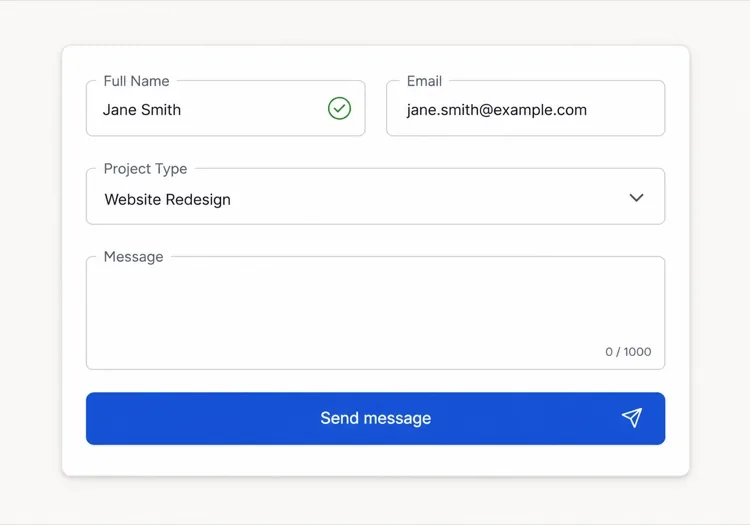
Create a centered newsletter signup section with generous vertical padding: a headline naming the topic and the cadence, one supporting line describing exactly what arrives and how often, then an inline form with a single email input and a Subscribe button sitting flush beside it on desktop and stacked full-width on mobile. Use type="email", autocomplete="email", inputmode="email" and a visually hidden label. Validate on blur and on submit rather than on every keystroke, showing the message in an element referenced by aria-describedby with aria-invalid on the field. Disable the button and swap its label to a spinner while submitting, then replace the whole form with a confirmation message asking the reader to check their inbox.

Prova in MeDo
InlineInline

In-Article Capture Strip

A compact strip dropped mid-post, where the reader has already decided the writing is worth their time. Catches intent that a footer form never sees, but it has to stay short — a full section mid-article reads as an interruption.

Create a compact inline newsletter strip for placement mid-article: a tinted rounded panel about the width of the article column, with a one-line bold prompt referencing the topic of the surrounding post, a short second line naming the cadence, and a single-row form with an email input and a short button label. No heading larger than the article body headings, so it does not read as a new section. Validate inline on blur with the error text replacing the cadence line rather than growing the panel, keep the panel height fixed across default, error and success states, and on success swap the form for a one-line confirmation in place.

Prova in MeDo
Split panelMega

Two-Column Panel With a Sample Issue

Copy and form on one side, a preview of a real issue on the other. Showing the thing itself outperforms describing it — a reader who can see the format does not have to trust your adjectives.

Create a two-column newsletter signup panel: on the left, a headline, three short bullet points naming what each issue contains, the email form and a muted no-spam line; on the right, a framed screenshot or rendered preview of a recent issue with a link to read it in full before subscribing. Give the right column a fixed aspect-ratio box so the panel does not reflow while the preview image loads. Keep the form to one input plus a button, with inline validation on blur and an aria-live region for the result. Stack to one column on mobile with the preview below the form, and lazy load the preview image.

Prova in MeDo
Lead magnetShipfast

Signup Traded for a Download

The email buys a specific artefact rather than a subscription. It converts colder traffic, and it fills your list with people who wanted the file — say plainly that the newsletter continues after it.

Create a lead-magnet signup section: a thumbnail of the asset on the left, and on the right a headline naming the asset concretely, a line stating its format and length, an email input with a Send it to me button, and a small line stating that subscribers also receive the weekly email so the ongoing commitment is not a surprise. Add a required consent checkbox with the wording as a visible label rather than a tooltip, and block submission with an inline message if it is unchecked. On success, show a confirmation that names the sending address and asks the reader to confirm the double opt-in email before the download link arrives.

Prova in MeDo
Social proofStudio

Subscriber Count With Reader Faces

A stacked avatar row and a real count above the form. It answers the fear of joining a dead list — but only with a true number, since a rounded-up count is the easiest kind of claim for a reader to disbelieve.

Create a newsletter signup section led by social proof: a stacked row of five overlapping reader avatars with a plus-N chip, then a line stating the subscriber count and who they are, then the headline, then the form. Below the button, a two-item reassurance row covering unsubscribe in one click and no sharing of addresses. Keep the form to one email field with inline validation on blur, aria-invalid on the field and the message wired via aria-describedby. Give the avatars explicit width and height so the row does not shift as images load, and render a confirmation state in place of the form on success rather than a toast.

Prova in MeDo
Footer barAnchor

Persistent Bottom Capture Bar

A slim bar pinned to the bottom of the viewport after a scroll threshold. The lowest-friction placement and the easiest one to overdo — one dismissal must be remembered, or it stops being a form and becomes a nuisance.

Create a slim newsletter capture bar fixed to the bottom of the viewport, revealed once the reader passes about 60% scroll depth and animated in with a short translate. It holds one line of copy, an email input, a short button and a labelled dismiss button. Persist the dismissal in localStorage so it never returns for that reader, and hide it entirely for anyone already subscribed. Show validation errors as a tooltip above the input rather than growing the bar, keep the bar under 72px tall, add bottom padding to the page so it never covers the final content, respect prefers-reduced-motion, and collapse to a single tap target that expands into the form on mobile.

Prova in MeDo

Come personalizzare il tuo Iscrizione alla newsletter

Specifica esattamente cosa riceve l'iscritto e quando

CTA vaghe come "Iscriviti alla nostra newsletter" rendono poco. Sostituiscile con specificità: "Una tattica di crescita pratica ogni venerdì" o "Casi studio settimanali per fondatori indipendenti". Più precisamente descrivi la cadenza e il formato del contenuto, più facile sarà per il lettore giusto dire sì.

Aggiungi un conteggio iscritti come prova sociale

Una singola riga — "Unisciti a 12.000 lettori" o "Apprezzato da 4.500 sviluppatori" — posizionata sotto il pulsante di iscrizione elimina la paura di iscriversi a qualcosa che nessuno legge. Anche un numero reale modesto supera l'assenza di numero, perché segnala che la lista è viva.

Riduci il modulo a un solo campo

Chiedere un nome insieme all'email aumenta il tasso di abbandono. Inizia solo con l'email. La personalizzazione può avvenire dopo, una volta che l'iscritto è nel funnel. Ogni campo extra è un motivo per andarsene.

Offri un lead magnet per visitatori a bassa intenzione

Per pubblici che necessitano di più convincimento, abbina il modulo di iscrizione a un regalo concreto: una checklist gratuita, un numero di prova o una risorsa esclusiva. Una piccola ricompensa immediata converte i visitatori indecisi che altrimenti se ne andrebbero senza iscriversi.

Chi usa il componente Iscrizione alla newsletter

Blog di prodotto SaaS

I blog di prodotto inseriscono iscrizioni newsletter inline a metà articolo e alla fine dei post, offrendo tipicamente un digest di nuovi articoli o una lista curata di strumenti — catturando i lettori nel momento di massimo coinvolgimento con il contenuto.

Creatore indipendente o scrittore

I siti di solopreneur centrano l'intera homepage su un'iscrizione newsletter, guidando con un gancio personale audace — il tema specifico e la cadenza — e usando un numero reale di iscritti come segnale primario di credibilità.

E-commerce o brand DTC

I siti retail usano le iscrizioni newsletter per offrire uno sconto sul primo ordine, poi coltivano gli iscritti con lanci di prodotti, rifornimenti e campagne stagionali — rendendo la lista email un canale di ricavo diretto.

Tool per sviluppatori o progetto open-source

Le newsletter orientate agli sviluppatori promettono note di rilascio, riassunti dei changelog e approfondimenti tecnici. Le iscrizioni su questi siti sono minimali — campo email, descrizione di una riga e pulsante di invio — perché il pubblico privilegia la sostanza rispetto allo stile.

Pattern di Iscrizione alla newsletter per siti web diversi

Lo stesso componente iscrizione alla newsletter, calibrato sul tipo di sito su cui viene pubblicato.

01 / 06

SaaS Product Blog Signup

Inline mid-article beats a footer form here, because the reader who is 60% through a technical post is the only one whose intent you can actually read. Promise the specific thing — release notes, or a monthly digest — not "our newsletter".

Stili e varianti di Iscrizione alla newsletter

Scegli la variante che si adatta al resto della pagina, poi generala.

01 / 06

Centered Section

Headline, one supporting line, one field, one button, centred with wide padding. The safest default and the one that survives being dropped anywhere on the page, since it makes no assumption about the content around it.

Iscrizione alla newsletter in React, Next.js, Vue e Svelte

React, Next.js, Vue 3, SvelteKit, Astro o HTML puro: lo stesso iscrizione alla newsletter, sei modi per integrarlo.

01 / 06

React Newsletter Signup

Model the form as one status value — idle, submitting, success, error — rather than three booleans, so the impossible states cannot render. Keep the input controlled so validation and the disabled button read from the same source.

src/components/NewsletterSignup.tsx

type Status = 'idle' | 'submitting' | 'success' | 'error'

export function NewsletterSignup() {
  const [email, setEmail] = useState('')
  const [status, setStatus] = useState<Status>('idle')

  if (status === 'success') return <p role="status">Check your inbox to confirm.</p>

  return (
    <form onSubmit={submit} noValidate>
      <input type="email" value={email} onChange={(e) => setEmail(e.target.value)} required />
      <button disabled={status === 'submitting'}>Subscribe</button>
    </form>
  )
}

Come aggiungere il tuo Iscrizione alla newsletter a un progetto

Quattro passaggi, dalla scelta di un modello di iscrizione alla newsletter alla messa in produzione.

01~30s

Pick a Signup Layout

Match the placement to the reader's state — inline mid-article for engaged readers, a centred section for a landing page, a split panel when showing a sample issue does the persuading.

02~10s

Copy the Prompt

Take the prompt into MeDo, or paste it into Lovable, Bolt, v0 or Cursor. Write the real value exchange first — topic, cadence, what arrives — because "Subscribe to our newsletter" is the line that costs you the signup.

03~1min

Generate and Refine

You get React + Tailwind back with a live preview. Follow up in plain English — "add a consent checkbox", "show the error under the input", "keep the panel height fixed across states" — rather than editing markup by hand.

04~2min

Wire It to Your List

Post to your provider from a server action or API route so the token never reaches the browser, turn on double opt-in, and check the success, error and already-subscribed states before shipping.

Domande comuni su Iscrizione alla newsletter

Cos'è un generatore di iscrizione newsletter IA?

Un generatore di iscrizione newsletter IA è uno strumento che prende una descrizione in linguaggio naturale della tua newsletter — argomento, pubblico e incentivo — e produce un componente di iscrizione completo con testo, layout, campo email e codice stilizzato. MeDo genera il componente completo inclusi titolo, sottotesto, campo di input, pulsante e riga di prova sociale in un singolo prompt.

Come creo un modulo di iscrizione newsletter con l'IA?

Apri MeDo e descrivi la tua newsletter in linguaggio naturale: per chi è, cosa copre, con che frequenza viene inviata e quale lead magnet offri. Ad esempio: "Crea un'iscrizione newsletter per un'email settimanale sulla finanza personale per i millennial — includi un titolo, una descrizione di due righe, un campo email e un pulsante di iscrizione." MeDo genera il componente; puoi raffinare stile e testo con prompt di follow-up.

Cosa deve contenere una buona sezione di iscrizione newsletter?

Come minimo: un titolo specifico che nomina l'argomento e la cadenza, una o due righe di testo di supporto, un campo email e un pulsante di iscrizione chiaro. Le iscrizioni ad alte prestazioni includono anche un conteggio iscritti come prova sociale, una riga di rassicurazione sulla privacy ("niente spam, cancellati quando vuoi") e opzionalmente un richiamo al lead magnet sopra il modulo.

Qual è il miglior strumento IA per generare componenti di iscrizione newsletter?

MeDo è costruito specificamente per generare componenti UI da prompt, incluse le iscrizioni newsletter. A differenza degli strumenti di chat generici, MeDo comprende i pattern di conversione, la struttura dei componenti e l'accessibilità — quindi l'output è pronto per la produzione piuttosto che un punto di partenza grezzo che necessita di pulizia estensiva.

Come posso aumentare i tassi di conversione delle iscrizioni newsletter?

I tre cambiamenti a maggior impatto sono: sostituire CTA vaghe con promesse di contenuto specifiche, aggiungere un numero reale di iscritti come prova sociale e ridurre il modulo a un singolo campo email. Oltre a ciò, il posizionamento conta — le iscrizioni inline a metà articolo superano costantemente i moduli solo nel footer perché catturano i lettori mentre sono coinvolti.

L'IA può scrivere anche il testo per la mia iscrizione newsletter?

Sì. MeDo genera sia il codice del componente che il testo al suo interno — titolo, sottotitolo, etichetta del pulsante e testo di prova sociale — basandosi sul tuo prompt. Puoi chiedergli di riscrivere il testo con un tono diverso, inserire un numero reale di iscritti o testare titoli alternativi senza toccare il codice.
