MeDo

منشئ الإشعارات المنبثقة بالذكاء الاصطناعي.

صِف سلوك إشعاراتك ويُنشئ MeDo نظام الإشعارات المنبثقة كاملاً — أربعة أنواع دلالية، وطابور تكديس، ومؤقتات إخفاء تلقائي تتوقف عند تمرير المؤشر، وإخفاء بالسحب على اللمس، ومستوى aria-live المناسب لكل نوع.

إشعار منبثق
إشعار منبثق

الإشعار المنبثق هو مؤقت وطابور ومنطقة حيوية تتظاهر بأنها مربع

الجزء المرئي من الإشعار المنبثق يستغرق دقائق. أما ما تحته فلا. على الإشعار أن يقرر كم يبقى، وماذا يحدث عند وصول ثلاثة في الوقت نفسه، وماذا يحدث عندما يكون المستخدم في منتصف جملة داخل نموذج، وكيف تسمعه قارئة الشاشة دون أن تُقاطع. النتيجة غير الواضحة هي أن أخطاء الإشعارات تظهر كأخطاء في الثقة: تأكيد حفظ يتلاشى قبل أن يُقرأ، أو خطأ يختفي بينما المستخدم يقرأ الحقل الذي يشير إليه، يعلّم الناس ألا يصدقوا الواجهة. توليد قواعد التوقيت وحدود الطابور ومستوى تأدب المنطقة الحيوية معاً يحفظ اتساق هذه القرارات بدلاً من تشتتها بين كل نقطة استدعاء أطلقت الإشعار.

6 قالبًا

قوالب إشعار منبثق التي يمكنك توليدها

كل قالب هو طلب حقيقي لا صورة. انسخه إلى أي محرّر ذكاء اصطناعي، أو شغّله في MeDo لتحصل على كود React و Tailwind مباشرة.

BasicFour Tones

Success, Error, Warning, Info Stack

The baseline set, and the only one where per-type rules matter more than styling. Errors that auto-dismiss are the single most common toast bug in production.

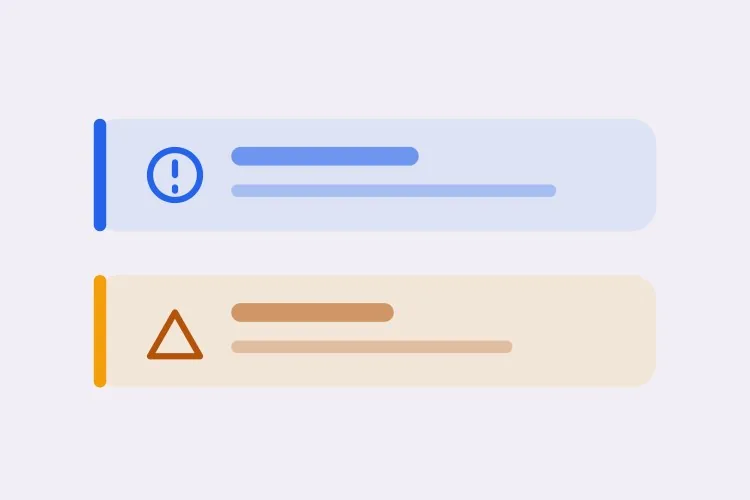
Create a toast system with four semantic types — success with a check icon and green accent, error with an alert icon and red accent, warning with a triangle and amber accent, info with a circle and blue accent. Each toast is 360px wide with a 12px radius, 16px padding, a semibold title, an optional description and a close button with an accessible label. Stack in the bottom-right with 8px gaps, newest on top, three visible at once and the rest queued. Auto-dismiss success, info and warning after 5000ms; keep errors until the user closes them. Wrap non-error toasts in role="status" with aria-live="polite" and give errors role="alert". Slide in 16px from the right and fade out; under prefers-reduced-motion, fade only.
جرّبه في MeDo
TimingPausable Timer

Countdown Bar That Freezes on Hover

A visible progress bar plus a timer that stops while the pointer or keyboard focus is on the toast. Without the pause, a toast can vanish while the user is reaching for its own action button.

Create a toast with a visible dismiss countdown: a 2px progress bar along the bottom edge animating from full to zero over the toast duration. Pause the timer and freeze the bar on pointerenter and on focusin anywhere inside the toast, then resume from the remaining time on pointerleave and focusout — track elapsed time explicitly rather than restarting the interval, or the toast will live longer every time the pointer crosses it. Reset to the full duration when the toast content is updated in place. Under prefers-reduced-motion, replace the animated bar with a static severity stripe and keep the timer behaviour unchanged. Keep the toast in a role="status" region with aria-live="polite".

جرّبه في MeDo
UndoAction Toast

Toast With an Undo or Retry Action

The moment a toast carries a button, it stops being decoration and becomes the only route to a reversible operation — so it must not auto-dismiss while the action is still valid.

Create a toast variant with a single inline action button — Undo or Retry — beside the close control. Do not auto-dismiss while an action is present unless the caller passes an explicit duration, and never dismiss on a timer shorter than the window in which the action is still valid server-side. Move keyboard focus nowhere on mount; instead expose the toast region via a landmark and make the action reachable through a documented shortcut plus normal tab order, so a toast never steals focus from a form the user is typing in. Announce the toast with role="status" and aria-live="polite", and include the action label in the announced text so the option is heard, not just seen.

جرّبه في MeDo
AsyncPromise Toast

One Toast That Updates in Place

Pending, then success or error, on the same node. Firing a second toast when a request resolves stacks two notifications about one event and doubles the screen reader announcement.

Create a promise-driven toast that mounts in a pending state with a spinner and a loading title, then updates the same toast node to success or error when the promise settles rather than mounting a second toast. Keep the toast ID stable across the transition so the stack position does not change, swap the icon and accent, and start the auto-dismiss timer only once the promise resolves. On rejection, switch the container to role="alert" and cancel auto-dismiss. Because the live region content changes in place, debounce the announcement so a request that resolves in under 400ms announces the final state only. Cap the pending state with a timeout that converts to an error toast rather than spinning forever.

جرّبه في MeDo
MobileSwipe Toast

Top-Center Toast With Swipe Dismiss

On a phone the bottom corner is under the thumb and the home indicator. Top-center with a horizontal drag threshold is the only placement that does not fight the platform.

Create a mobile-first toast pinned to the top-center with a safe-area inset using env(safe-area-inset-top), full width minus 16px gutters, capped at a single line of title text with the description truncated to two lines. Add horizontal swipe-to-dismiss with a 60px or 40% drag threshold, translating with the pointer and springing back below the threshold; suppress the pointer handlers while the user is scrolling the page underneath. Keep the close button hit area at 44px even though the glyph is 16px. Show one toast at a time and replace rather than stack, since a stack on a 375px viewport covers the content. Use role="status" with aria-live="polite" and disable the spring under prefers-reduced-motion.

جرّبه في MeDo
SnackbarCompact Snackbar

Single-Line Bar With No Icon

One line, no title, no icon — for low-stakes confirmations like "Link copied" where a 360px card with an icon block is more furniture than the message deserves.

Create a compact snackbar toast: a single line of 14px text on a dark surface, 8px radius, 12px vertical and 16px horizontal padding, no icon and no separate title, with an optional text-only action on the right. Anchor it bottom-center with a 24px offset and allow only one at a time — a new snackbar replaces the current one and resets its 4000ms timer instead of queueing, because these fire from rapid interactions like copy and toggle. Announce via role="status" with aria-live="polite", and when the text is identical to the previous message, force re-announcement by clearing the live region for one frame. Fade and lift 8px on entry; fade only under prefers-reduced-motion.

جرّبه في MeDo

كيف تخصّص إشعار منبثق الخاص بك

امنح الأخطاء قواعد مختلفة عن كل ما سواها

اطلب الإخفاء التلقائي لـ success و info و warning، وأن تبقى الأخطاء حتى يُخفيها المستخدم. الأخطاء تتطلب عادةً تصرفاً من المستخدم، والرسالة التي تزيل نفسها قبل أن تُفهم أسوأ من عدم وجود رسالة.

حدّد سقفاً للتكديس واذكر ما يحدث عند التجاوز

حدّد عدد الإشعارات التي يمكن أن تكون مرئية في الوقت نفسه — ثلاثة سقف معقول — وما إذا كانت الزائدة تنتظر في الطابور أو تستبدل الأقدم. بدون حد، ستُغطي حلقة تُطلق إشعاراً لكل عنصر منفذ العرض بالكامل.

اطلب إيقاف المؤقت عند تمرير المؤشر والتركيز

اطلب في الموجه أن يتجمد العد التنازلي للإخفاء طالما كان المؤشر فوق الإشعار أو كان أحد عناصر التحكم داخله يحمل تركيز لوحة المفاتيح. وإلا فقد يختفي الإشعار بينما يمد المستخدم يده إلى زر الإجراء الخاص به.

سمِّ الزاوية والمنطقة الآمنة

اختر موضعاً واحداً وصِفه: الزاوية السفلية اليمنى تبتعد عن معظم عناصر التنقل الأساسية، والوسط الأعلى يُقرأ أسرع. على الجوّال اطلب حشوة env(safe-area-inset-bottom) حتى لا تسقط الإشعارات تحت مؤشر الشاشة الرئيسية أو شريط تبويب ثابت.

من يستخدم مكوّن إشعار منبثق

منتج SaaS

إشعارات نجاح قصيرة تؤكد الحفظ التلقائي والدعوات، مع إشعارات خطأ دائمة تحمل إجراء "إعادة المحاولة" عند فشل مزامنة في الخلفية. الموضع في الأسفل يميناً يبعدها عن الشريط الجانبي للتطبيق.

متجر تجارة إلكترونية

إشعار "أُضيف إلى السلة" مع صورة مصغّرة ورابط "عرض السلة"، يختفي بعد خمس ثوانٍ. أعطال المخزون والدفع تستخدم نوع الخطأ وتبقى في مكانها ليقرأ المتسوق ما الذي حدث.

لوحة تحكم أو أداة إدارة

العمليات الجماعية تُصدر إشعاراً موجزاً واحداً بدلاً من إشعار لكل سجل، والمهام الطويلة تُحدّث إشعاراً واحداً في مكانه من قيد الانتظار إلى النجاح بدلاً من تكديس إشعار ثانٍ فوقه.

تطبيق ويب للجوّال

إشعارات في وسط الأعلى مع الإخفاء بالسحب وحواف المنطقة الآمنة، بحجم سطر واحد حتى لا تغطي أبداً الحقل الذي يكتب فيه المستخدم.

أنماط إشعار منبثق لمواقع مختلفة

المكوّن إشعار منبثق نفسه، مُهيّأ لنوع الموقع الذي يُنشر عليه.

01 / 06

SaaS Product Toasts

Autosave confirmations and invite receipts, bottom-right so they clear the sidebar. The rule that matters most here is that background-sync failures get persistent error toasts with a Retry action — a sync error that dismisses itself is indistinguishable from a sync that worked.

أنماط إشعار منبثق وتنويعاته

اختر التنويعة التي تناسب بقية الصفحة، ثم ولّدها.

01 / 06

Card Toast With Icon and Accent

The full anatomy: icon, semibold title, description, close button, colored accent. Worth the vertical space when the message has a subject and a detail. It is overkill for "Copied" — use the snackbar for those.

إشعار منبثق في React و Next.js و Vue و Svelte

React و Next.js و Vue 3 و SvelteKit و Astro أو HTML صِرف — المكوّن إشعار منبثق نفسه بست طرق للإضافة.

01 / 06

React Toast

A context provider holding the queue plus a portal for the container. Mount the provider once above the router so navigating between routes does not unmount the toast that was just fired.

src/components/ToastProvider.tsx

export function ToastProvider({ children }) {
  const [toasts, setToasts] = useState([])
  const push = (t) => setToasts((prev) => [...prev, { id: uid(), ...t }])

  return (
    <ToastContext.Provider value={{ push }}>
      {children}
      {createPortal(<ToastStack toasts={toasts} />, document.body)}
    </ToastContext.Provider>
  )
}

كيف تضيف إشعار منبثق إلى مشروعك

أربع خطوات، من اختيار قالب إشعار منبثق إلى إطلاقه في الإنتاج.

01~30s

Pick a Toast Pattern

Choose by the event, not the look: the four-tone stack for general notifications, the promise toast for async jobs, the action toast for anything reversible, the swipe variant for phone-first surfaces.

02~10s

Copy the Prompt

Take it into MeDo, Lovable, Bolt, v0 or Cursor. Set the duration and the stack limit before you run it, and decide there whether errors auto-dismiss — that is the decision you will otherwise relitigate at every call site.

03~1min

Generate and Refine

You get the provider, the queue and the toast back with a live preview. Follow up in plain English — "pause the timer on hover", "move it to top-center on mobile", "cap the stack at two" — instead of hand-editing timer logic.

04~2min

Mount the Provider Once

Put it above the router in your root layout so a toast fired just before a navigation survives it, then fire one from a real form submit and confirm a screen reader announces it without cutting off the page.

أسئلة شائعة حول إشعار منبثق

كيف أُنشئ مكوّن إشعار منبثق بالذكاء الاصطناعي؟

صِف الأنواع الدلالية والموضع والتوقيت في موجه واحد — مثل "إشعارات success و error و warning و info مكدّسة في الأسفل يميناً، إخفاء تلقائي بعد 5 ثوانٍ ما عدا الأخطاء" — ويُنشئ MeDo الـ provider والطابور والإشعار نفسه. تحصل على دالة الإطلاق إلى جانب الترميز، لا على مربع ساكن يبقى عليك ربطه.

كم يجب أن يبقى الإشعار المنبثق على الشاشة؟

من أربع إلى ست ثوانٍ مناسبة للتأكيد القصير، و5000ms قيمة افتراضية منطقية. الرسائل الأطول تحتاج وقتاً أكبر لأن سرعة القراءة، لا الجمال، هي التي تحدد الحد الأدنى. الأخطاء وأي شيء يحمل زر إجراء لا ينبغي أن يختفي تلقائياً على الإطلاق.

ما الفرق بين التنبيه (alert) والإشعار المنبثق (toast)؟

الإشعار المنبثق عابر ويطفو فوق الصفحة في زاوية ثابتة، لذا فهو مناسب لتأكيد شيء فعله المستخدم للتو. أما التنبيه المضمّن فهو جزء من تدفق المستند ويبقى حتى يتغير الشرط، لذا فهو مناسب لحالة تدوم أطول من إجراء واحد — طريقة دفع فاشلة، نافذة صيانة، خطأ على مستوى النموذج. إذا كان المستخدم بحاجة إلى العودة وقراءته، فاستخدم تنبيهاً.

هل يستخدم الإشعار المنبثق role="status" أم role="alert"؟

استخدم role="status" مع aria-live="polite" لإشعارات النجاح والمعلومات حتى ينتظر الإعلان توقفاً في الكلام. واحفظ role="alert"، وهو حاسم ضمنياً ويقاطع، للأخطاء والتحذيرات التي تحتاج انتباهاً فورياً. وسم كل إشعار كتنبيه يجعل قارئة الشاشة تتحدث فوق المستخدم باستمرار.

هل يمكنني تكديس عدة إشعارات دون تداخلها؟

نعم. اطلب من MeDo حاوية إشعارات تعرض كومة محدودة بفاصل ثابت وتضع كل ما يتجاوز الحد في الطابور، مع إطلاق العنصر التالي كلما اختفى واحد. إضافة انتقال خروج وحفظ ارتفاع العنصر المغادر حتى انتهاء الحركة يمنع الإشعارات المتبقية من الاهتزاز.

هل يعمل الإشعار المنبثق على أجهزة اللمس؟

يعمل إذا طلبت دعم الإيماءات. حدّد الإخفاء بالسحب الأفقي مع حد أدنى للسحب، واجعل زر الإغلاق بمنطقة لمس لا تقل عن 44px، وأضف حشوة حافة المنطقة الآمنة حتى يتجنب الإشعار مؤشر الشاشة الرئيسية وأي شريط سفلي ثابت.