MeDo

منشئ شهادات العملاء بالذكاء الاصطناعي.

صِف قسم الدليل الاجتماعي الذي تحتاجه — أسلوب الاقتباس، تقييمات النجوم، تخطيط الأفاتار، شبكة أو دوَّار — وMeDo يُنشئ كوداً جاهزاً للإنتاج في ثوانٍ. دع عملاءك يقومون بالبيع.

شهادات العملاء
شهادات العملاء

الدليل الاجتماعي هو النسخة الأكثر إقناعاً في صفحتك.

يثق الزوار بالعملاء الآخرين أكثر منك — وقسم الشهادات المصمم جيداً هو أسرع طريقة لإثبات أن منتجك يُحقق النتائج. يُقلل الشك في اللحظة التي يتخذ فيها المشترون قرارهم. ومع ذلك تتخطى معظم الفرق الشهادات كلياً أو تُكدِّس الاقتباسات في جدار نصي. MeDo يجعل من السهل إنشاء قسم مقنع بصرياً وموثوق ومُختبَر للتحويل.

6 قالبًا

قوالب شهادات العملاء التي يمكنك توليدها

كل قالب هو طلب حقيقي لا صورة. انسخه إلى أي محرّر ذكاء اصطناعي، أو شغّله في MeDo لتحصل على كود React و Tailwind مباشرة.

Three-up gridAcme

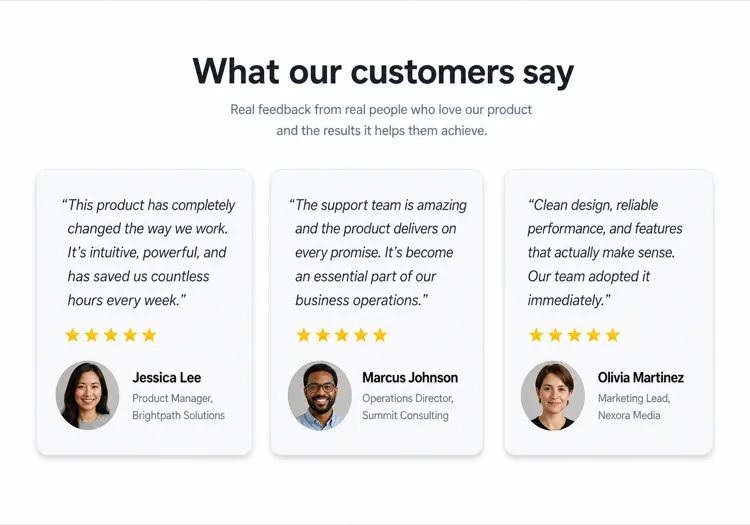
Three Quote Cards With Attribution

The baseline social proof section. It fails on attribution, not layout — an unnamed quote from "a happy customer" reads as invented and costs more trust than it buys.

Create a testimonials section with a centered h2 and three quote cards in one row. Each card holds a quote of 20 to 40 words in a blockquote element, then an attribution row with a 40px circular avatar, the customer's real name in medium weight, and their role plus company on a muted second line. Use a cite element for the source and explicit width and height on the avatar with an initials fallback on image error. Light card surface, hairline border, 12px radius, no hover animation. Stack to a single column at 768px keeping the avatar row intact rather than centering it.


جرّبه في MeDo
Featured quoteMega

One Large Quote Above the Grid

Promotes your strongest testimonial out of the grid, where it would have been averaged out by two weaker ones. The featured card should be the quote naming a specific outcome, not the most flattering adjective.

Create a testimonials section with a featured quote above a grid. The featured card spans the full container: a quote of 40 to 60 words at large size, a 56px avatar, the customer name, their role and company, and a company logo at the right edge. Below it, three smaller cards in one row each with a shorter quote and a 40px avatar attribution row. Wrap each quote in a blockquote with a cite for the person and company. Featured card gets a tinted background to separate it from the grid. Collapse the grid to one column at 768px and reduce the featured quote by one type step.

جرّبه في MeDo
Logo wallShipfast

Customer Logos With Quotes on Hover

Logos first, quotes second — the right order when your customer names are more persuasive than anything they said. Never make the quote hover-only; that hides it from touch and keyboard entirely.

Create a social proof section that leads with a customer logo wall: eight monochrome logos in two rows at reduced opacity, each an interactive button that reveals that customer's quote in a panel below the wall. Reveal on hover, focus and click so the content is reachable by keyboard and touch, with the active logo at full opacity and aria-pressed set. The panel shows the quote, avatar, name, role and company, and keeps a fixed min-height so the page does not jump between quotes. Default to the first quote on load. Four logos per row at 768px, two at 480px.

جرّبه في MeDo
MasonryBuilders

Masonry Wall of Short Quotes

Nine to twelve quotes of uneven length in staggered columns. Volume is the argument here, so it only works if every card still carries a name and a face — a wall of anonymous praise reads as filler.

Create a masonry testimonial wall of nine to twelve short quotes across three CSS columns, letting the natural quote lengths stagger the card baselines. Each card carries a 32px avatar, a name, a role, and a source label such as G2 or Product Hunt. Use blockquote and cite markup throughout, and give avatars explicit dimensions with an initials fallback. Add a fade mask and a Show more button that expands from six visible cards to the full set, updating aria-expanded. Drop to two columns at 900px and one at 600px, preserving the source label on every card.

جرّبه في MeDo
CarouselStudio

Single-Quote Slider With Controls

One long quote at a time, for case-study length testimonials that will not fit a card. The only variant here that needs client state, so keep the interactive shell small and leave the rest of the page static.

Create a testimonial carousel showing one quote at a time: a 60 to 100 word quote, a 64px avatar, the customer name, role, company and logo. Add previous and next buttons plus dot indicators, all real buttons with accessible labels, and support left and right arrow keys when the region has focus. Wrap the slides in an aria-roledescription carousel region with a live region announcing "slide 2 of 5". Pause any autoplay on hover and focus, and disable it entirely under prefers-reduced-motion. On mobile, swap the side buttons for a swipeable track with the dots below.

جرّبه في MeDo
VideoBrand*

Video Testimonials With Transcript Quote

A thumbnail that opens a short customer video, with the strongest sentence quoted in text beneath it. Most visitors never press play, so the text quote is doing the actual work and cannot be skipped.

Create a video testimonials section with three cards. Each card shows a poster image at explicit dimensions with a centered play button overlay, a duration chip, and beneath it a one-sentence pull quote in text plus the customer name, role and company. Do not embed the player on load — render the poster as an image and only mount the iframe when the play button is activated, so three third-party players do not block the page. Give each play button a label naming the customer. Provide a captions note and a transcript link per card. One column at 768px.

جرّبه في MeDo

كيف تخصّص شهادات العملاء الخاص بك

طابق التخطيط مع حجم الاقتباسات

ثلاثة إلى أربعة اقتباسات في شبكة هو الحجم المثالي لمعظم صفحات الهبوط. إذا كان لديك شهادات كثيرة، اطلب من MeDo تخطيطاً دوَّاراً أو تخطيط جدار الحجارة لتتمكن من عرض المزيد دون إثقال الصفحة.

ابدأ بأقوى اقتباس

الشهادة الأولى تحظى بأكبر قدر من الاهتمام. في موجهك، صِف بطاقة اقتباس كبيرة مميزة في الأعلى — مراجعة بارزة واحدة في بطاقة بطولية قبل الشبكة — لترسيخ الثقة فوراً.

أضف شعارات الشركات للسلطة

بالنسبة للمنتجات B2B، اطلب من MeDo تضمين عنصر نائب لشعار الشركة بجانب اسم العميل. الشعارات المعروفة في الشهادات تزيد المصداقية المتصورة بشكل ملحوظ.

حدد تقييمات النجوم بشكل انتقائي

قد يبدو تقييم 5 نجوم على كل بطاقة مصطنعاً. اطلب من MeDo تنويع التأكيد البصري — بعض البطاقات بتقييمات وبعضها بدون — لجعل القسم يبدو أصيلاً ومنتقى يدوياً.

من يستخدم مكوّن شهادات العملاء

منتج SaaS

اقتباسات خاصة بالأدوار من المستخدمين المتميزين — "كمسوِّق نمو، وفَّرت 6 ساعات أسبوعياً" — مقرونة بالمسميات الوظيفية وشعارات الشركات لبناء المصداقية مع المشترين الذين يُقيِّمون الأداة.

علامة تجارية للتجارة الإلكترونية

بطاقات شهادات تُركِّز على الصور مع صور المنتج وسيلفي العملاء واقتباسات قصيرة ومؤثرة. دليل بصري على أن المنتج يبدو ويعمل كما هو مُعلَن.

محفظة وكالة أو مستقل

اقتباسات العملاء عن النتائج المحققة — إيرادات نمت، مشاريع أُنجزت في الوقت المحدد — مقدَّمة في تخطيط عمودين نظيف يجعل النتائج تتكلم بصوت أعلى من أي سيرة ذاتية.

دورة عبر الإنترنت أو تدريب

شهادات بأسلوب قبل وبعد مع اسم الطالب واسم الدورة واقتباس التحول. تدفع التسجيل بجعل النتائج تبدو قابلة للتحقيق وحقيقية.

أنماط شهادات العملاء لمواقع مختلفة

المكوّن شهادات العملاء نفسه، مُهيّأ لنوع الموقع الذي يُنشر عليه.

01 / 06

SaaS Product Testimonials

Role-specific quotes with job title, company and logo, because a B2B buyer is checking whether someone in their seat succeeded with this. Name the outcome in the quote — a quote praising the support team does not answer the question the pricing page raised.

أنماط شهادات العملاء وتنويعاته

اختر التنويعة التي تناسب بقية الصفحة، ثم ولّدها.

01 / 06

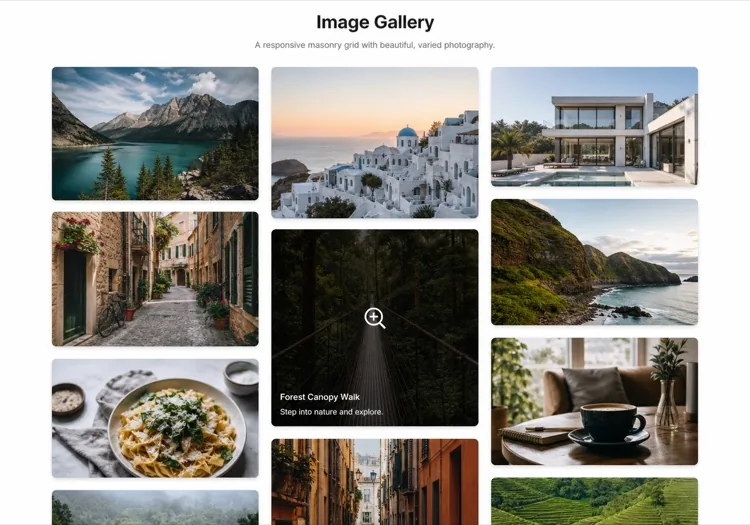
Quote Card Grid

Three or four equal cards in a row, each with quote plus attribution row. The safest default and the easiest to keep balanced, provided you trim quotes to a similar length — one 80-word card next to two 20-word cards makes the grid look broken.

شهادات العملاء في React و Next.js و Vue و Svelte

React و Next.js و Vue 3 و SvelteKit و Astro أو HTML صِرف — المكوّن شهادات العملاء نفسه بست طرق للإضافة.

01 / 06

React Testimonials Section

A grid of quotes needs no state at all — keep hooks for the carousel variant only. Type the testimonial array so a card missing a name or role fails at build rather than shipping as anonymous praise.

src/components/Testimonials.tsx

export function Testimonials({ items }) {
  return (
    <div className="grid gap-6 md:grid-cols-3">
      {items.map((t) => (
        <figure key={t.name} className="rounded-xl border p-6">
          <blockquote className="text-lg">{t.quote}</blockquote>
          <figcaption className="mt-6 flex items-center gap-3">
            <Avatar src={t.photo} name={t.name} />
            <span>{t.name}, {t.role} at {t.company}</span>
          </figcaption>
        </figure>
      ))}
    </div>
  )
}

كيف تضيف شهادات العملاء إلى مشروعك

أربع خطوات، من اختيار قالب شهادات العملاء إلى إطلاقه في الإنتاج.

01~30s

Pick a Testimonials Template

Choose by what you have. Three solid quotes means the card grid; one outstanding quote means the featured layout; recognisable customer names mean lead with the logo wall.

02~10s

Copy the Prompt

Take the prompt into MeDo, Lovable, Bolt, v0 or Cursor. Decide the quote length before you run it — the card grid only stays balanced if every quote lands in the same range.

03~2min

Generate and Refine

You get React + Tailwind back with a live preview. Follow up in plain English — "add a company logo to each card", "make it two columns on tablet" — instead of editing class strings.

04~2min

Swap In Real Attribution

Replace every placeholder with a real name, role, company and photo, and get written permission for each. A card left as "Jane Doe, CEO" is worse than no testimonials section at all.

أسئلة شائعة حول شهادات العملاء

كيف أُنشئ قسم شهادات بالذكاء الاصطناعي؟

في MeDo، صِف تخطيط الشهادات الذي تريده — شبكة أم دوَّار، عدد البطاقات، ما إذا كنت ستشمل تقييمات النجوم أو الأفاتارات، والأسلوب البصري. MeDo يُنشئ كود المكون الكامل مع اقتباسات نائبة وأسماء وأفاتارات تُستبدل بمحتوى عملائك الحقيقي.

ما أفضل منشئ شهادات بالذكاء الاصطناعي؟

MeDo مُصمَّم خصيصاً لإنشاء مكونات مواقع ويب جاهزة للإنتاج بما فيها أقسام الشهادات. على خلاف أدوات الدردشة الاصطناعية العامة، يفهم MeDo تخطيطات الشبكة والتصميم المتجاوب وأنماط التحويل التي تجعل الدليل الاجتماعي يعمل فعلاً — لذا تحصل على كود نظيف وقابل للاستخدام بدلاً من نموذج أولي تقريبي.

هل يمكنني إنشاء دوَّار شهادات بالذكاء الاصطناعي؟

نعم. اطلب من MeDo 'دوَّار شهادات بتشغيل تلقائي ونقاط تنقل' وسيُنشئ مكون شريط تمرير تفاعلي. يمكنك تحديد عدد البطاقات المرئية في وقت واحد وسرعة الانتقال وما إذا كنت ستشمل أزرار السهم السابق/التالي.

كيف أُضيف تقييمات النجوم إلى قسم شهادات مُنشأ بالذكاء الاصطناعي؟

أضِف "تقييم 5 نجوم باستخدام أيقونات نجوم مملوءة" في موجه MeDo. يمكنك أيضاً طلب تقييمات متغيرة — "اعرض بين 4 و5 نجوم لكل بطاقة" — لجعل القسم يبدو أكثر أصالة وجديرية بالثقة.

هل يمكن للذكاء الاصطناعي إنشاء شهادات مع صور العملاء؟

MeDo سيُنشئ المكون مع عناصر نائبة لصورة الأفاتار الدائرية وبنية التخطيط الصحيحة. تستبدل سمات src النائبة بصور عملائك الحقيقية. يمكنك أيضاً وصف بديل — "اعرض الأحرف الأولى في دائرة ملونة إذا لم تتوفر صورة."

كيف أصنع قسم شهادات متوافقاً مع الهواتف بالذكاء الاصطناعي؟

أضِف "متجاوب، يتكدَّس في عمود واحد على الهاتف" إلى موجه MeDo. المكون المُنشأ سيستخدم CSS grid أو flexbox الذي يُطوي تلقائياً التخطيط متعدد الأعمدة إلى عرض بطاقة واحدة قابلة للتمرير العمودي على الشاشات الصغيرة.