MeDo

AI 토스트 생성기.

알림 동작을 설명하면 MeDo가 완전한 토스트 시스템을 생성합니다 — 네 가지 의미 유형, 스택 큐, 호버 시 멈추는 자동 사라짐 타이머, 터치 스와이프로 닫기, 그리고 각 유형에 맞는 aria-live 우선순위까지.

토스트
토스트

토스트는 박스로 위장한 타이머이자 큐이자 라이브 리전입니다

토스트의 시각적 부분은 몇 분이면 끝납니다. 그 아래에 있는 것들은 그렇지 않습니다. 토스트는 얼마나 오래 남을지, 세 개가 동시에 도착하면 어떻게 될지, 사용자가 폼 입력 중일 때 어떻게 될지, 그리고 스크린 리더가 방해받지 않고 어떻게 읽어줄지를 결정해야 합니다. 눈에 잘 띄지 않는 결과는 토스트 버그가 신뢰의 버그로 드러난다는 점입니다. 읽히기 전에 사라지는 저장 확인이나, 사용자가 해당 필드를 읽는 동안 없어지는 오류 메시지는 사람들에게 인터페이스를 믿지 말라고 가르칩니다. 타이밍 규칙, 큐 제한, 라이브 리전 우선순위를 함께 생성하면 알림을 발생시킨 호출 지점마다 흩어지는 대신 이러한 결정이 일관되게 유지됩니다.

템플릿 6개

생성할 수 있는 토스트 템플릿

모든 템플릿은 스크린샷이 아니라 실제 프롬프트입니다. 어떤 AI 에디터에든 붙여넣거나 MeDo에서 실행해 React + Tailwind 코드를 그대로 받으세요.

BasicFour Tones

Success, Error, Warning, Info Stack

The baseline set, and the only one where per-type rules matter more than styling. Errors that auto-dismiss are the single most common toast bug in production.

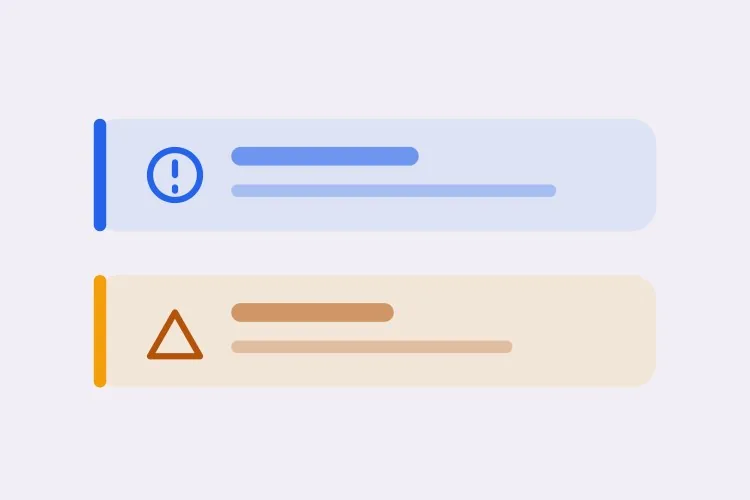
Create a toast system with four semantic types — success with a check icon and green accent, error with an alert icon and red accent, warning with a triangle and amber accent, info with a circle and blue accent. Each toast is 360px wide with a 12px radius, 16px padding, a semibold title, an optional description and a close button with an accessible label. Stack in the bottom-right with 8px gaps, newest on top, three visible at once and the rest queued. Auto-dismiss success, info and warning after 5000ms; keep errors until the user closes them. Wrap non-error toasts in role="status" with aria-live="polite" and give errors role="alert". Slide in 16px from the right and fade out; under prefers-reduced-motion, fade only.
MeDo에서 시도하기
TimingPausable Timer

Countdown Bar That Freezes on Hover

A visible progress bar plus a timer that stops while the pointer or keyboard focus is on the toast. Without the pause, a toast can vanish while the user is reaching for its own action button.

Create a toast with a visible dismiss countdown: a 2px progress bar along the bottom edge animating from full to zero over the toast duration. Pause the timer and freeze the bar on pointerenter and on focusin anywhere inside the toast, then resume from the remaining time on pointerleave and focusout — track elapsed time explicitly rather than restarting the interval, or the toast will live longer every time the pointer crosses it. Reset to the full duration when the toast content is updated in place. Under prefers-reduced-motion, replace the animated bar with a static severity stripe and keep the timer behaviour unchanged. Keep the toast in a role="status" region with aria-live="polite".

MeDo에서 시도하기
UndoAction Toast

Toast With an Undo or Retry Action

The moment a toast carries a button, it stops being decoration and becomes the only route to a reversible operation — so it must not auto-dismiss while the action is still valid.

Create a toast variant with a single inline action button — Undo or Retry — beside the close control. Do not auto-dismiss while an action is present unless the caller passes an explicit duration, and never dismiss on a timer shorter than the window in which the action is still valid server-side. Move keyboard focus nowhere on mount; instead expose the toast region via a landmark and make the action reachable through a documented shortcut plus normal tab order, so a toast never steals focus from a form the user is typing in. Announce the toast with role="status" and aria-live="polite", and include the action label in the announced text so the option is heard, not just seen.

MeDo에서 시도하기
AsyncPromise Toast

One Toast That Updates in Place

Pending, then success or error, on the same node. Firing a second toast when a request resolves stacks two notifications about one event and doubles the screen reader announcement.

Create a promise-driven toast that mounts in a pending state with a spinner and a loading title, then updates the same toast node to success or error when the promise settles rather than mounting a second toast. Keep the toast ID stable across the transition so the stack position does not change, swap the icon and accent, and start the auto-dismiss timer only once the promise resolves. On rejection, switch the container to role="alert" and cancel auto-dismiss. Because the live region content changes in place, debounce the announcement so a request that resolves in under 400ms announces the final state only. Cap the pending state with a timeout that converts to an error toast rather than spinning forever.

MeDo에서 시도하기
MobileSwipe Toast

Top-Center Toast With Swipe Dismiss

On a phone the bottom corner is under the thumb and the home indicator. Top-center with a horizontal drag threshold is the only placement that does not fight the platform.

Create a mobile-first toast pinned to the top-center with a safe-area inset using env(safe-area-inset-top), full width minus 16px gutters, capped at a single line of title text with the description truncated to two lines. Add horizontal swipe-to-dismiss with a 60px or 40% drag threshold, translating with the pointer and springing back below the threshold; suppress the pointer handlers while the user is scrolling the page underneath. Keep the close button hit area at 44px even though the glyph is 16px. Show one toast at a time and replace rather than stack, since a stack on a 375px viewport covers the content. Use role="status" with aria-live="polite" and disable the spring under prefers-reduced-motion.

MeDo에서 시도하기
SnackbarCompact Snackbar

Single-Line Bar With No Icon

One line, no title, no icon — for low-stakes confirmations like "Link copied" where a 360px card with an icon block is more furniture than the message deserves.

Create a compact snackbar toast: a single line of 14px text on a dark surface, 8px radius, 12px vertical and 16px horizontal padding, no icon and no separate title, with an optional text-only action on the right. Anchor it bottom-center with a 24px offset and allow only one at a time — a new snackbar replaces the current one and resets its 4000ms timer instead of queueing, because these fire from rapid interactions like copy and toggle. Announce via role="status" with aria-live="polite", and when the text is identical to the previous message, force re-announcement by clearing the live region for one frame. Fade and lift 8px on entry; fade only under prefers-reduced-motion.

MeDo에서 시도하기

토스트 커스터마이즈 방법

오류에는 다른 규칙을 적용하세요

success, info, warning은 자동으로 사라지고 오류는 닫힐 때까지 유지되도록 요청하세요. 오류는 보통 사용자의 조치를 요구하며, 이해되기 전에 스스로 사라지는 메시지는 없는 것보다 나쁩니다.

스택 한도를 정하고 초과 시 동작을 명시하세요

동시에 표시할 토스트 수를 지정하세요 — 세 개가 합리적인 상한입니다 — 그리고 초과분이 뒤에서 대기할지 가장 오래된 것을 대체할지도 정하세요. 한도가 없으면 항목마다 알림을 발생시키는 루프가 화면 전체를 덮어버립니다.

호버와 포커스 시 타이머를 멈추도록 요청하세요

포인터가 토스트 위에 있거나 내부 컨트롤이 키보드 포커스를 가진 동안 사라짐 카운트다운이 멈추도록 프롬프트에 요청하세요. 그렇지 않으면 사용자가 토스트의 액션 버튼을 누르려는 순간에 토스트가 사라질 수 있습니다.

위치와 세이프 에어리어를 명시하세요

한 가지 배치를 선택해 설명하세요: 오른쪽 하단은 대부분의 주요 내비게이션에서 멀고, 상단 중앙은 가장 빨리 읽힙니다. 모바일에서는 env(safe-area-inset-bottom) 패딩을 요청해 토스트가 홈 인디케이터나 고정 탭 바 아래에 놓이지 않게 하세요.

토스트 컴포넌트를 사용하는 사람

SaaS 제품

자동 저장과 초대를 확인하는 짧은 성공 토스트, 그리고 백그라운드 동기화가 실패할 때 "다시 시도" 액션을 담은 지속형 오류 토스트. 오른쪽 하단 배치는 앱 사이드바를 피해줍니다.

이커머스 스토어

썸네일과 "장바구니 보기" 링크가 있는 "장바구니에 추가됨" 토스트가 5초 후 사라집니다. 재고와 결제 실패는 오류 유형을 사용해 그대로 남아 있어 구매자가 무엇이 잘못됐는지 읽을 수 있습니다.

대시보드 또는 관리 도구

대량 작업은 레코드마다가 아니라 하나의 요약 토스트를 내보내고, 장시간 실행 작업은 두 번째 알림을 위에 쌓는 대신 하나의 토스트를 대기 중에서 성공으로 그 자리에서 업데이트합니다.

모바일 웹 앱

스와이프로 닫을 수 있고 세이프 에어리어 인셋을 갖춘 상단 중앙 토스트. 한 줄 크기로 맞춰 사용자가 입력하는 필드를 절대 가리지 않습니다.

웹사이트 유형별 토스트 패턴

같은 토스트 컴포넌트를 게시되는 사이트 유형에 맞춰 조정합니다.

01 / 06

SaaS Product Toasts

Autosave confirmations and invite receipts, bottom-right so they clear the sidebar. The rule that matters most here is that background-sync failures get persistent error toasts with a Retry action — a sync error that dismisses itself is indistinguishable from a sync that worked.

토스트 스타일과 변형

페이지의 나머지 부분과 어울리는 변형을 골라 바로 생성하세요.

01 / 06

Card Toast With Icon and Accent

The full anatomy: icon, semibold title, description, close button, colored accent. Worth the vertical space when the message has a subject and a detail. It is overkill for "Copied" — use the snackbar for those.

React, Next.js, Vue, Svelte에서의 토스트

React, Next.js, Vue 3, SvelteKit, Astro 또는 순수 HTML — 같은 토스트을 여섯 가지 방식으로 넣을 수 있습니다.

01 / 06

React Toast

A context provider holding the queue plus a portal for the container. Mount the provider once above the router so navigating between routes does not unmount the toast that was just fired.

src/components/ToastProvider.tsx

export function ToastProvider({ children }) {
  const [toasts, setToasts] = useState([])
  const push = (t) => setToasts((prev) => [...prev, { id: uid(), ...t }])

  return (
    <ToastContext.Provider value={{ push }}>
      {children}
      {createPortal(<ToastStack toasts={toasts} />, document.body)}
    </ToastContext.Provider>
  )
}

토스트을 프로젝트에 추가하는 방법

토스트 템플릿을 고르고 프로덕션에 배포하기까지 네 단계.

01~30s

Pick a Toast Pattern

Choose by the event, not the look: the four-tone stack for general notifications, the promise toast for async jobs, the action toast for anything reversible, the swipe variant for phone-first surfaces.

02~10s

Copy the Prompt

Take it into MeDo, Lovable, Bolt, v0 or Cursor. Set the duration and the stack limit before you run it, and decide there whether errors auto-dismiss — that is the decision you will otherwise relitigate at every call site.

03~1min

Generate and Refine

You get the provider, the queue and the toast back with a live preview. Follow up in plain English — "pause the timer on hover", "move it to top-center on mobile", "cap the stack at two" — instead of hand-editing timer logic.

04~2min

Mount the Provider Once

Put it above the router in your root layout so a toast fired just before a navigation survives it, then fire one from a real form submit and confirm a screen reader announces it without cutting off the page.

토스트에 대한 자주 묻는 질문

AI로 토스트 알림 컴포넌트를 생성하는 방법은?

의미 유형, 배치, 타이밍을 하나의 프롬프트로 설명하세요 — 예를 들어 "success, error, warning, info 토스트를 오른쪽 하단에 쌓고, 오류를 제외하고 5초 후 자동으로 사라짐" — 그러면 MeDo가 프로바이더, 큐, 토스트 자체를 생성합니다. 나중에 연결해야 하는 정적인 박스가 아니라 마크업과 함께 트리거 함수를 받게 됩니다.

토스트는 화면에 얼마나 오래 있어야 하나요?

짧은 확인이라면 4~6초가 적당하고, 5000ms가 합리적인 기본값입니다. 긴 메시지는 더 많은 시간이 필요하며, 하한을 정하는 것은 미학이 아니라 읽는 속도입니다. 오류와 액션 버튼이 있는 것은 아예 자동으로 사라지지 않아야 합니다.

얼럿과 토스트의 차이는 무엇인가요?

토스트는 일시적이며 고정된 모서리에서 페이지 위에 떠 있으므로 사용자가 방금 한 일을 확인하는 데 적합합니다. 인라인 얼럿은 문서 흐름의 일부이며 조건이 바뀔 때까지 유지되므로 단일 작업보다 오래 지속되는 상태에 적합합니다 — 실패한 결제 수단, 점검 기간, 폼 수준의 오류 등입니다. 사용자가 다시 돌아와 읽을 수 있어야 한다면 얼럿을 사용하세요.

토스트는 role="status"를 써야 하나요, role="alert"를 써야 하나요?

성공과 정보 토스트에는 role="status"와 aria-live="polite"를 사용해 안내가 말이 끊기는 지점을 기다리게 하세요. 암묵적으로 assertive이며 말을 끊는 role="alert"는 즉각적인 주의가 필요한 오류와 경고에만 사용하세요. 모든 토스트를 얼럿으로 표시하면 스크린 리더가 계속 사용자 위로 말하게 됩니다.

여러 토스트를 겹치지 않게 쌓을 수 있나요?

네. MeDo에 고정 간격으로 제한된 스택을 렌더링하고 한도를 넘는 것은 큐에 넣어, 하나가 닫힐 때 다음 항목을 내보내는 토스트 컨테이너를 요청하세요. 나가는 트랜지션을 추가하고 애니메이션이 끝날 때까지 떠나는 항목의 높이를 예약하면 남은 토스트가 튀는 것을 막을 수 있습니다.

토스트가 터치 기기에서도 작동하나요?

제스처 지원을 요청하면 작동합니다. 드래그 임계값이 있는 가로 스와이프 닫기를 지정하고, 닫기 버튼의 탭 영역을 최소 44px로 유지하며, 세이프 에어리어 인셋 패딩을 추가해 토스트가 홈 인디케이터와 고정된 하단 바를 피하게 하세요.