MeDo

AI 404ページジェネレーター。

ページの消失は避けられません — 印象に残らない404は避けられます。ブランドのスタイルを説明するだけで、MeDoがイラスト、明確なナビゲーション、訪問者を離脱させずに留めるコピーを備えた完全設計のエラーページを生成します。

404ページ
404ページ

404ページは訪問者を引き留める最後のチャンスです

壊れたURLにたどり着いた時、ブラウザのデフォルトエラー画面は行き止まりです — タブを閉じてあなたの存在を忘れます。よく設計された404ページは個性をもってエラーを認め、有用なコンテンツへの明確なナビゲーションを提供し、ブランドへの信頼が最も危うい瞬間にそれを強化します。ブランドに沿った404ページを持つサイトは、エラー状態からの離脱率を測定可能なレベルで削減し、さもなければ永久に失われるトラフィックを回復します。

6 個のテンプレート

生成できる 404ページ テンプレート

どのテンプレートもスクリーンショットではなく実際のプロンプトです。任意の AI エディタに貼り付けるか、MeDo で実行して React + Tailwind のコードを受け取れます。

MinimalCentered

Vertically Centered 404 Layout

Numeral, one line of copy, one button. The layout to reach for when you have no search index and no obvious second destination — two links beat a sitemap dump.

Create a not-found page layout, vertically centered in the viewport: a large 404 numeral as a display element, an h1 stating that the page was not found in plain language, one sentence explaining it may have moved or been deleted, and a primary Back to home button. Reuse the site header and footer so the page does not read as a different site. The route must return an HTTP 404 status, not a 200 with error copy on it, or search engines will index the dead URL. Give the h1 focus on load so screen reader users land on the error rather than the nav, and keep the numeral decorative with aria-hidden so it is not announced as a number.


MeDoで試す
RecoverySearch

404 With a Search Field

For any site with more than a few dozen pages, where the visitor was looking for one specific thing. The input, not the home button, is the real recovery path.

Create a not-found page built around a search affordance: a compact 404 heading, one line of copy, then a labelled search input with an autofocus and a submit button that posts to the site search route. Below it, list five popular or recently updated pages as real links rather than a generic Back to home. Seed the search input with any meaningful slug segment from the failed URL so the visitor starts from their own query. Return an HTTP 404 status from the route and do not redirect to the homepage. Label the input with a visible label, announce result counts through an aria-live region, and keep the header and footer navigation intact.

MeDoで試す
DeveloperDocs

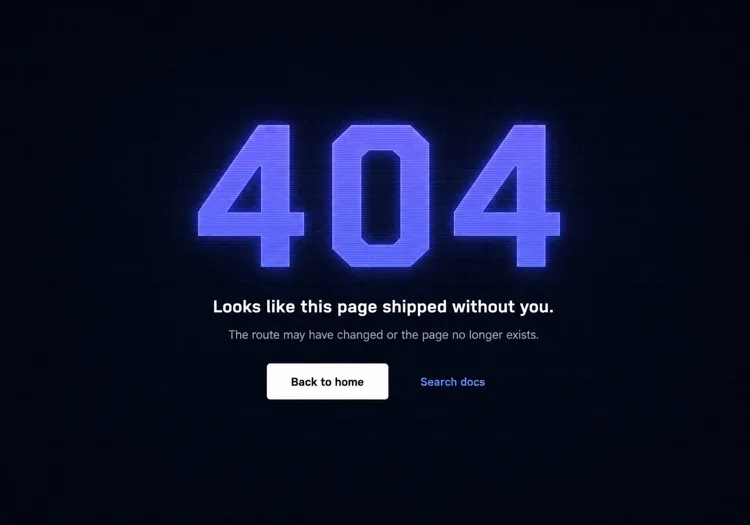
Terminal-Aesthetic 404 Page

Monospace numeral, scanline texture, links to search and the docs index. The audience here reads error output for a living, so the page can be terse without feeling cold.

Create a not-found page for a developer tool: a monospace 404 with a faint glow on a dark surface, a short headline, one line noting the page may have moved between versions, and a docs search input. Add links to the docs index, the changelog and the version switcher, since a broken docs URL is usually a version mismatch rather than a typo. Return an HTTP 404 status and keep the docs sidebar rendered so the reader retains their place in the tree. Set the h1 as the focus target on load, mark the background texture aria-hidden, and hold contrast at 4.5:1 for the muted supporting copy against the dark background.

MeDoで試す
CommerceStorefront

404 With Products and Categories

A dead product URL usually means the item sold out or was renamed, so the page should show alternatives rather than apologise. Category links recover more sessions than a home button does.

Create a not-found page for a store: a short heading acknowledging the product or page is unavailable, a product search input, a row of four top-level category links, and a grid of four bestseller cards with image, name and price. Explain in one line that items can sell out or be renamed. Return an HTTP 404 status for the missing URL — a soft 404 redirecting to the homepage strands the visitor and keeps the dead link indexed. Give every product image real alt text, keep the cards keyboard reachable in reading order, and preserve the cart indicator in the header so an in-progress basket is visibly intact.

MeDoで試す
In-appConsole

404 Inside the App Shell

For authenticated routes, render the error inside the existing nav instead of ejecting the user to the marketing site. Losing the app shell reads as a logout, which triggers support tickets.

Create an in-app not-found view that renders inside the authenticated shell with the sidebar and top bar intact: a compact heading stating the resource was not found, one line noting it may have been deleted or belongs to a different workspace, a Back to dashboard button, and a link to switch workspace. Do not sign the user out or bounce them to the marketing homepage. Return an HTTP 404 for a genuinely missing resource and a 403 where the resource exists but is not theirs, since conflating the two leaks whether an ID is real. Move focus to the heading on render and keep the page title informative for browser history.

MeDoで試す
Brand-ledCanvas

Illustrated Full-Bleed 404 Page

The error page as a piece of the brand — an illustration or animation carrying the page and the copy staying out of its way. Only works if the recovery link is still obvious at a glance.

Create a brand-led not-found page: a full-bleed illustration or looping animation filling the viewport, an oversized 404 or short witty headline set over it, one line of copy, and a single high-contrast Back to home button that stays legible against the artwork. Mark the illustration aria-hidden and carry all meaning in the text. Respect prefers-reduced-motion by holding a static frame instead of looping. Keep the total weight in check — a 3MB hero on an error page is bandwidth spent on a failed request. Return an HTTP 404 status and keep the footer navigation present beneath the artwork.

MeDoで試す

404ページ をカスタマイズする方法

エラー番号にテキストサイズだけでなく視覚的重みを与える

「404」は訪問者が最初に見るもの — 単なる数字ではなくデザイン要素にしましょう。グラデーションフィル、微妙なグロー、オフセットシャドウ、またはそれと相互作用するイラストキャラクターが、冷たいエラーコードを記憶に残るブランド一貫性のあるものに変えます。

フラストレーションを認めて素早く先に進むコピーを書く

「おっと、ページが見つかりません」のような一般的な文は避けてください。短い一文で何が起きたかを認め、すぐに前方を指し示しましょう。トーンはブランドに合わせて:消費者アプリなら遊び心、開発者ツールなら明快で直接的、ECなら温かく謝罪的に。

2つの復帰パスを提供する — プライマリとセカンダリ

「ホームへ戻る」ボタン1つは最低限です。優れた404ページは訪問者の意図に合わせたセカンダリオプションを追加します:「ドキュメントを見る」「検索」「人気ページを見る」「サポートに連絡」。2つの異なるパスが、全か無かの離脱を防ぎます。

コンテンツの多いサイトには検索フィールドを含める

ブログ、ドキュメントサイト、ECストアでは、404ページに直接検索入力を埋め込むことで行き止まりを発見の瞬間に変えます。特定の記事や商品を探している訪問者が、ホームページに戻らずに即座に見つけることができます。

404ページ コンポーネントを使うのは誰か

SaaS Webアプリケーション

SaaSの404ページは通常、製品のメインイラストスタイル、短い共感的な見出し、「ダッシュボードに戻る」ボタンを使用します — マーケティングホームページに飛ばすのではなく、ユーザーを製品内に留めます。

開発者ツールまたはドキュメントサイト

開発ツールの404ページはターミナルやコードの美学を活かします:モノスペースフォント、スキャンラインテクスチャ、またはデザインとしてレンダリングされたモックエラースタックトレース。復帰リンクはジェネリックなホームではなく検索やドキュメントインデックスを指します。

ECストア

リテールの404ページはベストセラー、カテゴリリンク、または検索バーをエラーページに直接表示して離脱を最小限にします。フラストレーションを購入の瞬間に変えるために小さな割引オファー(「お詫びに10%オフをどうぞ」)を含むものもあります。

マーケティングまたはブランドサイト

ブランドやエージェンシーの404ページはエラー画面をクリエイティビティのキャンバスとして扱います — 予想外のイラスト、ウィットに富んだコピー、壊れたリンク自体をシェア可能でブランドに沿ったものにするインタラクティブアニメーション。

サイト種別ごとの 404ページ パターン

同じ 404ページ コンポーネントを、掲載するサイトの種類に合わせて調整します。

01 / 06

SaaS Application 404

Render the error inside the app shell with the sidebar intact and point at the dashboard, not the marketing homepage. Dropping an authenticated user onto the public site looks like a session expiry, and they will contact support rather than click Back.

404ページ のスタイルとバリアント

ページ全体のトーンに合うバリアントを選び、そのまま生成します。

01 / 06

Centered Minimal 404

Numeral, headline, one button, vertically centered. Ships in an hour and never looks broken. The right choice when you have no search index, because the alternative is a page whose main action leads nowhere useful.

React・Next.js・Vue・Svelte での 404ページ

React、Next.js、Vue 3、SvelteKit、Astro、素の HTML — 同じ 404ページ を 6 通りの方法で組み込めます。

01 / 06

React 404 Page

In a client-only SPA a catch-all route renders the page but the server still answers 200, so configure the host to serve index.html with a 404 status for unknown paths — otherwise crawlers index every dead URL.

src/routes.tsx

<Routes>
  <Route path="/" element={<Home />} />
  <Route path="/docs/*" element={<Docs />} />
  <Route path="*" element={<NotFound />} />
</Routes>

404ページ をプロジェクトに追加する方法

404ページ テンプレートを選んで本番に載せるまでの 4 ステップ。

01~30s

Pick a 404 Layout

Match it to why your URLs break — search-first for a content site, category links for a store, the app shell for authenticated routes, centered minimal for everything else.

02~10s

Copy the Prompt

Paste it into MeDo, Lovable, Bolt, v0 or Cursor. Swap the placeholder recovery links for the two destinations you would actually want a lost visitor to reach.

03~1min

Generate and Refine

You get React + Tailwind with a live preview. Follow up in plain English — "seed the search box from the failed slug", "keep the sidebar rendered", "hold a static frame under reduced motion".

04~1min

Wire the Not-Found Route

Drop it into not-found.tsx, +error.svelte, 404.astro or your catch-all route, then curl a dead URL and confirm the response is 404 and not a 200 with error copy on it.

404ページに関するよくある質問

AI 404ページジェネレーターとは?

AI 404ページジェネレーターは、サイトのスタイル、対象読者、ブランドトーンの自然言語での説明を受け取り、完全にスタイリングされたエラーページを生成します — イラストコンセプト、見出し、サポートコピー、ナビゲーションリンク、プロダクション対応コード。MeDoはレイアウト、カラー、インタラクティブステートを含む完全なコンポーネントを生成します。コードスケルトンだけではありません。

AIでカスタム404ページを作成するには?

MeDoを開き、サイトの美学、ブランド名、訪問者にどう復帰してほしいかを説明してください。例:「ミニマリストデザインエージェンシー向けの404ページを作成。白い背景、ライトグレーの大きなサンセリフ404、短くウィットに富んだ見出し、「仕事に戻る」プライマリボタン、「ケーススタディを見る」セカンダリリンク。」MeDoがコンポーネントを生成します。フォローアッププロンプトでブランドに完全に一致するまで調整できます。

良い404ページには何を含めるべき?

最低限:ページが見つからなかったという明確な表示、人間が書いた短い説明(「エラー404」だけでなく)、有用なコンテンツへの少なくとも1つのナビゲーションパス。優れた404ページにはさらに、ブランドに一貫したビジュアルやイラスト、セカンダリ復帰オプション(検索やカテゴリリンク)、サイト全体のトーンに合ったコピーが含まれます。

404ページはSEOにどう影響する?

正しく実装された404ページはHTTP 404ステータスコードを返し、URLが存在しないことを検索エンジンに伝えます — これは正しく期待された動作です。SEOにとって重要なのは、壊れた内部リンクがソースで修正されること、そして404ページが人間の訪問者の回復を助けて即座に離脱しないようにすることです。よく設計された404ページはSEOを害さず、行き止まりエラー状態が生み出す離脱率シグナルを減少させることができます。

404ページの最適なデザインは?

最良の404ページデザインはブランドに合致し、専門用語なしでエラーを明確に伝え、ワンクリックで訪問者を有用なコンテンツに戻します。ほとんどのサイトでは、視覚的に目立つエラーシグナル(イラストまたはタイポグラフィ)、一文の平易な説明、プライマリアクションボタンを意味します。ナビゲーションオプションが多すぎる雑然としたページは避けましょう — 2つの明確な復帰パスが完全なサイトマップダンプに勝ります。

AIで404ページのイラストを生成できる?

はい。MeDoで404ページを説明する際、イラストスタイルを指定できます — キャラクターベース、ジオメトリック、アブストラクト、アイコンのみ — MeDoがコンポーネントレイアウトに統合します。「迷子の宇宙飛行士」「壊れたロボット」「空の道路標識」などの具体的なイラストコンセプトを指定することもでき、MeDoが対応するSVGやスタイル付きHTMLを生成してコンセプトに命を吹き込みます。
