MeDo

AIお問い合わせフォームジェネレーター。

必要なフィールド、求めるトーン、重要なバリデーションルールを記述するだけで、MeDoがプロンプトを数秒で完全でアクセシブルなお問い合わせフォームコンポーネントに変換します。

お問い合わせフォーム
お問い合わせフォーム

すべてのウェブサイトに優れたお問い合わせフォームが必要です

お問い合わせフォームは、訪問者がリードになる前に最後にインタラクトするコンポーネントであることが多いにもかかわらず、多くのサイトでは後回しにされています。フィールド設計の不備、バリデーションの欠如、混乱するエラー状態は、まさに意図の瞬間にコンバージョンを殺す摩擦を生みます。よく設計されたお問い合わせフォームはプロフェッショナリズムを伝え、離脱を減らし、適切な人々があなたに簡単に連絡できるようにします。

6 個のテンプレート

生成できる お問い合わせフォーム テンプレート

どのテンプレートもスクリーンショットではなく実際のプロンプトです。任意の AI エディタに貼り付けるか、MeDo で実行して React + Tailwind のコードを受け取れます。

BasicInquiry

Name, Email, Message Form

Three fields and nothing else. The right default when you have no routing logic yet — every field you add past this point has to justify itself against a measurable drop in completions.

Create a three-field contact form — full name, email, message — inside a bordered card. Every input gets a visible label tied by htmlFor, and validates on blur rather than on every keystroke: name non-empty, email checked against a permissive pattern, message at least twenty characters with a live counter. Render each error in a span referenced by aria-describedby and set aria-invalid on the failing input. On submit, disable the button, swap its label for a spinner with role="status", then replace the card with a confirmation that names the reply window. On failure keep every typed value, show a retry banner and move focus to it. Add a honeypot field and a minimum time-to-submit check instead of a CAPTCHA.


MeDoで試す
QualifyingStudio

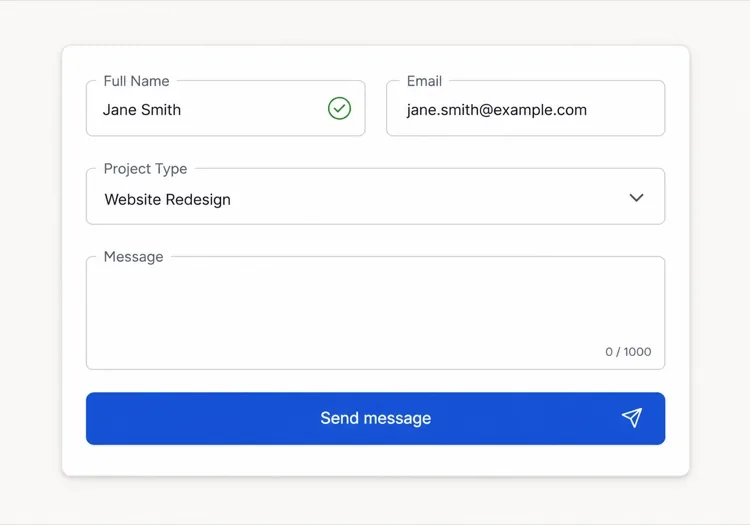
Project Type and Budget Form

Adds the two questions that decide whether you reply today or next week. Worth the extra friction for service businesses, wasteful for anything self-serve.

Create an agency inquiry form in a light card: full name, work email, a project type select (Brand Identity, Web Design, Motion, Other), a budget radio group (Under $5k, $5k-$20k, $20k+) wrapped in a fieldset with a legend, and a message textarea. Mark the select and the radio group required but validate on submit, not on mount, so the form never opens already covered in red. Collect the failures into an error summary above the card with in-page links to each field, set aria-invalid and aria-describedby on the offenders, and move focus to the summary heading. Show a pending state on the button, a success panel replacing the card, and a failure banner that preserves every answer.

MeDoで試す
BranchingSwitchboard

Sales or Support Split Form

One URL, two queues. Stops enterprise leads from landing in the bug tracker without asking you to maintain two contact pages that drift apart.

Create a contact form that opens with a two-option segmented control — Sales inquiry or Support request — built from radio inputs in a fieldset, and swaps the fields beneath it. Sales shows company, team size and budget; Support shows account email, affected feature and a severity select. Announce the swap through an aria-live="polite" region and move focus to the first field of the new branch. Validate only the visible branch, keep the hidden branch out of the submitted payload, and wire every error to its input with aria-describedby and aria-invalid. On submit show a pending button, then a success message naming the queue the request went to. Rate-limit repeat submissions from the same session and include a hidden honeypot.

MeDoで試す
High trustChambers

Confidential Consultation Form

For regulated practices, where the reassurance copy next to the submit button does more work than the field layout does. Say what happens to the data before you ask for it.

Create a consultation request form for a law or financial practice: full name, email, phone with a format hint in the label rather than as placeholder-only text, a matter type select for routing, a preferred contact method radio group, and a details textarea with a note that this form is not privileged communication. Put a one-line confidentiality statement directly above the submit button, not in the footer. Validate on blur, expose errors through aria-describedby, and set aria-invalid on failures. Submit button reads Request a confidential consultation, goes to a disabled pending state, then a success panel stating the response window and an alternative phone number. On failure show the error inline and never clear the textarea.

MeDoで試す
Two columnLedger

Contact Details Beside the Form

Form on the right, address, hours and direct email on the left. Cuts the volume of people who fill in a form to ask a question the sidebar already answered.

Create a two-column contact section: on the left, an office address, opening hours, a direct email and phone as real mailto and tel links; on the right, a card form with name, email, subject select and message. Stack the columns on mobile with the form first. Labels are always visible, errors validate on blur and attach via aria-describedby with aria-invalid on the input, and the submit button moves through idle, pending with a role="status" spinner, and success states. On failure show a banner above the form, focus it, and keep all values. Add a honeypot input hidden from assistive technology and a timestamp check to drop bot submissions.

MeDoで試す
Multi stepEnquire

Three-Step Contact Wizard

Splits a long inquiry into three short screens with a step indicator. Only pays off past about eight fields — below that the wizard adds clicks and removes context.

Create a three-step contact wizard: step one collects name and email, step two collects project type, budget and timeline, step three shows a message textarea and a read-only review of the earlier answers. Render a step indicator with aria-current="step" on the active item. Validate the current step before allowing Next, focus the first invalid field, and expose errors with aria-describedby and aria-invalid. Keep all answers in state so Back never loses data. The final submit shows a pending state, then a success screen replacing the wizard, and on failure returns to step three with a retry banner and every answer intact. Include a honeypot field.

MeDoで試す

お問い合わせフォーム をカスタマイズする方法

実際に使う情報だけを聞く

追加フィールドが増えるごとに完了率は下がります。フォームを監査してください:そのフィールドが返信にどう影響するか説明できないなら、削除しましょう。名前、メール、そして1つの適格質問があれば、会話を始めるには十分なことが多いです。

叱るのではなく導くバリデーションエラーを書く

「無効なメール」のようなメッセージを「有効なメールアドレスを入力してください(例:you@example.com)」に置き換えてください。具体的で行動可能なエラーテキストは再送信の摩擦を減らし、正直なミスをする訪問者との信頼を構築します。

成功状態をフォームと同じくらい丁寧にデザインする

送信後の確認はほとんどのサイトで見逃されている機会です。期待値を設定する(「1営業日以内に返信します」)、代替手段を提供する(「または直接通話を予約」)、またはブランドボイスを強化するために使ってください — 単なる「ありがとうございます」ではなく。

条件付きフィールドでフォームを短く保つ

以前の回答に関連する場合にのみ追加質問を表示します — 例えば、訪問者が「新規プロジェクト」を選択した後にのみ予算フィールドを表示。条件ロジックは体感的な長さを短縮し、各訪問者をその状況に重要な入力項目に集中させます。

お問い合わせフォーム コンポーネントを使うのは誰か

クリエイティブエージェンシーまたはフリーランサー

エージェンシーのお問い合わせフォームは通常、名前とメールに加えてプロジェクトタイプセレクター、予算範囲、タイムラインフィールドを含み、最初の返信前に受信リードを評価・優先順位付けするための十分なコンテキストをスタジオに提供します。

SaaSまたはテックプロダクト

プロダクトのお問い合わせフォームは多くの場合、最初に「営業問い合わせ」と「サポートリクエスト」に分岐し、各パスに関連するフィールドを表示します — 2つの別ページを必要とせずにエンタープライズリードをバグレポートから分離します。

プロフェッショナルサービス(法律、金融、医療)

規制産業の高信頼お問い合わせフォームは機密保持の保証を強調し、ルーティング用の案件タイプドロップダウンを含み、汎用的な送信ボタンを「機密相談をリクエスト」のようなコピーに置き換えます。

イベントまたはカンファレンスサイト

イベント問い合わせフォームは参加タイプ、スポンサーシップティア用の会社規模、希望セッショントピックを尋ね、イベント開始前からリードキャプチャとオーディエンスセグメンテーションツールの両方として機能します。

サイト種別ごとの お問い合わせフォーム パターン

同じ お問い合わせフォーム コンポーネントを、掲載するサイトの種類に合わせて調整します。

01 / 06

Agency and Studio Contact Forms

Project type, budget band and timeline earn their place here because they decide reply order, not because they look thorough. The one field to cut first is company website — you can find it from the email domain in less time than the visitor spends typing it.

お問い合わせフォーム のスタイルとバリアント

ページ全体のトーンに合うバリアントを選び、そのまま生成します。

01 / 06

Card Form With Visible Labels

A bordered card, one column, labels above every input. The most boring option and the one that tests best, because a label above the field survives autofill, zoom and translation without collapsing into the value.

React・Next.js・Vue・Svelte での お問い合わせフォーム

React、Next.js、Vue 3、SvelteKit、Astro、素の HTML — 同じ お問い合わせフォーム を 6 通りの方法で組み込めます。

01 / 06

React Contact Form

Keep the form uncontrolled and read values from FormData on submit — controlled state on every field re-renders the whole form on each keystroke for no benefit. Hold only errors and status in state.

src/components/ContactForm.tsx

export function ContactForm() {
  const [status, setStatus] = useState('idle')

  async function onSubmit(e) {
    e.preventDefault()
    setStatus('pending')
    const data = new FormData(e.currentTarget)
    const res = await send(data)
    setStatus(res.ok ? 'success' : 'error')
  }

  return <form onSubmit={onSubmit} noValidate>{/* fields */}</form>
}

お問い合わせフォーム をプロジェクトに追加する方法

お問い合わせフォーム テンプレートを選んで本番に載せるまでの 4 ステップ。

01~30s

Pick a Contact Form Template

Match the template to how you triage replies — three fields if every message goes to one inbox, the branching form if sales and support are different queues.

02~10s

Copy the Prompt

Paste it into MeDo, Lovable, Bolt, v0 or Cursor. Replace the placeholder select options with your real ones first, since the option list is what determines the routing you have to build behind it.

03~2min

Generate and Refine

You get React + Tailwind with a live preview. Follow up in plain English — "validate on blur, not on change", "add an error summary above the card", "keep the values on a failed submit".

04~2min

Wire Up the Submit Handler

Point the action at a serverless function, Resend, Formspree or your own API. Test the failure path before shipping: a form that silently drops a message is worse than no form at all.

お問い合わせフォームに関するよくある質問

AIお問い合わせフォームジェネレーターとは?

AIお問い合わせフォームジェネレーターは、希望するフィールド、バリデーションルール、デザインの自然言語による記述を受け取り、動作するコード付きの完全でスタイリングされたフォームコンポーネントを生成します。MeDoはコンポーネント全体を生成します — レイアウト、ラベル、エラー状態、成功状態、アクセシビリティ属性 — そのままプロジェクトに組み込めます。

AIでお問い合わせフォームを作成する方法は?

MeDoを開いてフォームを日本語で記述します:必要なフィールド、バリデーション要件、ビジュアルスタイル、条件付きフィールドやカスタム成功メッセージなどの特別な動作をリストアップ。MeDoが即座にコンポーネントを生成します。フォローアッププロンプトで改善可能 — フィールドタイプの変更、バリデーションの調整、レイアウトの再設計 — 完璧になるまで。

お問い合わせフォーム作成に最適なAIツールは?

MeDoはお問い合わせフォームを含む個別のUIコンポーネントをプロンプトから生成するために特別に設計されています。一般的なAIチャットツールとは異なり、MeDoはフォームのアクセシビリティ(ARIAラベル、キーボードナビゲーション、フォーカス管理)、バリデーションパターン、コンポーネント構造を理解しているため、出力は本番対応であり、もっともらしく見えるだけのコードではありません。

AIはバリデーション付きのお問い合わせフォームを生成できますか?

はい。プロンプトにバリデーション要件を含めると — 例えば「必須フィールド」「有効なメール形式」「メッセージフィールドに最低20文字」 — MeDoはコンポーネントと一緒にインラインバリデーションロジックを生成します。スタックに応じて、特定のバリデーションライブラリやネイティブHTML5制約バリデーションをリクエストすることもできます。

プラグインなしでウェブサイトにお問い合わせフォームを追加する方法は?

MeDoでフォームコンポーネントを生成し、送信ハンドラーを任意のHTTPエンドポイントに接続します — サーバーレス関数、ResendやFormspreeのようなフォーム処理サービス、または独自のバックエンドAPI。MeDoは外部フォームライブラリの依存関係なしにクリーンなコンポーネントコードを生成するため、送信ロジックとデータルーティングの完全な制御を維持できます。

お問い合わせフォームにはどのフィールドを含めるべきですか?

最低限、お問い合わせフォームには名前フィールド、メールアドレスフィールド、メッセージテキストエリアが必要です。それ以上は、返信方法を変えるフィールドのみ追加:ルーティング用の件名やプロジェクトタイプセレクター、通話を提供する場合の電話フィールド、サービス企業の予算範囲。追加の必須フィールドは離脱を増やすため、デフォルトは短く保ち、関連する場合に条件ロジックで拡張してください。
